Chapter 3. 3D Models
Chapter Objectives
• Learn how to create 3D models
• Learn how to use the tools on the 3D Model panel
• Learn how to edit 3D models
• Learn how to create and use work planes
Introduction
This chapter introduces and demonstrates how to create 3D models. The tools associated with the 3D Model panel are presented along with examples of how they are applied to convert 2D sketches into 3D solid models.
Extrude
The Extrude tool is used to convert 2D sketches into 3D solid models. See Figure 3-1.
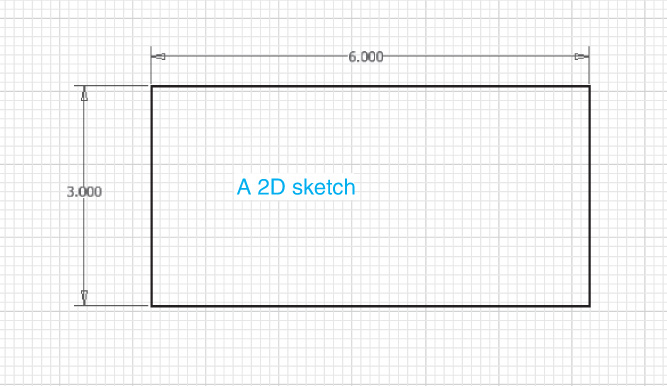
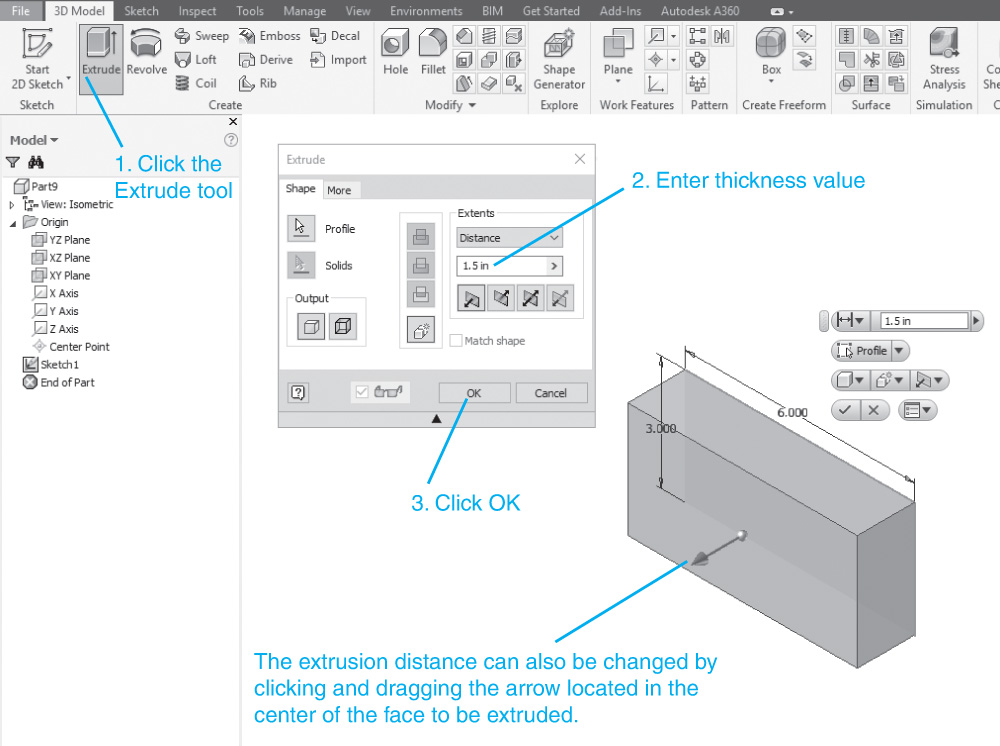
Figure 3-1
Start a new ...
Get Engineering Design Graphics with Autodesk® Inventor® 2017 now with the O’Reilly learning platform.
O’Reilly members experience books, live events, courses curated by job role, and more from O’Reilly and nearly 200 top publishers.

