April 2009
Intermediate to advanced
888 pages
40h
English
Great reports, like sausages, are at their most delicious when you don’t know every last thing that goes into them. Both go down easier if you’re spared the gory details. In fact, the essential goal of most final reports is to synthesize and summarize data rather than catalog every last detail. The first job of any document design is to figure out the parts of your data you want to emphasize and which can be tucked away.
Chances are, most of your spreadsheets involve totaling and subtotaling numbers to show bottom-line results. Particularly for a report’s summary page—and often for inside pages, too—those final tallies are the numbers that matter. Depending on the type of document you’re building, you may not even need to share the original raw data at all; at the very least, you can relegate it to one or more back sheets of your document. You can choose whether or not to print those sheets when you’re ready to publish. If you’re doing a scientific report on an experiment with thousands of measurements, for example, the data for those individual measurements should go on a back sheet while you put the summaries of your findings in sheets up front. Let Numbers sweat over your calculations in a back workshop while you parade the polished results around the showroom.
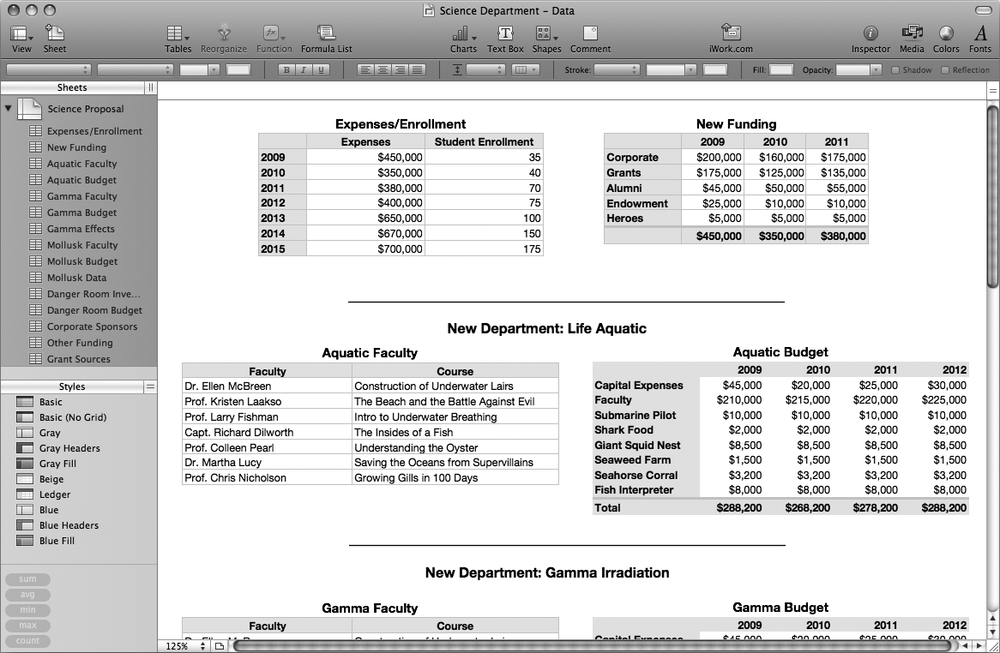
Figure 23-2. The faculty’s spreadsheet contains the raw data for their presentation. It’s got ...
Read now
Unlock full access


 O’Reilly covers everything we've got, with content to help us build a world-class technology community, upgrade the capabilities and competencies of our teams, and improve overall team performance as well as their engagement.I wanted to learn C and C++, but it didn't click for me until I picked up an O'Reilly book. When I went on the O’Reilly platform, I was astonished to find all the books there, plus live events and sandboxes so you could play around with the technology.I’ve been on the O’Reilly platform for more than eight years. I use a couple of learning platforms, but I'm on O'Reilly more than anybody else. When you're there, you start learning. I'm never disappointed.I'm always learning. So when I got on to O'Reilly, I was like a kid in a candy store. There are playlists. There are answers. There's on-demand training. It's worth its weight in gold, in terms of what it allows me to do.