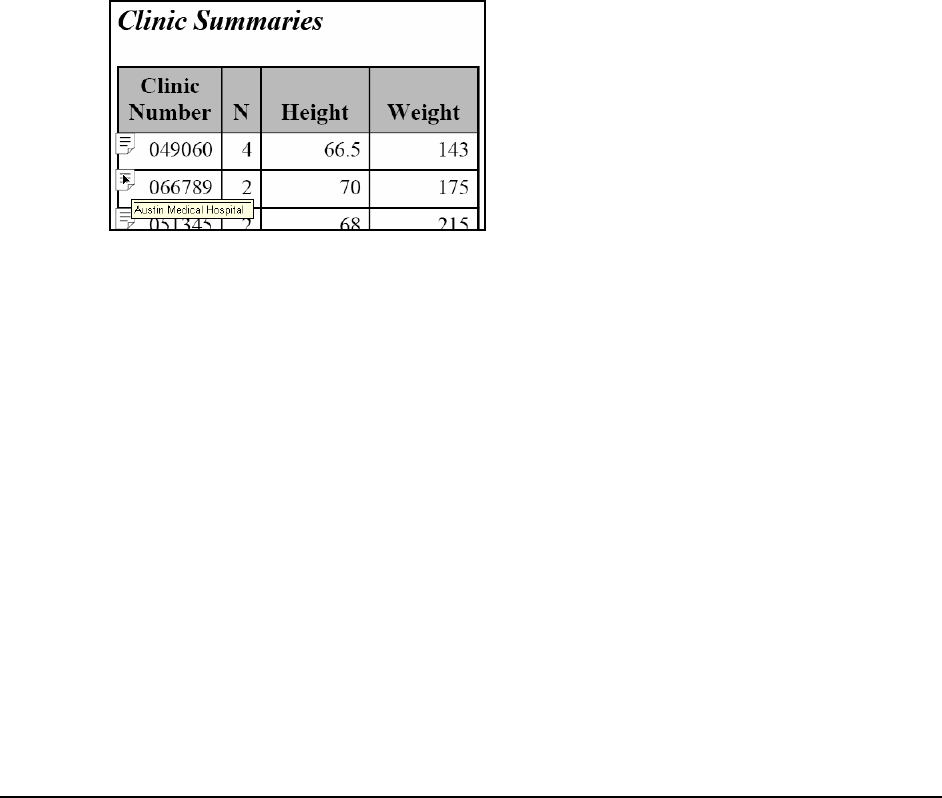
The PDF report shows where tip text is available by including an icon in the cell with tip text.
Again, hovering the cursor over the cell reveals the tip text. In the most recent PDF readers, you
can double-click on the tip text icon to have the tip text expanded.
For the HTML destination you can change the cursor by using the HTMLSTYLE= attribute. This
attribute can alter, among other things, the shape of the cursor. To change the HTML cursor from
the default (a character similar to an uppercase I) to a hand, you can use the following compute
block:
compute clinnum;
attrib = 'style={flyover="'||trim(clinname)|| ...
Become an O’Reilly member and get unlimited access to this title plus top books and audiobooks from O’Reilly and nearly 200 top publishers, thousands of courses curated by job role, 150+ live events each month, and much more.