Skip to Content
Engineering Design Graphics with Autodesk Inventor 2020
book

Engineering Design Graphics with Autodesk Inventor 2020

by James D. Bethune
September 2019
Intermediate to advanced
848 pages
34h 9m
English
Adobe Press
Content preview from Engineering Design Graphics with Autodesk Inventor 2020

Chapter Twelve. Gears

Chapter Objectives

  • Understand the different types of gears: spur, bevel, and worm

  • Understand gear terminology

  • Learn how to select gears from the Content Center

  • Learn how to draw hubs on gears and to add setscrews

  • Learn how to draw keyways on gears and to add keys

  • Learn how to use gears in assemblies

Introduction

This chapter explains how to draw gears using the Gear tool located on the Power Transmission panel under the Design tab. Three types of gears are covered: spur, bevel, and worm. See Figure 12-1. The chapter shows how to add hubs and splines to the gears and how to combine gears to create gear trains.
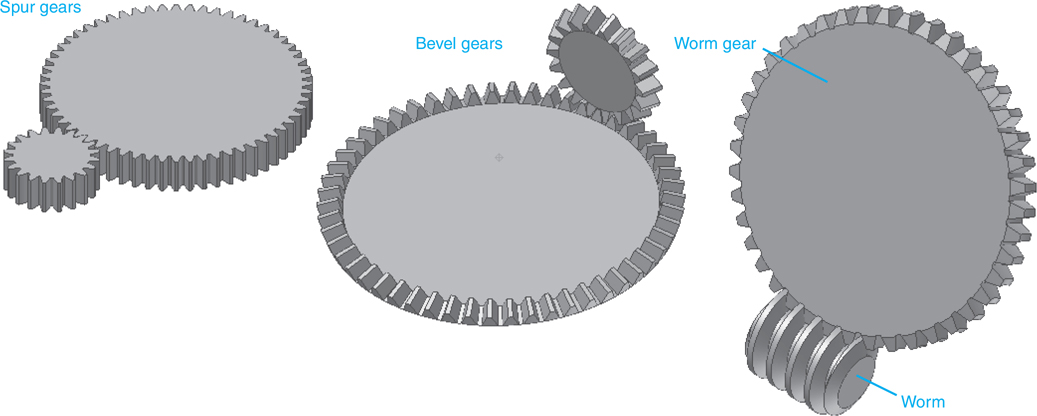
Five different types of gears are shown in a figure.

Figure ...

Become an O’Reilly member and get unlimited access to this title plus top books and audiobooks from O’Reilly and nearly 200 top publishers, thousands of courses curated by job role, 150+ live events each month,
and much more.
Start your free trial

You might also like

Mastering Autodesk Inventor - Sheet Metal Design

Mastering Autodesk Inventor - Sheet Metal Design

Adam Cooper

Publisher Resources

ISBN: 9780135563052