Skip to Content
Getting Started with 3D Printing, 2nd Edition
book

Getting Started with 3D Printing, 2nd Edition

by Liza Wallach Kloski, Nick Kloski
April 2021
Beginner
261 pages
9h 58m
English
Make: Community
Content preview from Getting Started with 3D Printing, 2nd Edition
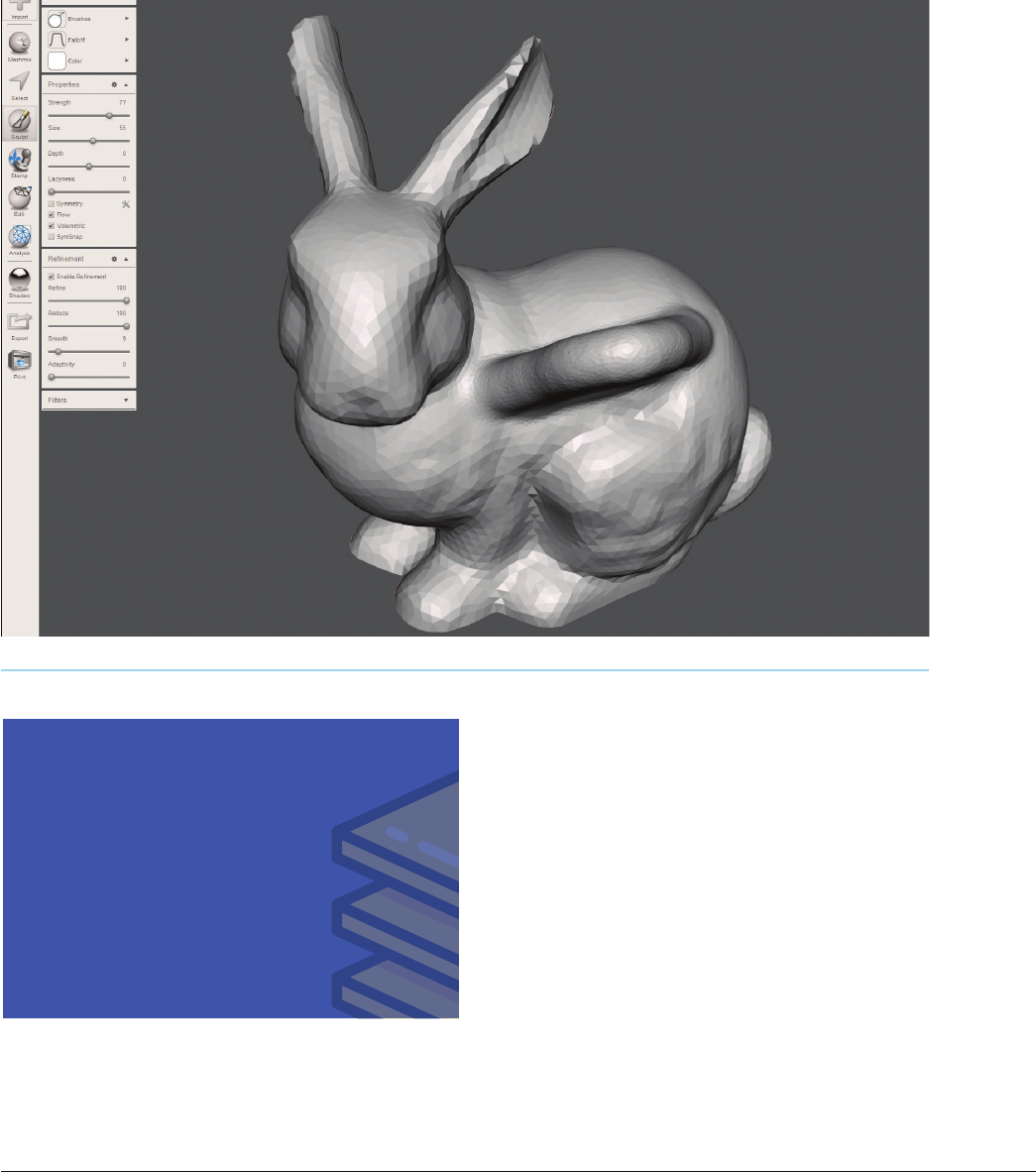
FIGURE 116: Properties and refinement areas are adjusted in the Sculpt tool
refinement areas Figure 11-6, and adjust the set-
tings to match the following.
IN THE PROPERTIES AREA:
Strength: 77
Size: 55
Depth: 0
Flow and Volumetric should be checked
IN THE REFINEMENT AREA:
Enable Refinement should be checked
Refine: 100
Reduce: 100
Smooth: 9
Always Use Inspector
Whether you get 3D models from the Internet or
create your own models, it is always a good idea
to run them through the Inspector tool to see if
there are any problems with it. Sometimes more
advanced repair is needed, but often the Inspec-
tor tool does a great job automatically!
Getting Started with ...
Become an O’Reilly member and get unlimited access to this title plus top books and audiobooks from O’Reilly and nearly 200 top publishers, thousands of courses curated by job role, 150+ live events each month,
and much more.
Start your free trial

You might also like

Getting Started with 3D Printing

Getting Started with 3D Printing

Liza Wallach Kloski, Nick Kloski
Make: 3D Printing

Make: 3D Printing

Anna Kaziunas France

Publisher Resources

ISBN: 9781680457063Errata Page