February 2006
Intermediate to advanced
826 pages
63h 42m
English
You can align form elements in a similar fashion using CSS alone, without applying layout tables, as shown in the simple example in Figure 15-17.
This is the minimal and semantic markup for the form. Each component of the form uses a label and input element, except for the submit button, which has an input element only.
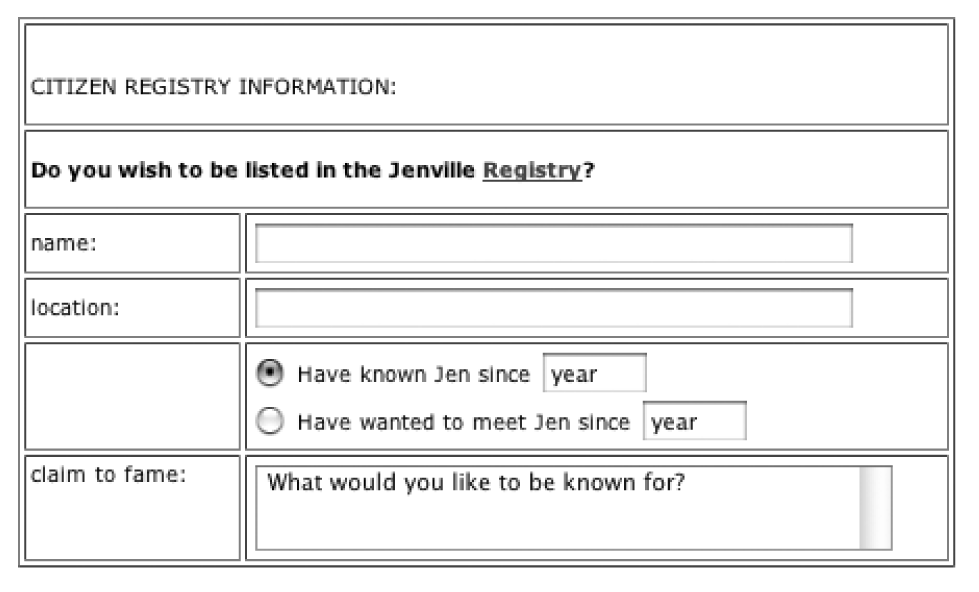
Figure 15-16. Using a table to align a form
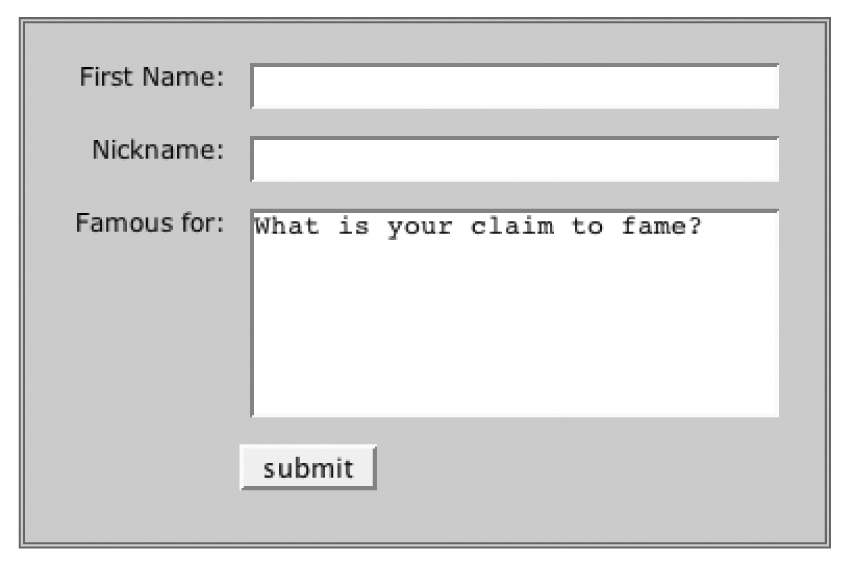
Figure 15-17. Using CSS to align a form
    <form action="/cgi-bin/guestbook.pl" method="get">
       <fieldset id="signup">
          <label for="first">First Name:</label>
          <input type="text" name="firstname" id="first" /><br />

          <label for="nick">Nickname: </label>
          <input type="text" name="nickname" id="nick" /><br />

          <label for="desc">Famous for:</label>
          <textarea rows="10" cols="25" id="desc">What is your claim to
                    fame?</textarea><br />

          <input type="submit" value="submit" id="subbutton" />
       </fieldset>
    </form>
The goal for this form was to have the label and inputs appear side by side, with the labels on a right alignment. This is handled by floating both the label and input elements so they are adjacent, and then changing the text-align on the label to right. A margin on the label element keeps the label text from bumping into the inputs.
When using the float property, it is important to clear the following elements to make them ...
Read now
Unlock full access


 O’Reilly covers everything we've got, with content to help us build a world-class technology community, upgrade the capabilities and competencies of our teams, and improve overall team performance as well as their engagement.I wanted to learn C and C++, but it didn't click for me until I picked up an O'Reilly book. When I went on the O’Reilly platform, I was astonished to find all the books there, plus live events and sandboxes so you could play around with the technology.I’ve been on the O’Reilly platform for more than eight years. I use a couple of learning platforms, but I'm on O'Reilly more than anybody else. When you're there, you start learning. I'm never disappointed.I'm always learning. So when I got on to O'Reilly, I was like a kid in a candy store. There are playlists. There are answers. There's on-demand training. It's worth its weight in gold, in terms of what it allows me to do.