- AI Academy
- Articles & shortcuts
- Books & audiobooks
- Certification guides
- Certification practice tests
- Courses
- Expert playlists
- Interactive
- Live events
- Videos
How to find O’Reilly content
There’s a ton of content on Oracle Learning. Here’s how you can find O’Reilly resources in a wide variety of formats to best suit your learning needs.
AI Academy
The O’Reilly AI Academy provides hand-selected essential tracks and more content tailored to specific roles so you can learn how to put GenAI to work. Here’s how to find them:
-
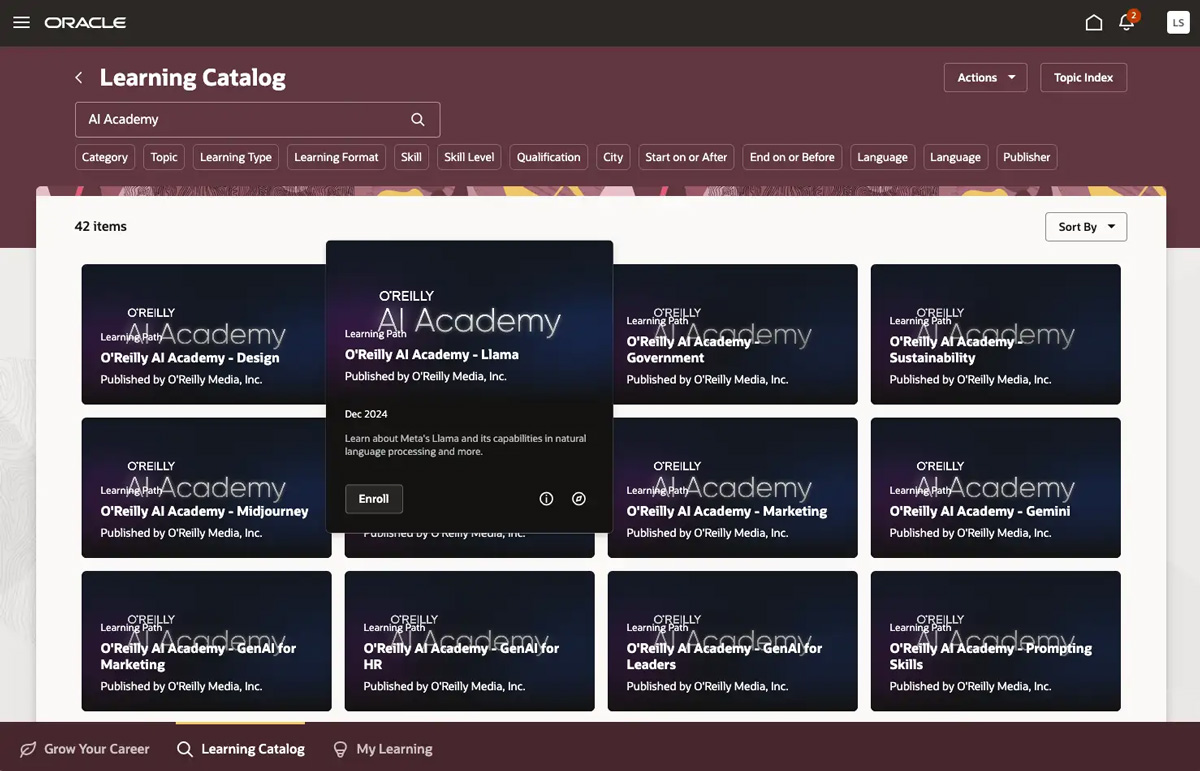
In the Learning Catalog, search for AI Academy to see learning paths by AI Academy track, role, industry, and model. Hover over the cards for more details. When you’ve found something you’re interested in, click Enroll.
-
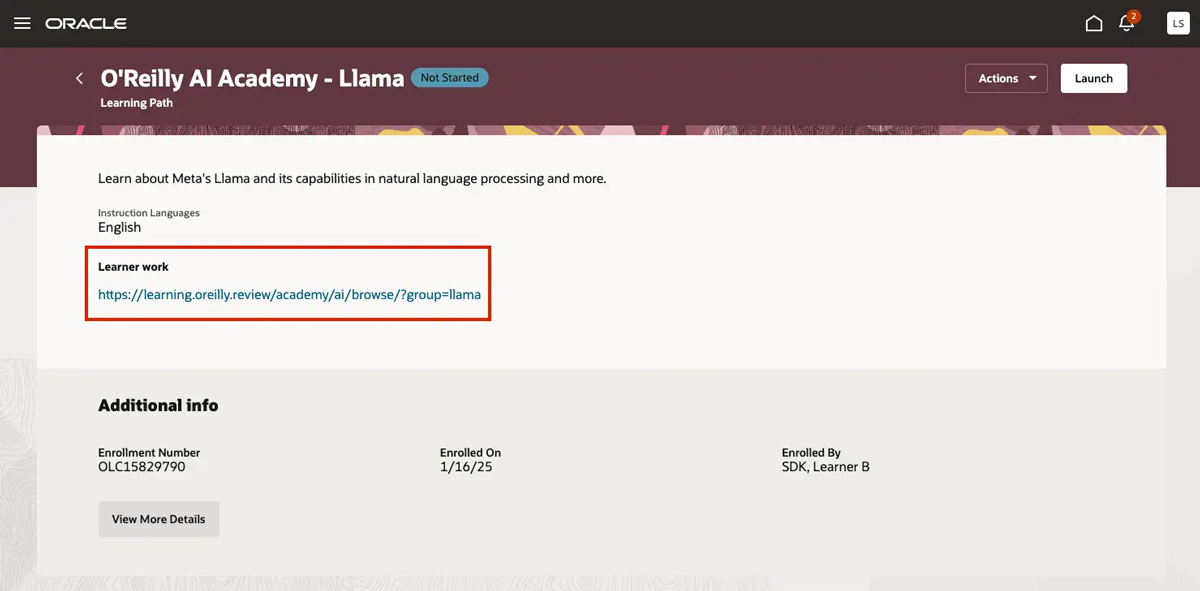
Once you’re enrolled, click the link under Learner work to get started in the O’Reilly learning platform.
Articles & shortcuts
Articles and shortcuts are great ways to quickly learn something new. We have hundreds of them on Oracle and most can be read (or watched) in under 15 minutes. Here’s how to find them:
-
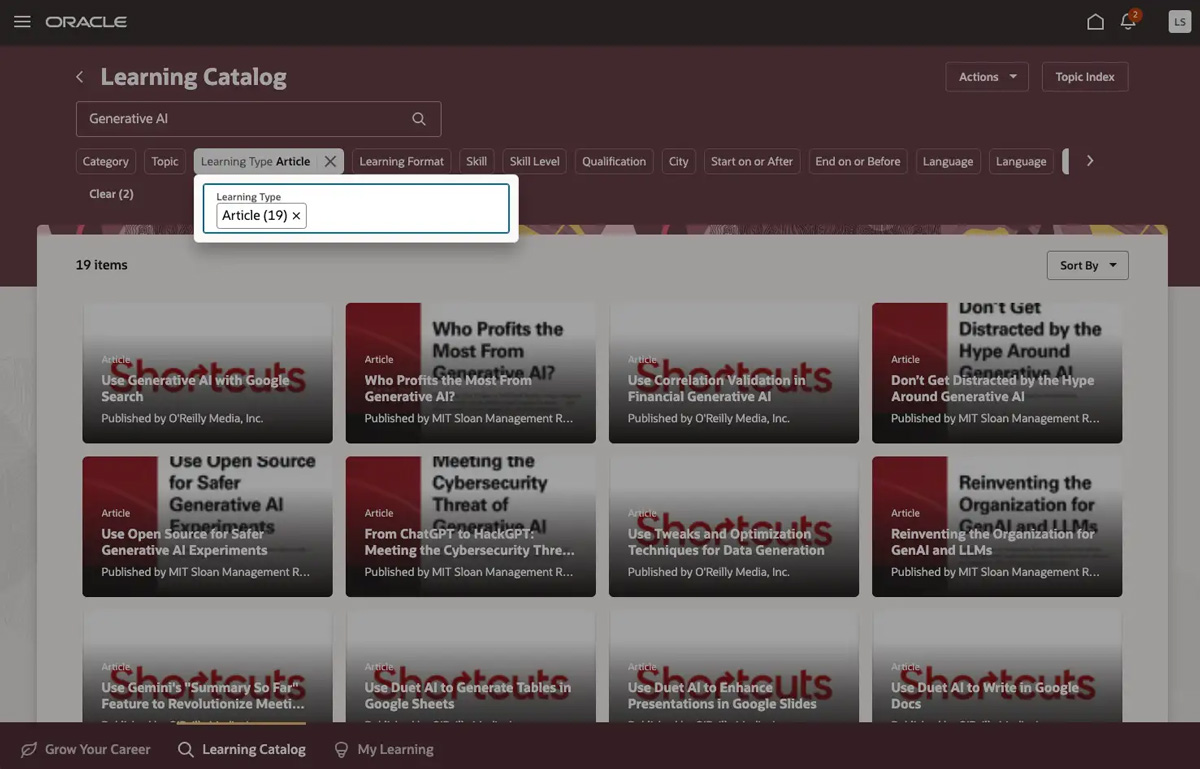
In the Learning Catalog, search by topic (for example, Generative AI), then select Article in the Learning Type filter and O’Reilly Media in the Publisher filter.
-
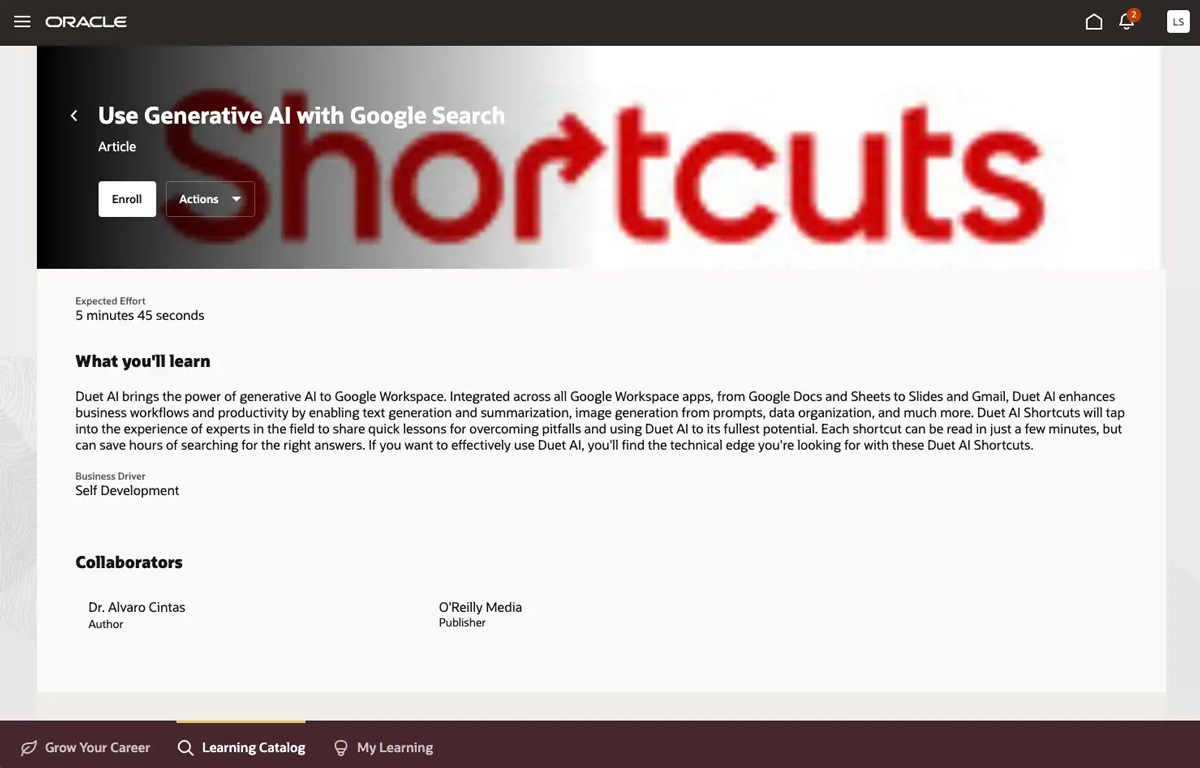
Click a card for more details on the title, then click Enroll in the top left of your screen. Or you can simply hover over the card and click Enroll.
-
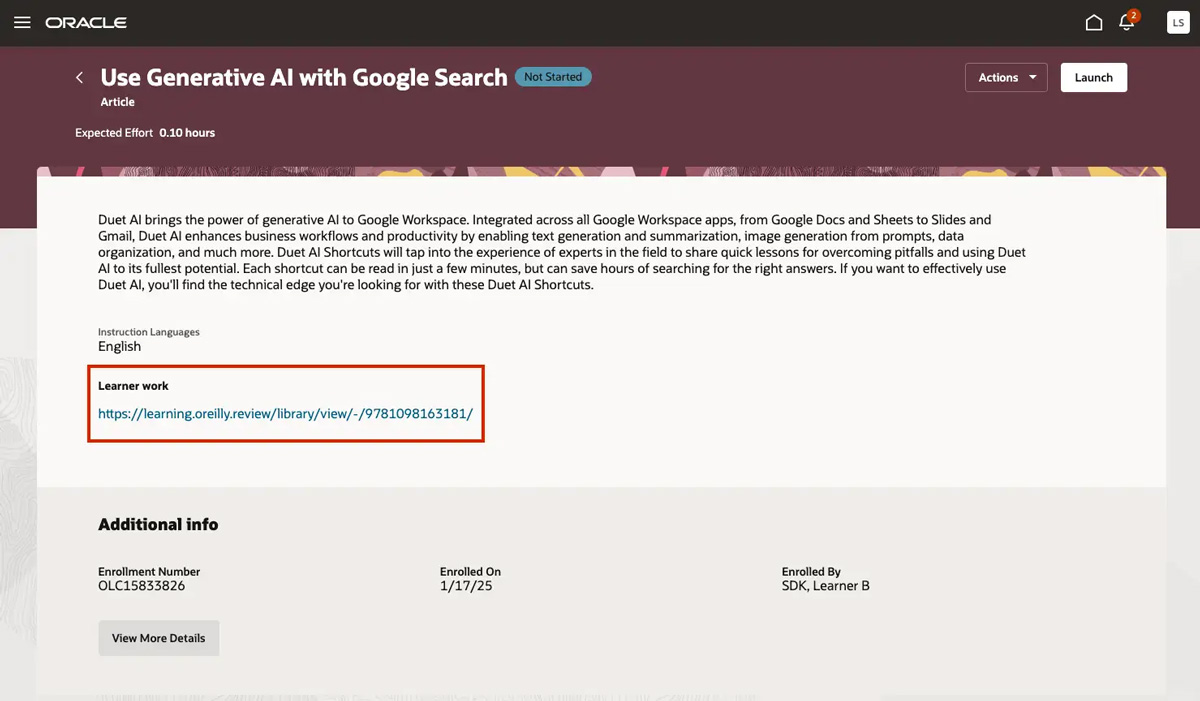
Once you’re enrolled, click the link under Learner work to get started in the O’Reilly learning platform.
Books & audiobooks
There are nearly 50K books and thousands of audiobooks from O’Reilly and other top publishers available on Oracle. To find your next title:
-
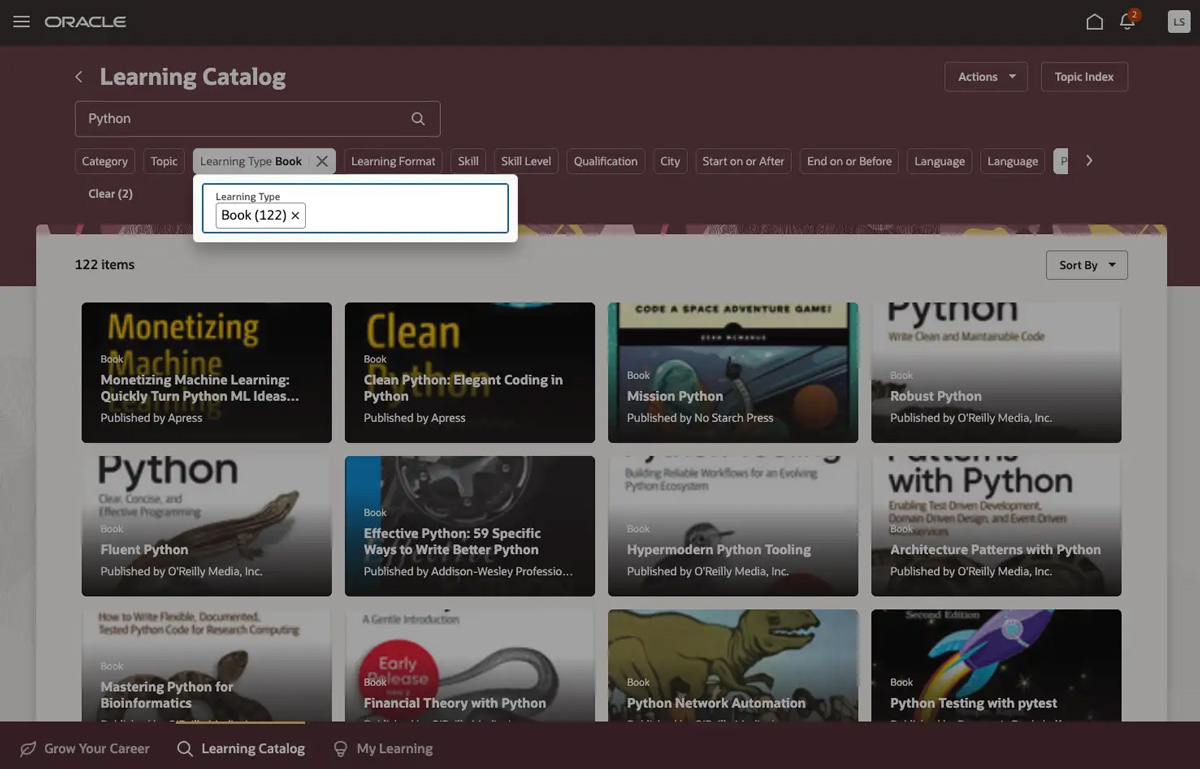
In the Learning Catalog, search by topic, title, or author (for example, Python), then select Book or Audio Book in the Learning Type filter and O’Reilly Media in the Publisher filter.
-
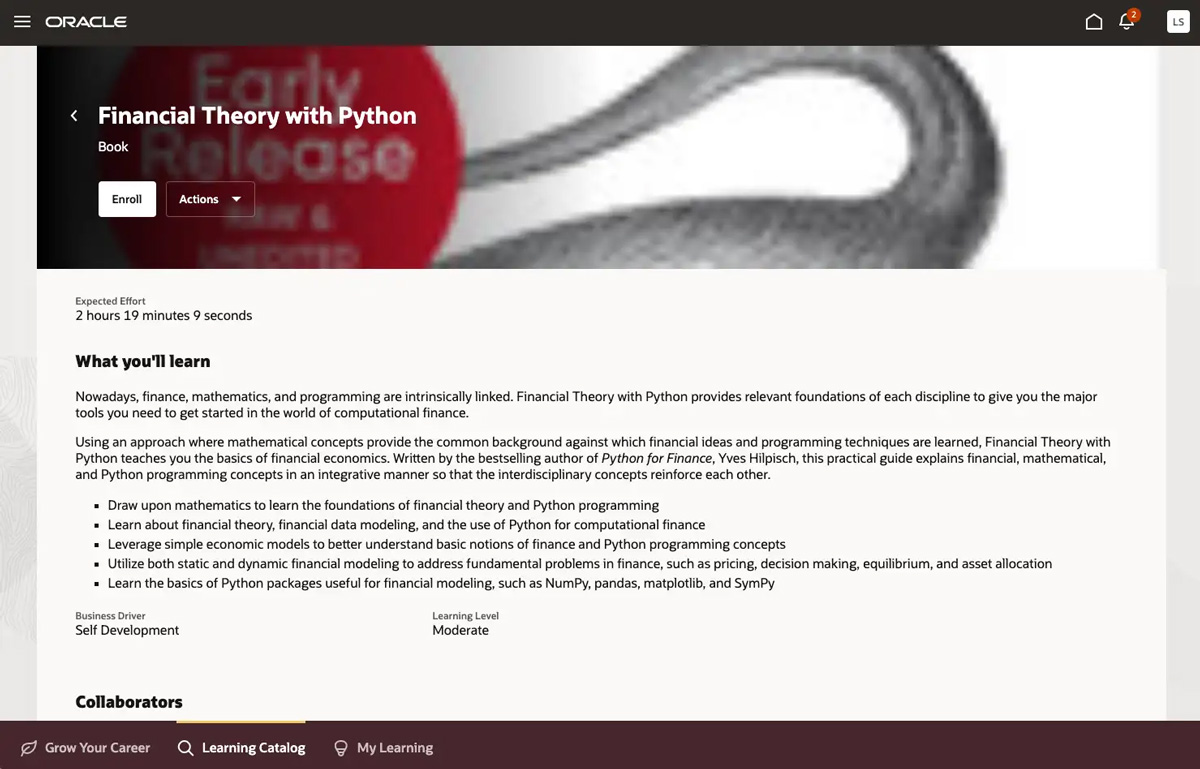
Click a card for more details on the title, then click Enroll in the top left of your screen. Or you can simply hover over the card and click Enroll.
-
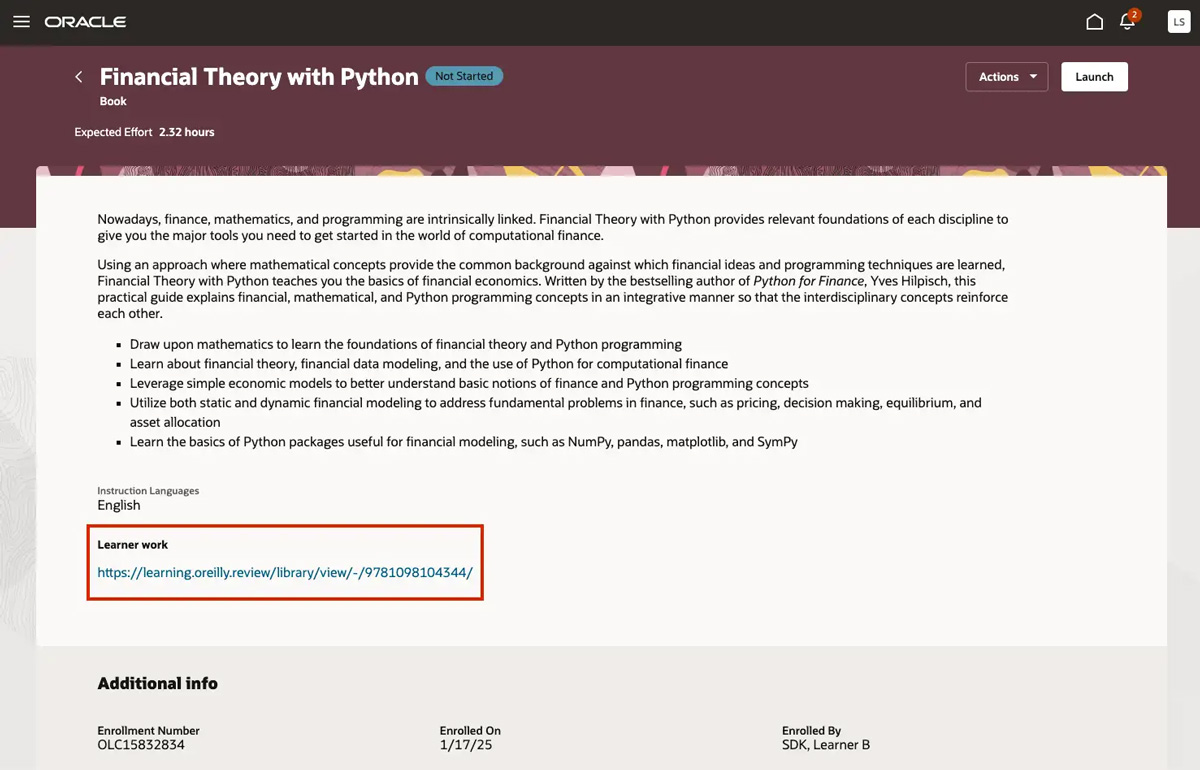
Once you’re enrolled, click the link under Learner work to get started in the O’Reilly learning platform.
Certification guides
O’Reilly certification guides are complete sets of materials you’ll need to help you prepare for the industry’s most sought-after certifications—including official prep materials from the vendors themselves. You’ll find a variety of content formats like self-paced books, instructor-led videos, and interactive practice tests. Here’s how to find certification guides:
-
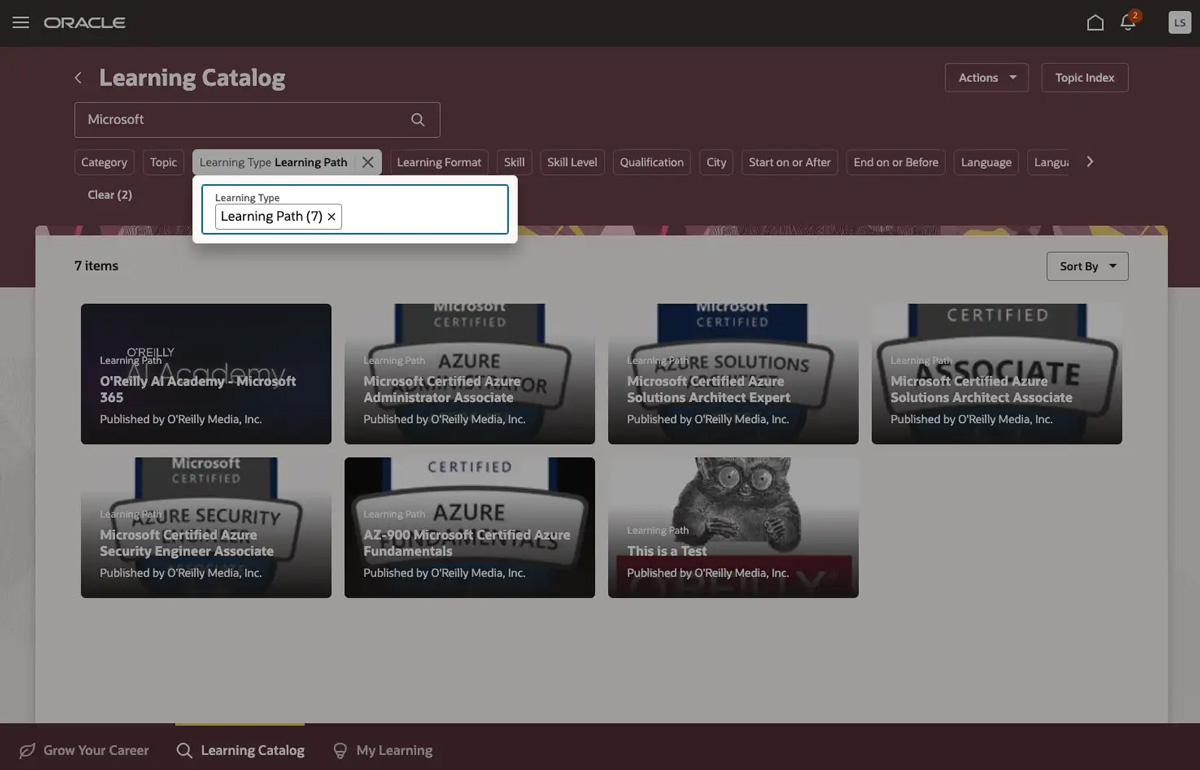
In the Learning Catalog, search for a certification or vendor (for example, AZ-900 or Microsoft), then select Learning Path in the Learning Type filter and O’Reilly Media in the Publisher filter.
-
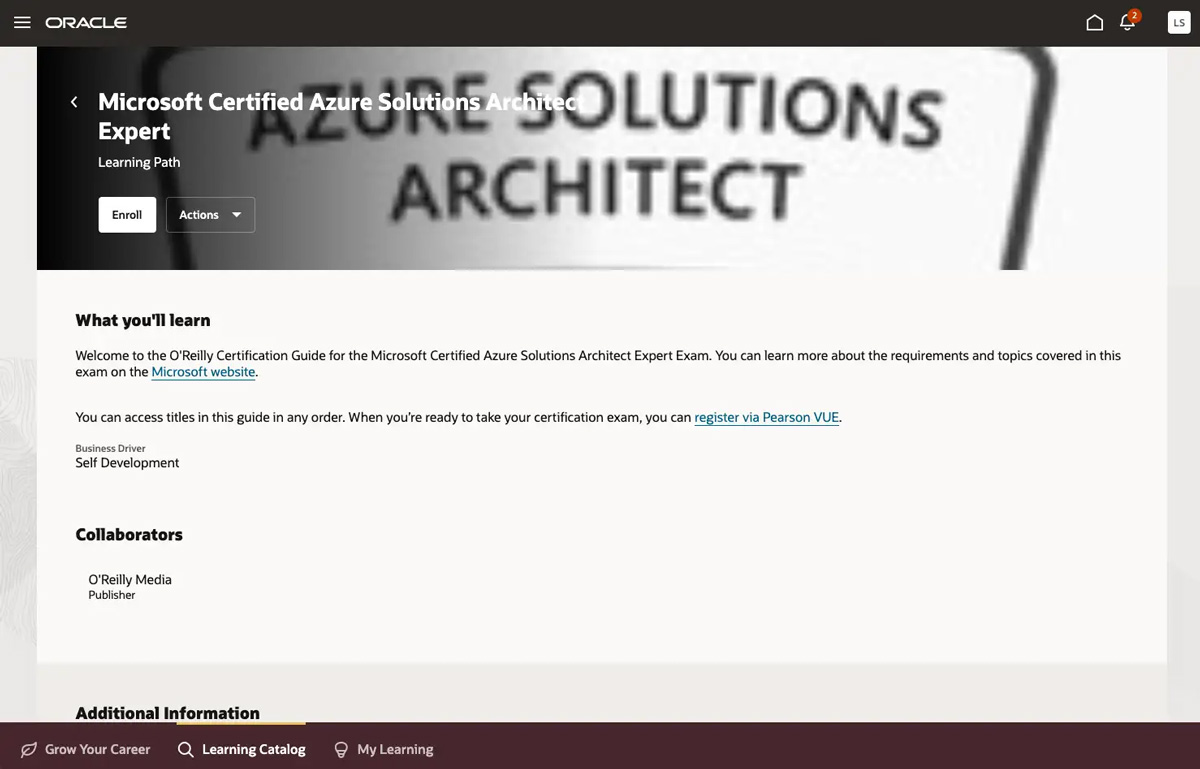
Select a certification guide, then click Enroll in the top left of your screen. Or you can simply hover over the card and click Enroll.
-
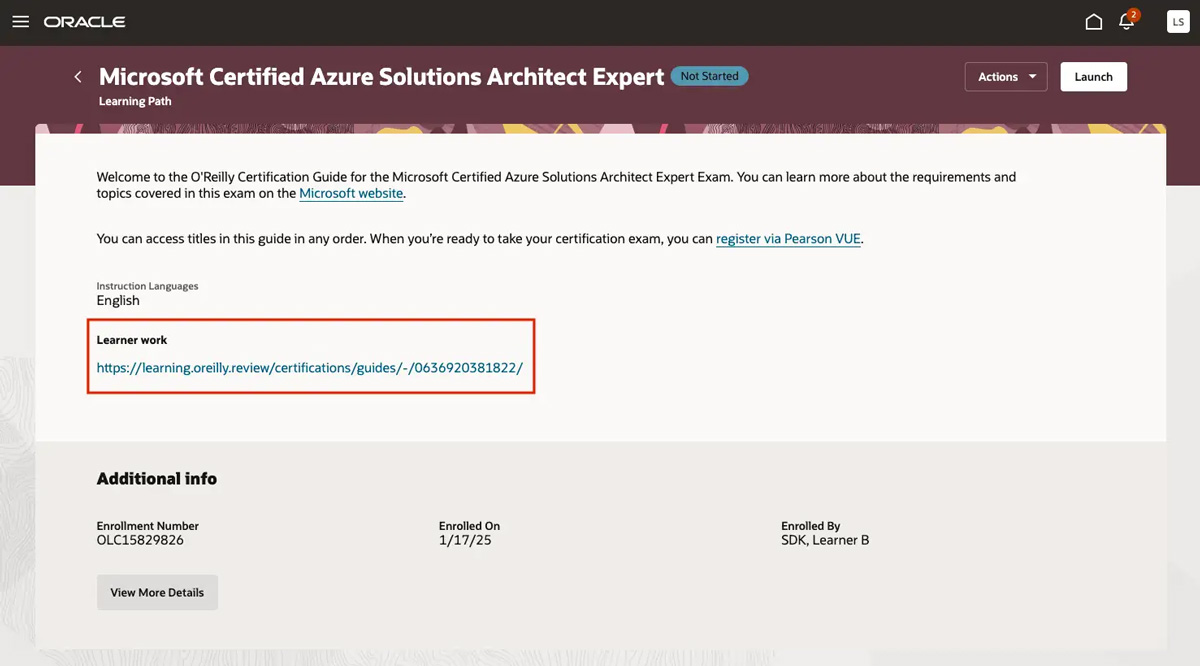
Once you’re enrolled, click the link under Learner work to get started in the O’Reilly learning platform.
Certification practice tests
Taking an actual test is the most helpful way to study for a certification exam, which is where practice tests come into play. They’re interactive and customizable, and you can track your performance on a module-by-module basis to get immediate feedback that helps you determine which areas to focus on next.
Each practice test offers three modes designed to help you prepare:
- Study Mode works as a study guide to evaluate your knowledge. You get answers and full explanations for each question, and you have the option to NOT time yourself so you can study at your own pace.
- Practice Exams give you the chance to take a simulated timed practice test.
- Flash Cards provide the questions WITHOUT multiple choice answers for a true test of your mastery.
Here’s how to find practice tests:
-
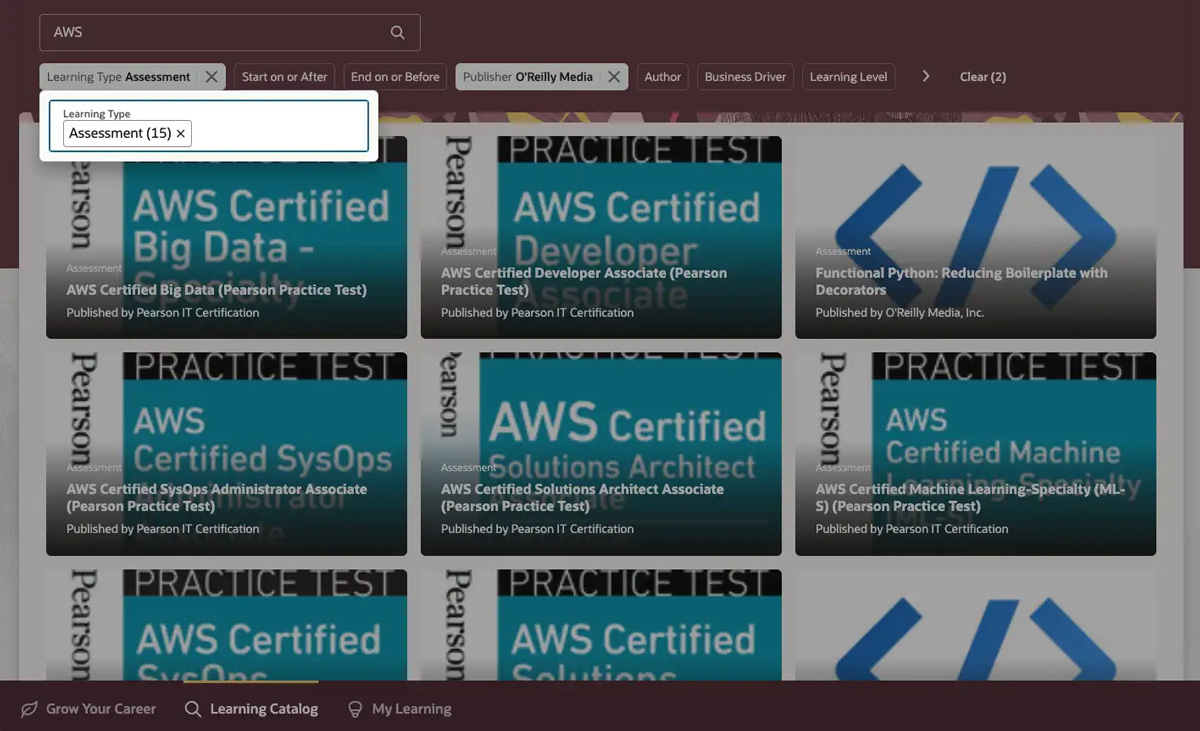
In the Learning Catalog, search for a certification or vendor (for example, AWS), then select Assessment in the Learning Type filter and O’Reilly Media in the Publisher filter.
-
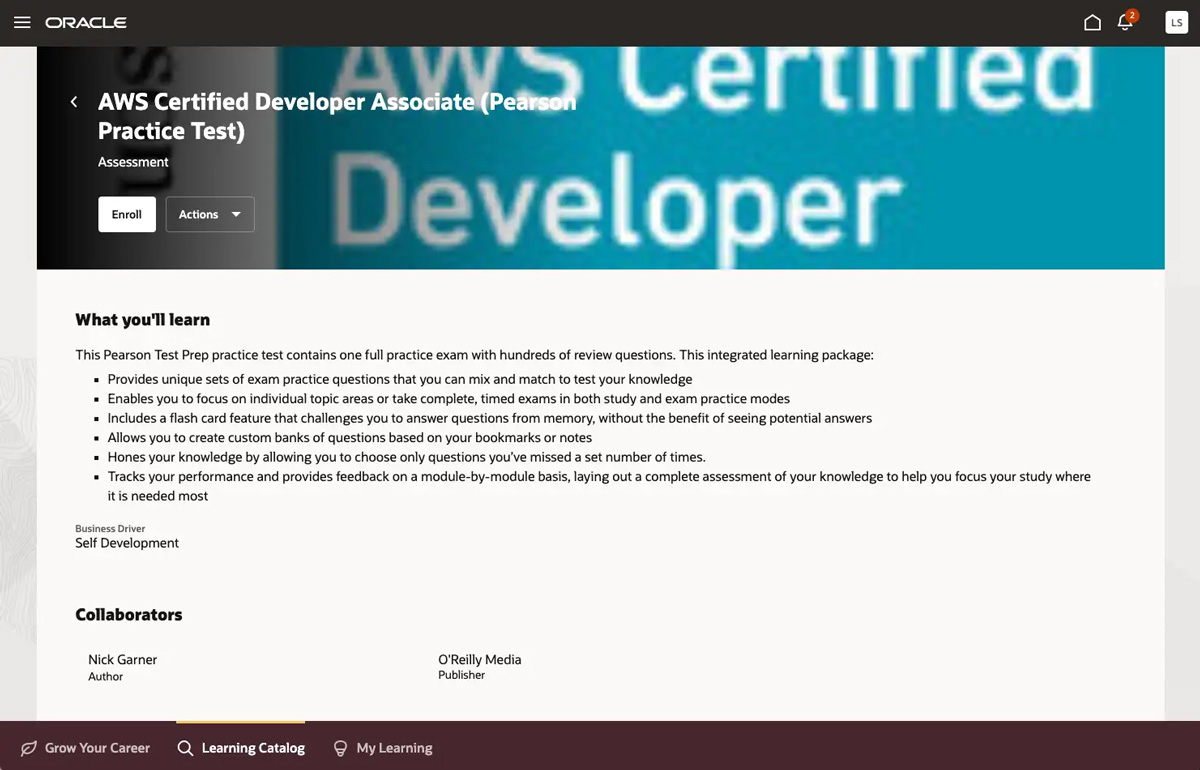
Select a practice test, then click Enroll in the top left of your screen. Or you can simply hover over the card and click Enroll.
-
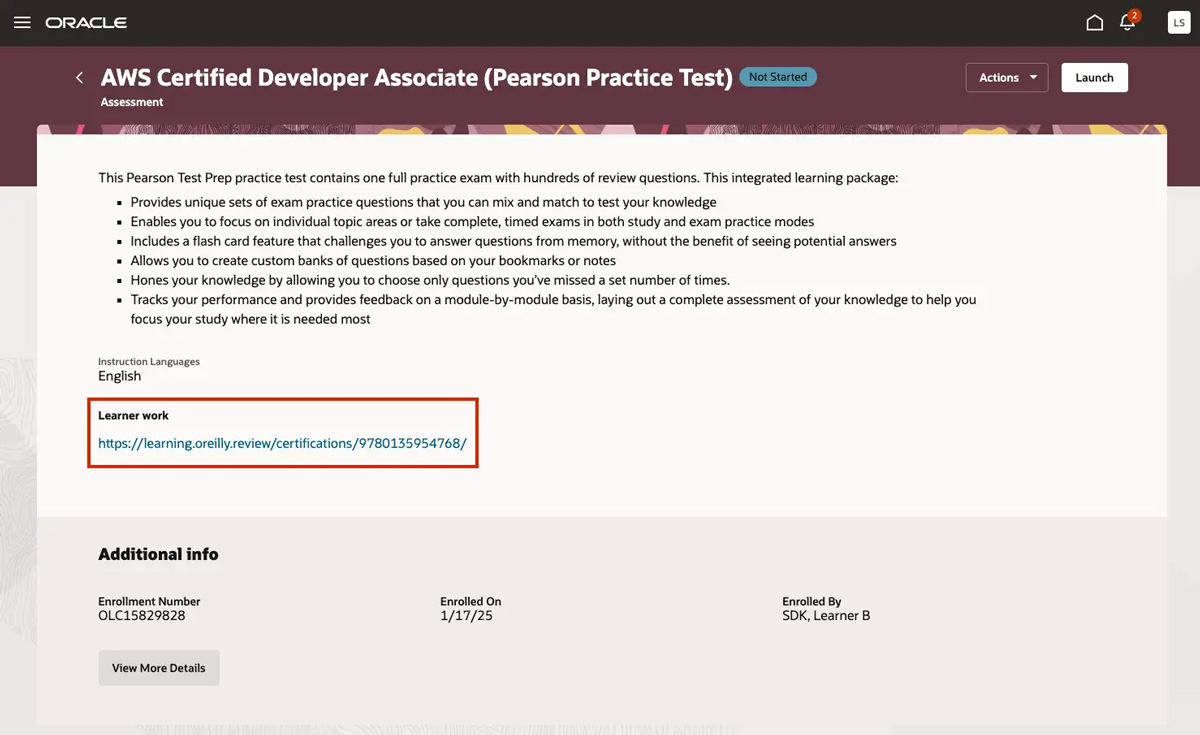
Once you’re enrolled, click the link under Learner work, which brings you to the O’Reilly learning platform. Click Launch practice test to get started.
Courses
Build your skills and see your progress with courses and quizzes. They’re listed by knowledge level, so you can easily determine where to start.
-
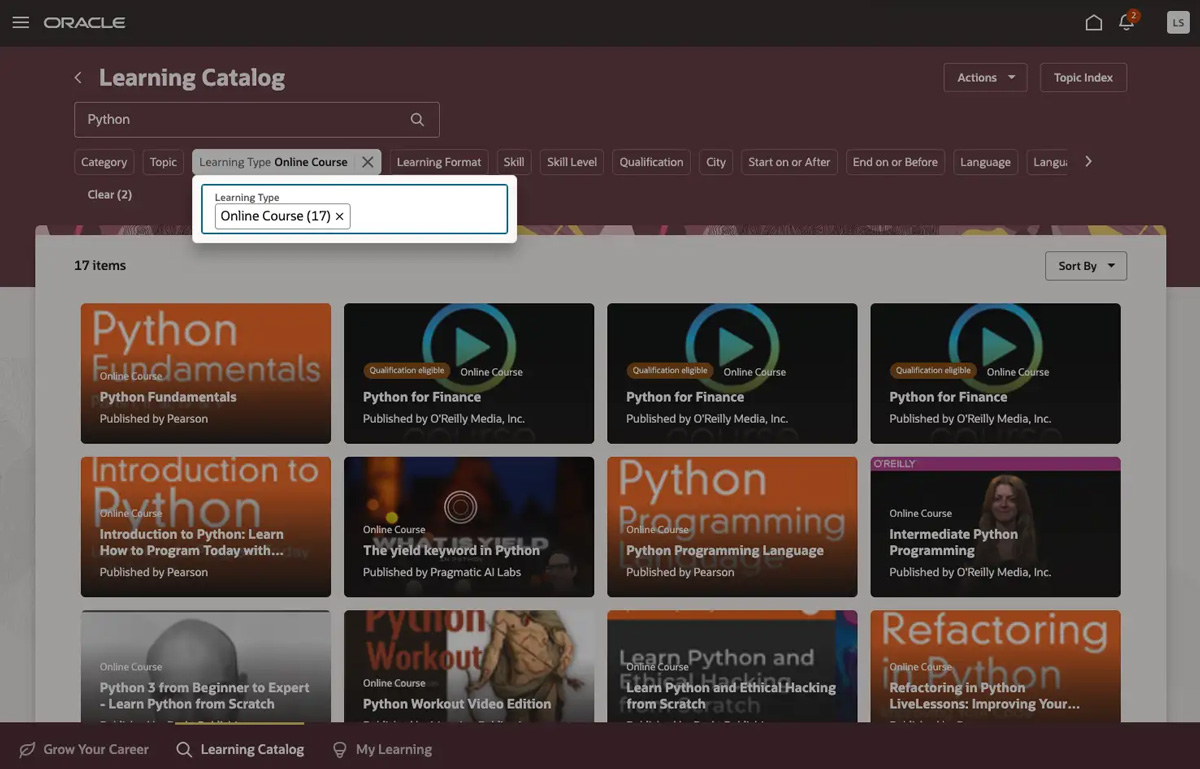
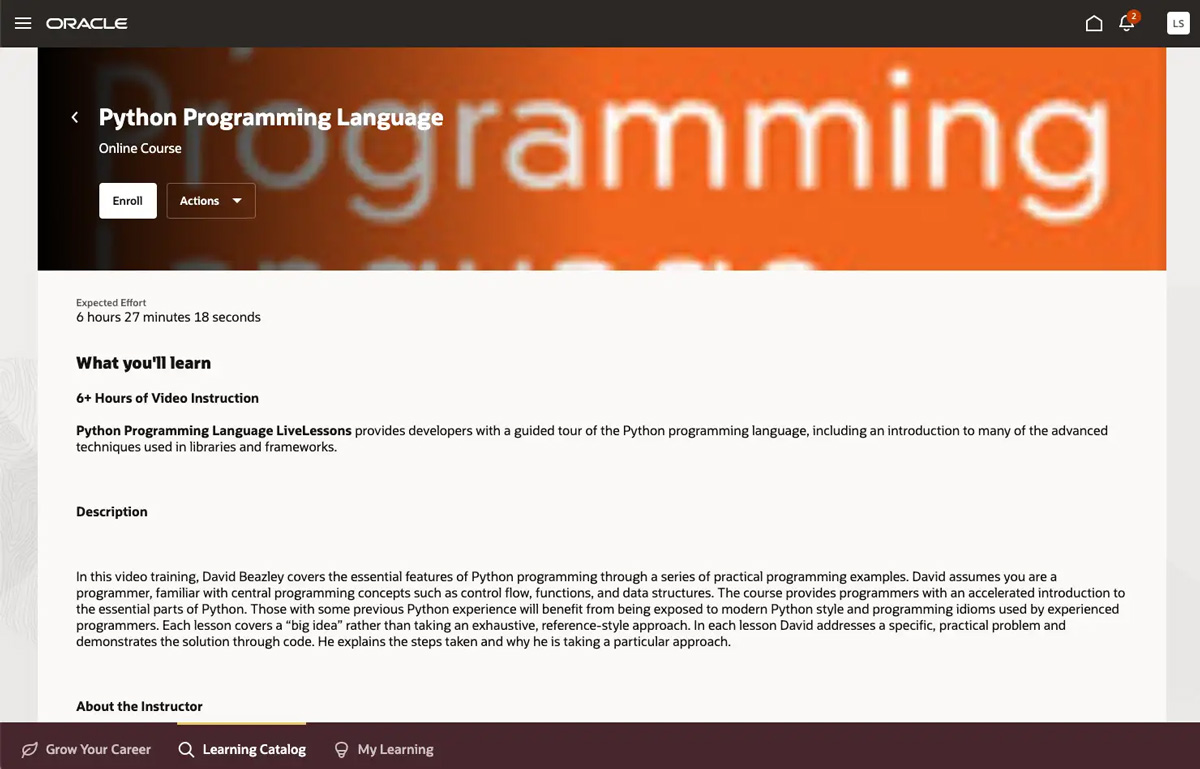
In the Learning Catalog, search by topic (for example, Python), then select Online Course in the Learning Type filter and O’Reilly Media in the Publisher filter. You can also use the Learning Level filter to further refine results by your level of expertise.
-
Click a course card for more details on what you’ll learn, then click Enroll in the top left of your screen. Or you can simply hover over the card and click Enroll.
-
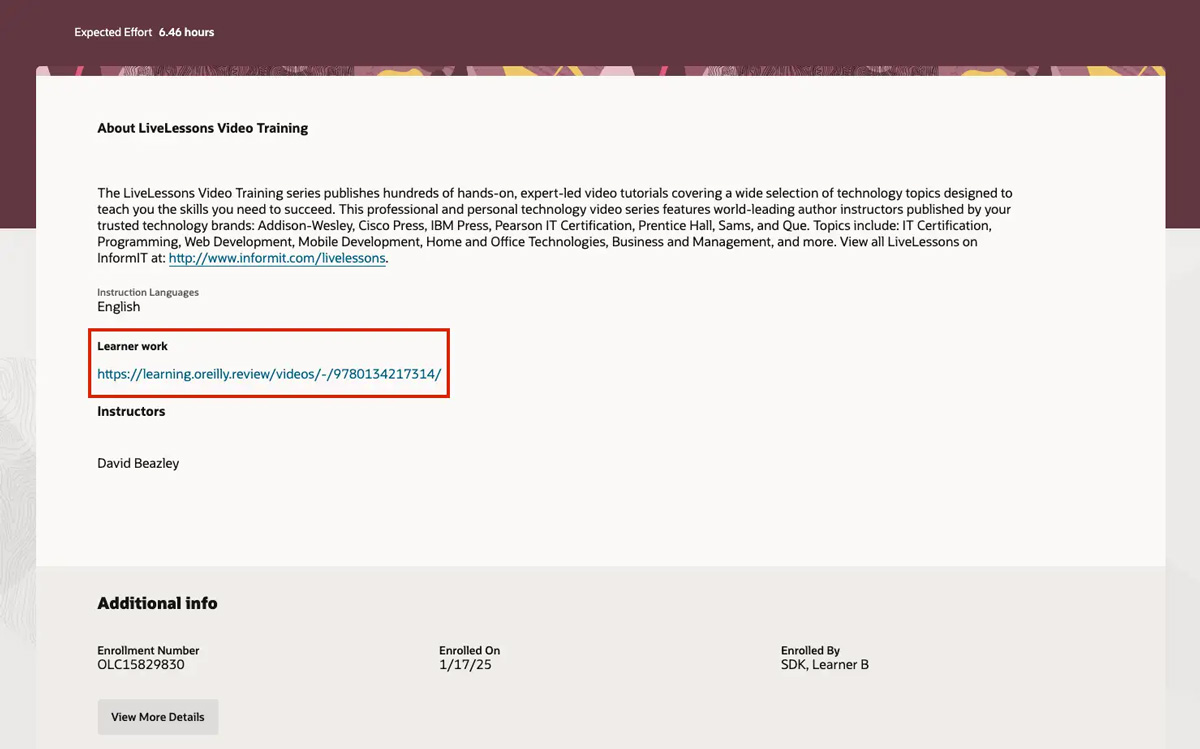
Once you’re enrolled, click the link under Learner work to get started in the O’Reilly learning platform.
Expert playlists
Expert playlist are collections of content handpicked by top innovators in their field. Follow your favorites to be notified when they’re updated. To find expert playlists:
-
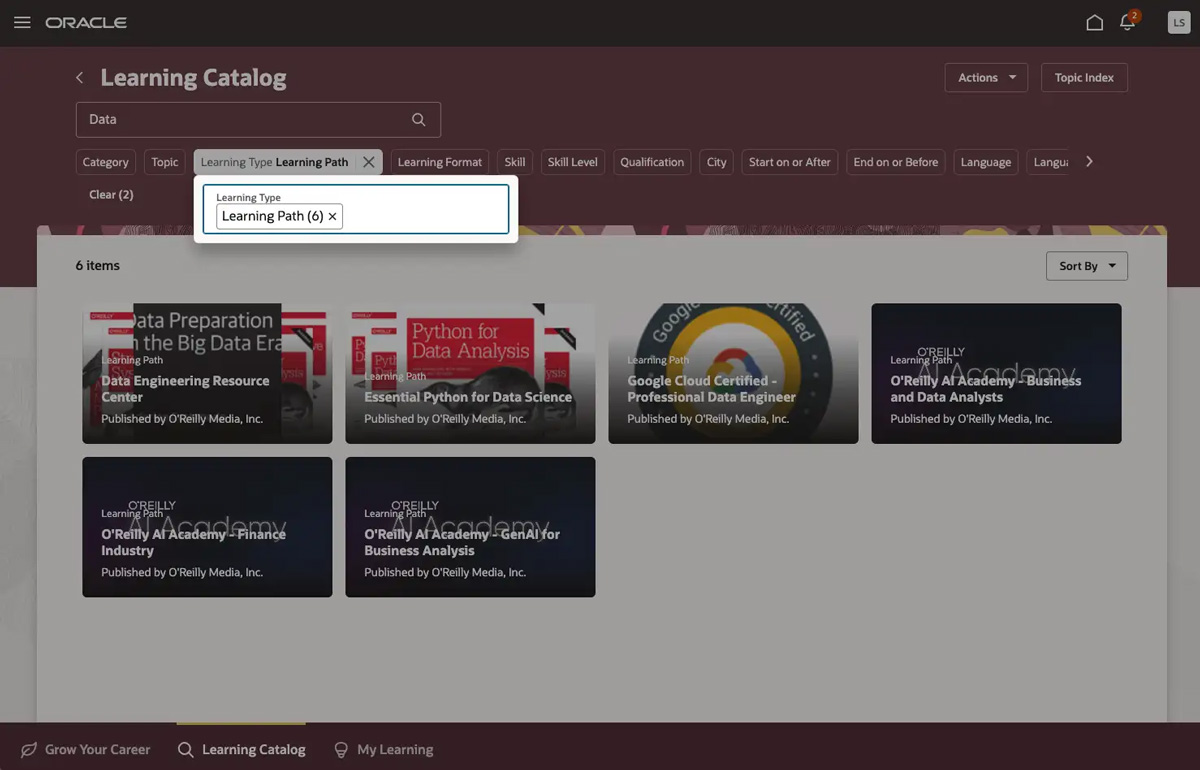
In the Learning Catalog, search by topic (for example, Data), then select Learning Path in the Learning Type filter and O’Reilly Media in the Publisher filter.
-
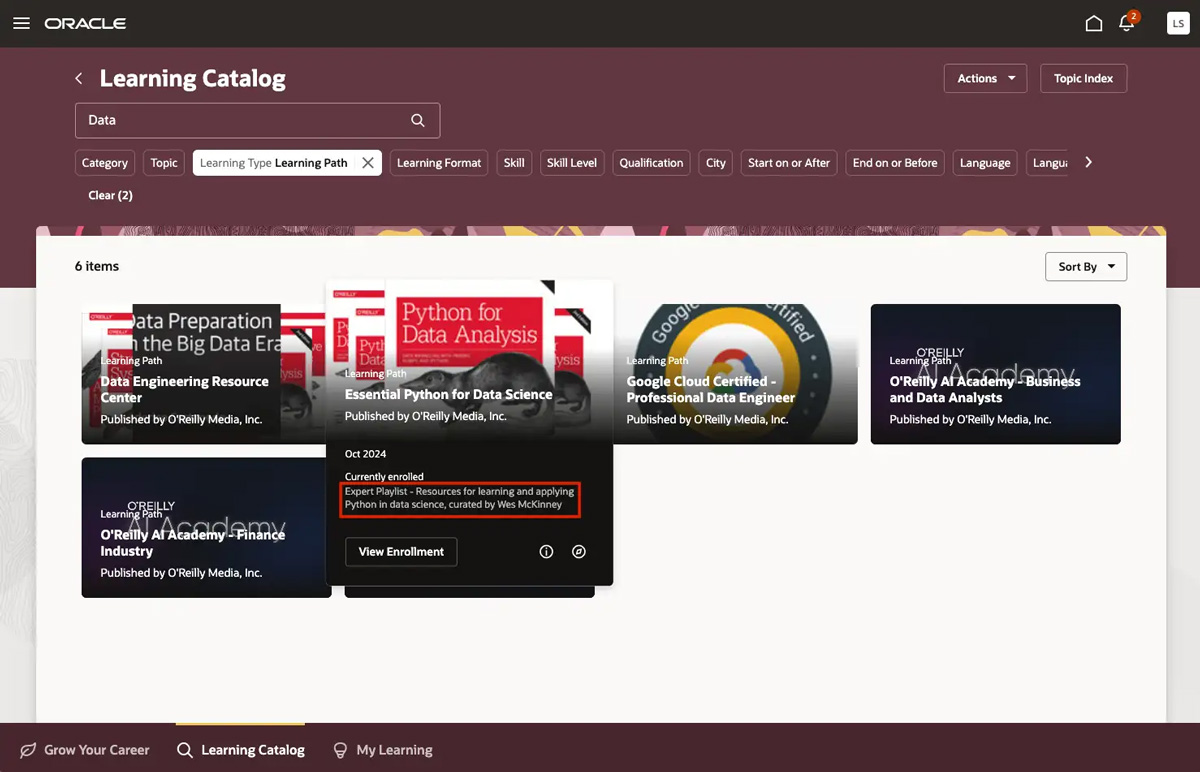
Hover over the cards and look for Expert Playlist. You’ll see a description including the expert who curated the playlist. Click Enroll.
-
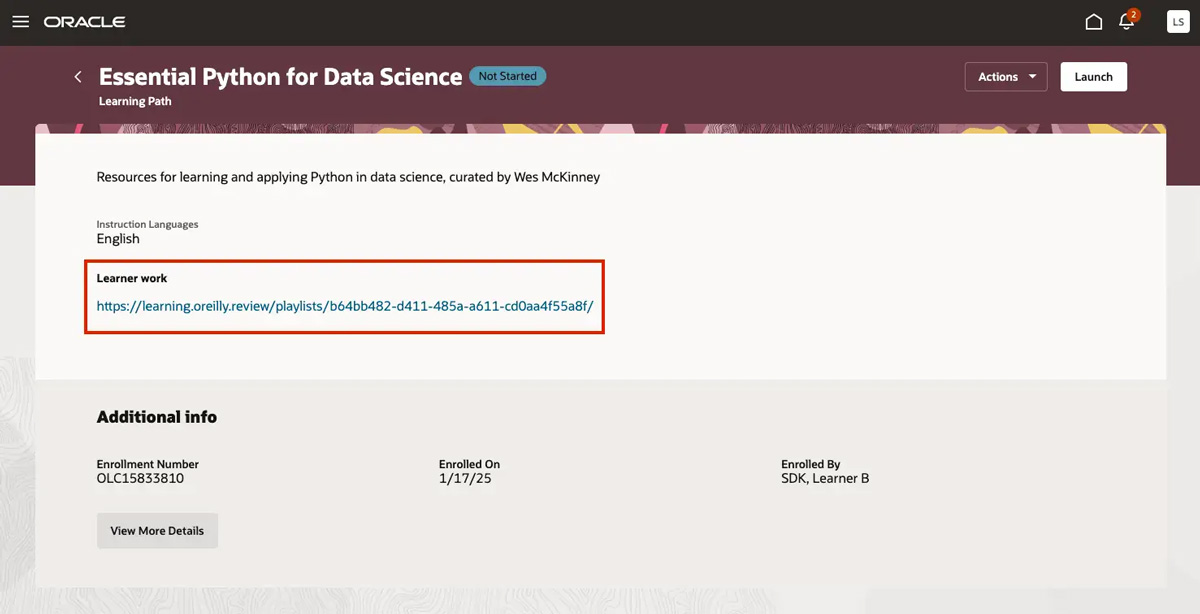
Once you’re enrolled, click the link under Learner work, which brings you to the O’Reilly learning platform. Click Follow in the top right of your screen to get email notifications when the playlist is updated.
Interactive
Labs and sandboxes allow you to experiment with new technologies hands-on in a safe environment. Because interactive content is somewhat unique, it’s not clearly tagged in Oracle. But it’s pretty easy to find.
-
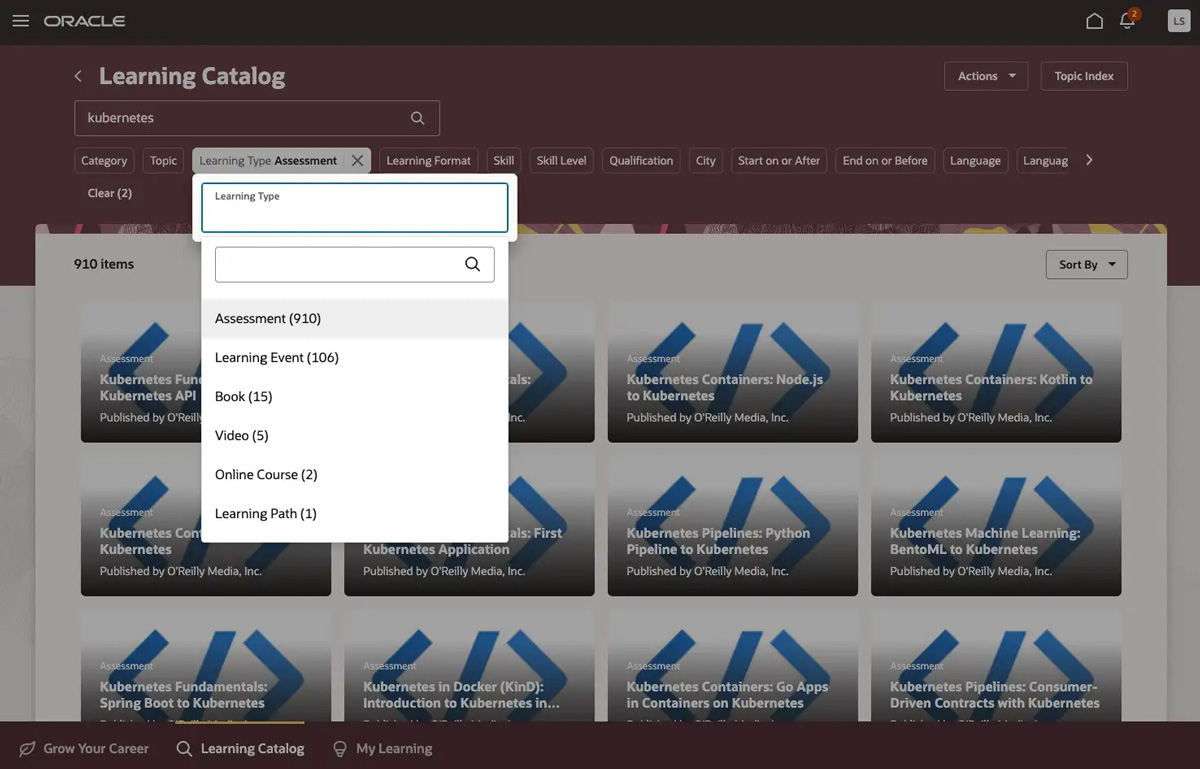
In the Learning Catalog, search by topic or technology (for example, Kubernetes or Docker), then select Assessment in the Learning Type filter and O’Reilly Media in the Publisher filter.
-
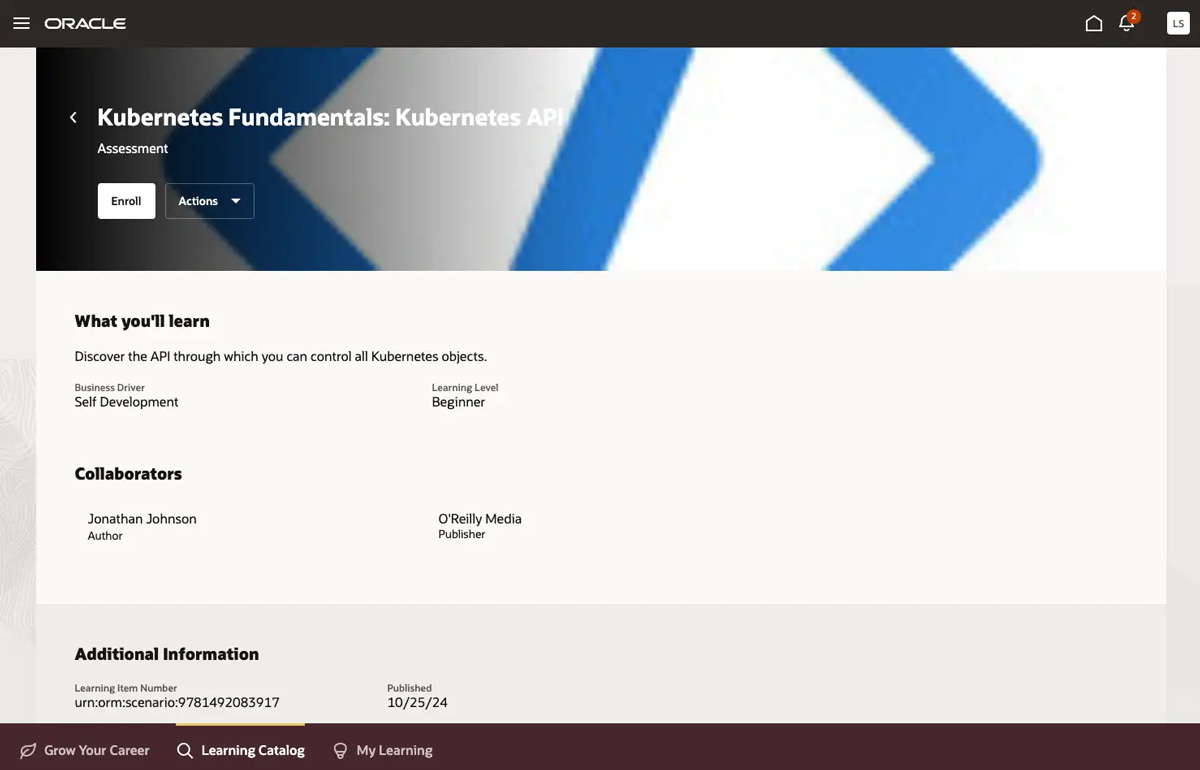
Choose a lab or sandbox. (They’ll all be labeled “Assessments” in Oracle.) Then click Enroll in the top left of your screen. Or you can simply hover over the card and click Enroll.
-
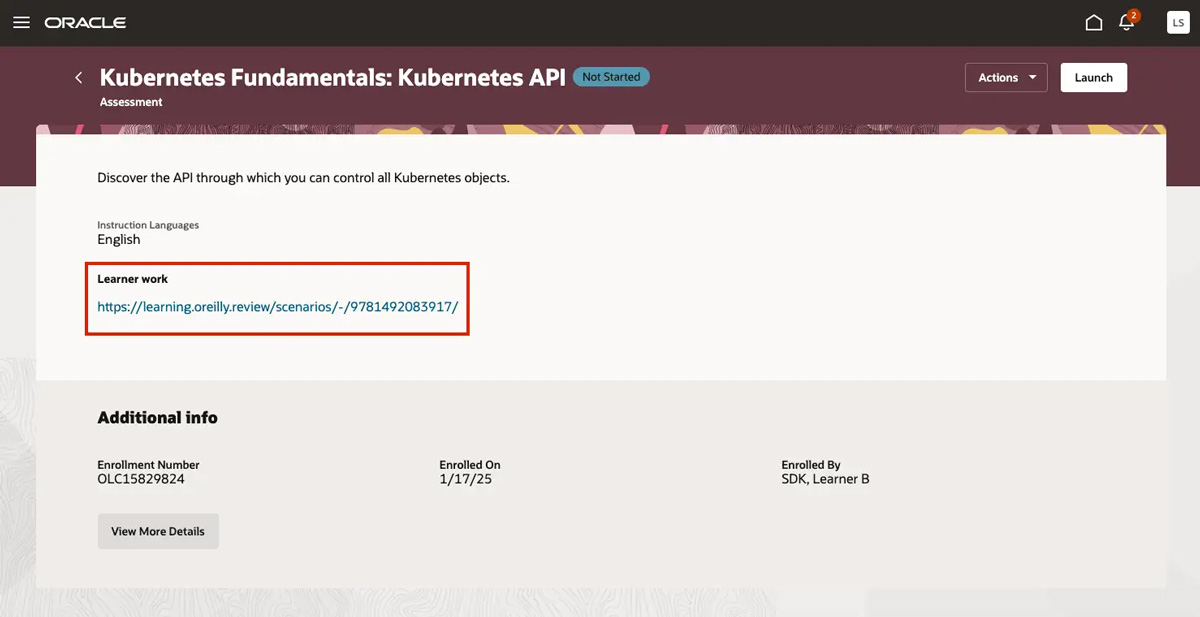
Once you’re enrolled, click the link under Learner work to get started in the O’Reilly learning platform.
Live events
O’Reilly live events include live courses, expert-led conversations, Katas challenges, and Superstreams—our bite-size tech conferences. Here’s how to find them and sign up:
-
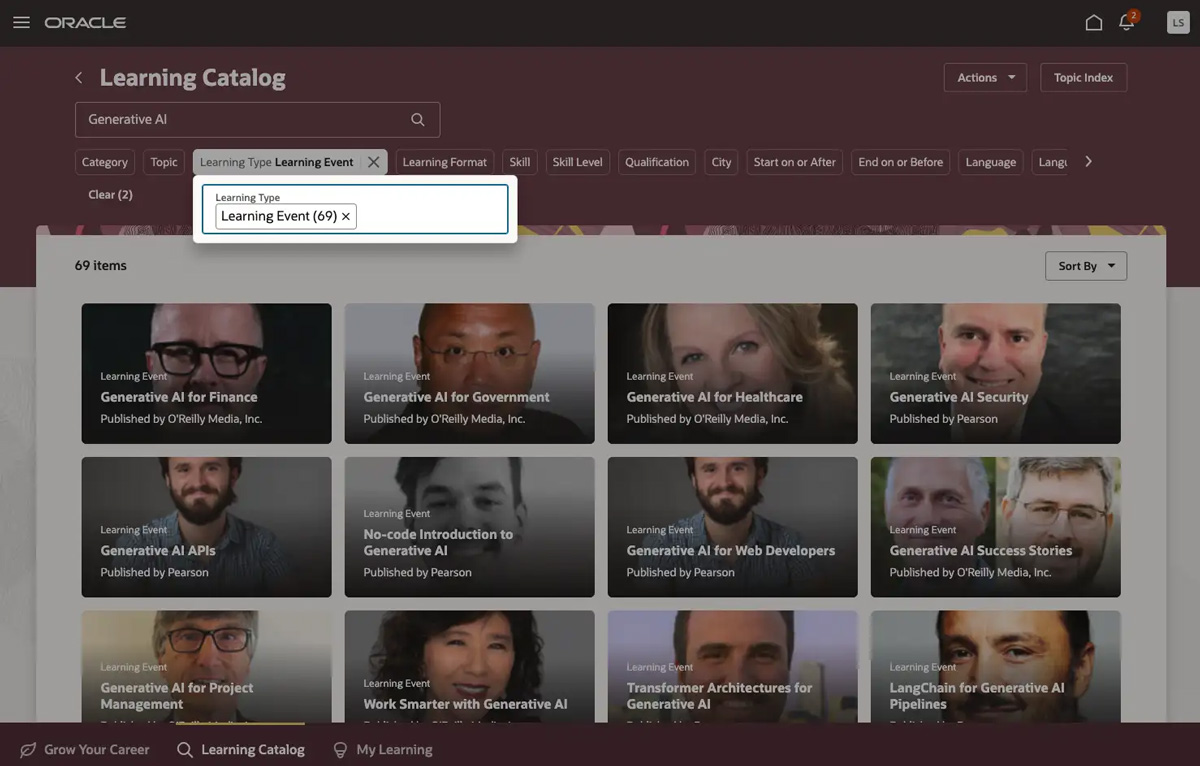
In the Learning Catalog, search for a topic (for example, Generative AI), then choose Learning Event in the Learning Type filter and O’Reilly Media in the Publisher filter. You can also use the Learning Level filter to further refine results by your level of expertise.
-
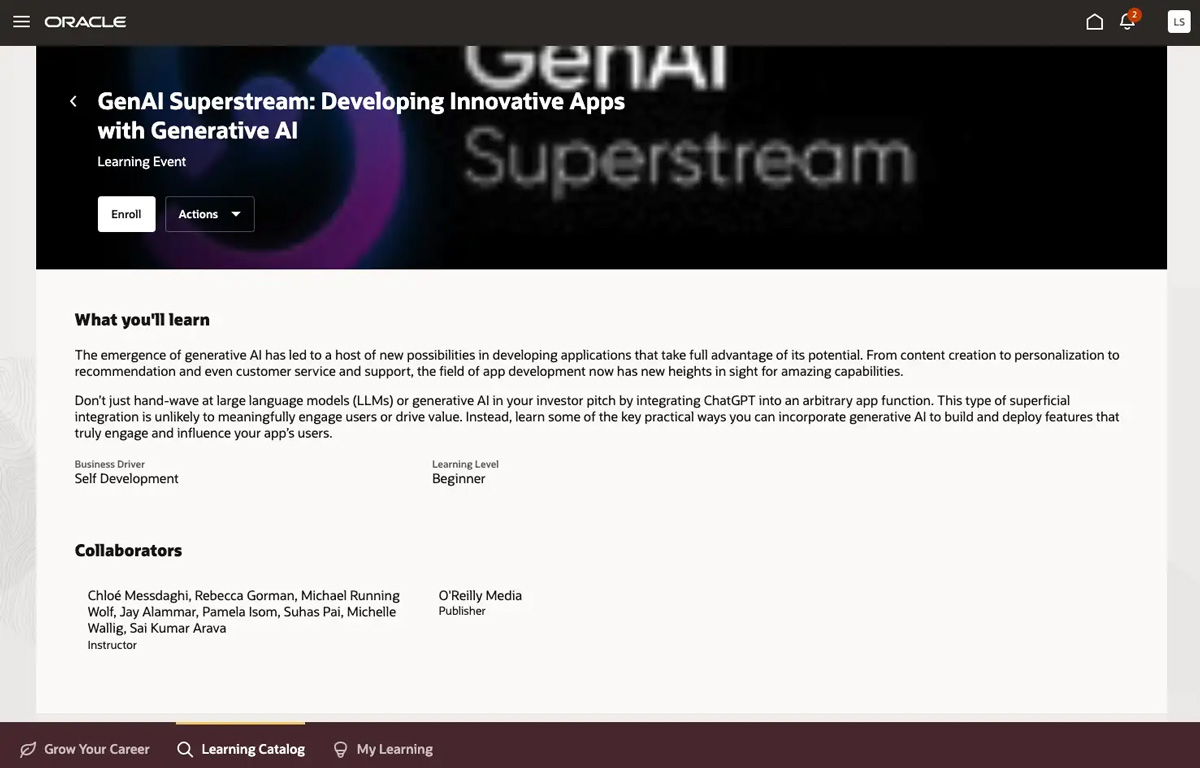
Click an event card for more details on what you’ll learn, then click Enroll in the top left of your screen. Or you can simply hover over the card and click Enroll. Once you’re enrolled, you still need to register on the O’Reilly learning platform. See step 3 to finish signing up.
-
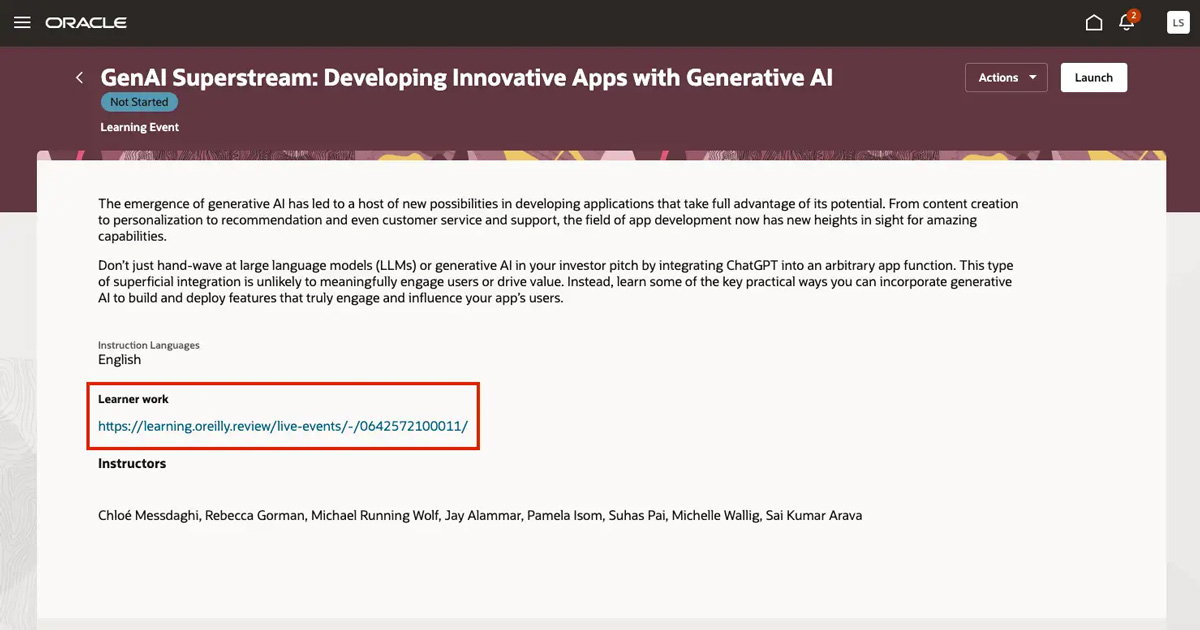
Click the link under Learner work, which brings you to the O’Reilly learning platform. Click Sign up!, then select which calendar you’d like to schedule the event on.
Videos
We have thousands of videos on Oracle, and they’re easy to find.
-
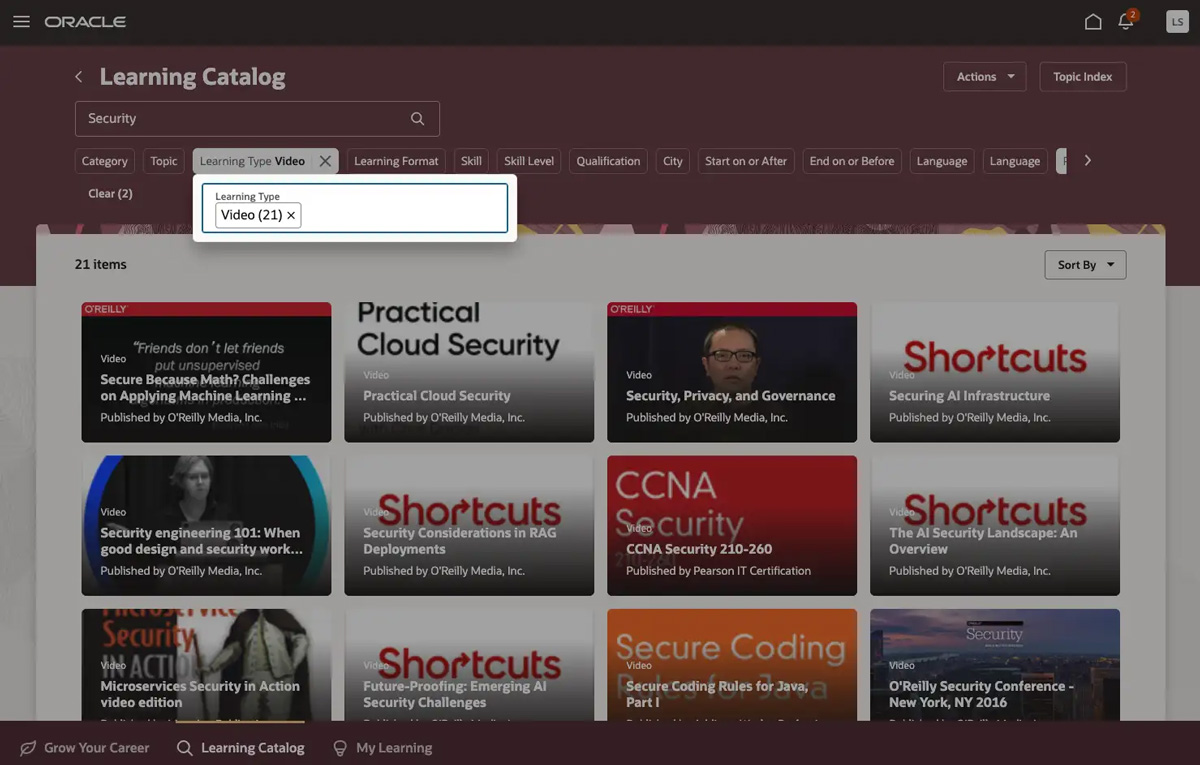
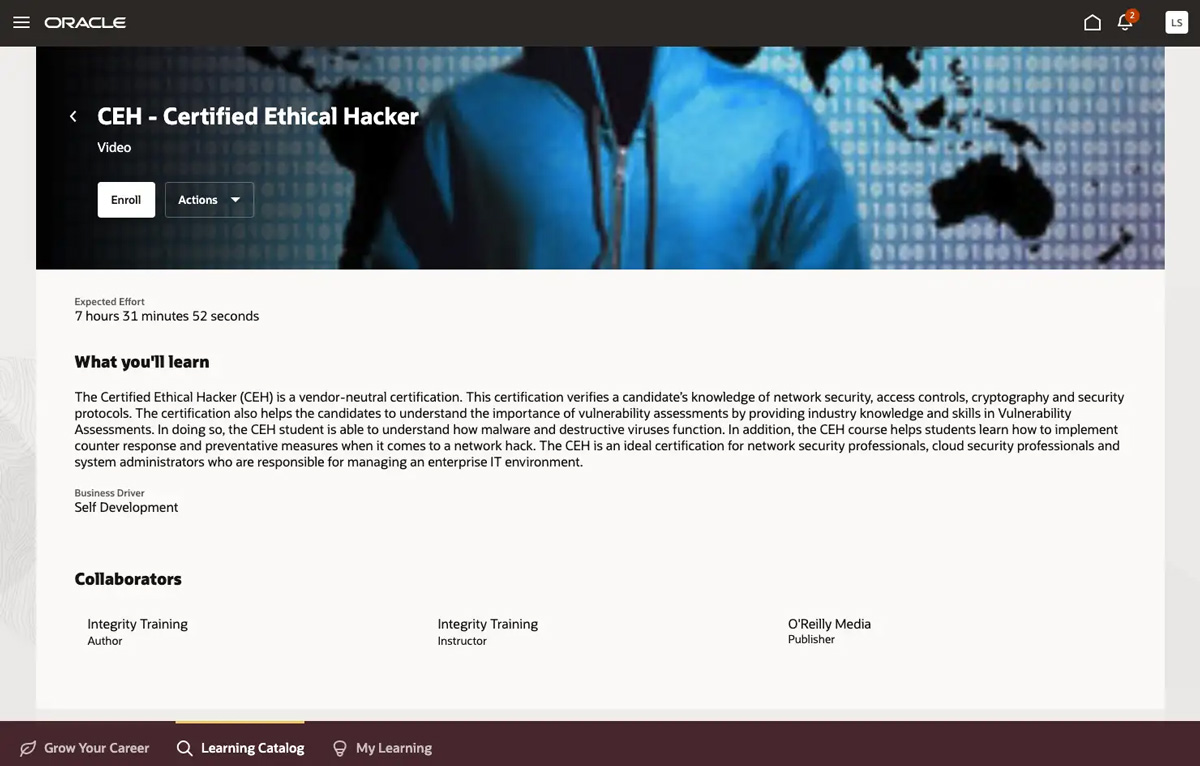
In the Learning Catalog, search by topic (for example, Security), then select Video in the Learning Type filter and O’Reilly Media in the Publisher filter. You can then use the Learning Level filter to further refine results by your level of expertise.
-
Click a video card for more details on what you’ll learn, then click Enroll in the top left of your screen. Or you can simply hover over the card and click Enroll.
-
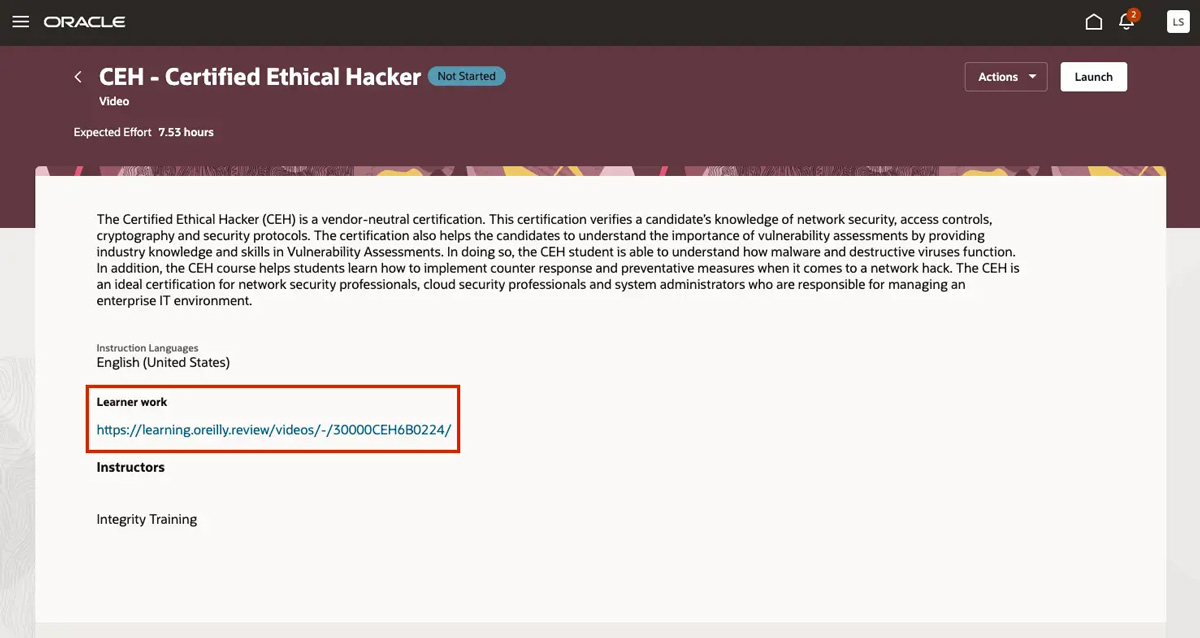
Once you’re enrolled, click the link under Learner work to get started in the O’Reilly learning platform.