How to find O’Reilly content
-
Log into SuccessFactors, click the Home dropdown in the navigation, and select Learning. From there, you can enter a search query or click Browse Library > Browse All.
-
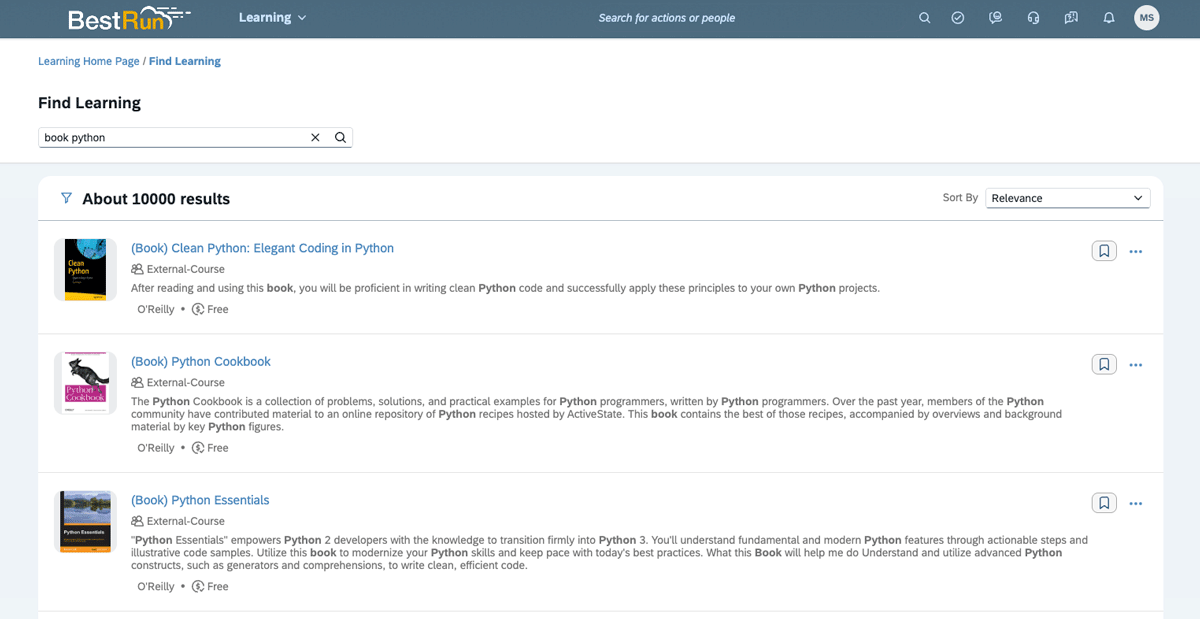
O’Reilly offers many different content formats, including books, videos, live events, and hands-on labs and sandboxes. To find what you’re looking for, simply search for the topic and the content type you’re interested in. For example, if you’d like a book about Python, just search book Python or Python book.
You can search for any of the following content types:
- Article
- Audiobook
- Case study
- Certification guide
- Cloud lab
- Conference
- Expert playlist
- Lab
- Live course
- On-demand course
- Practice test
- Sandbox
- Shortcut
- Skill plan
- Special event
- Video
-
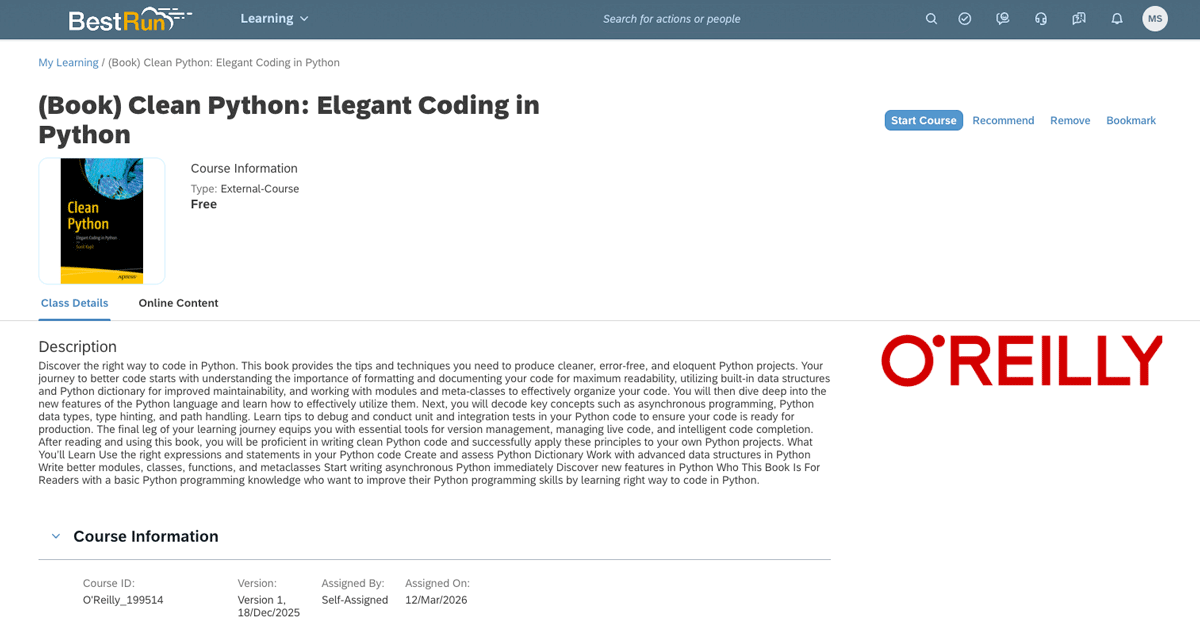
Select a piece of content and click Start Course in the top right, then Launch Content to get started in the O’Reilly learning platform.
How to access admin reporting
-
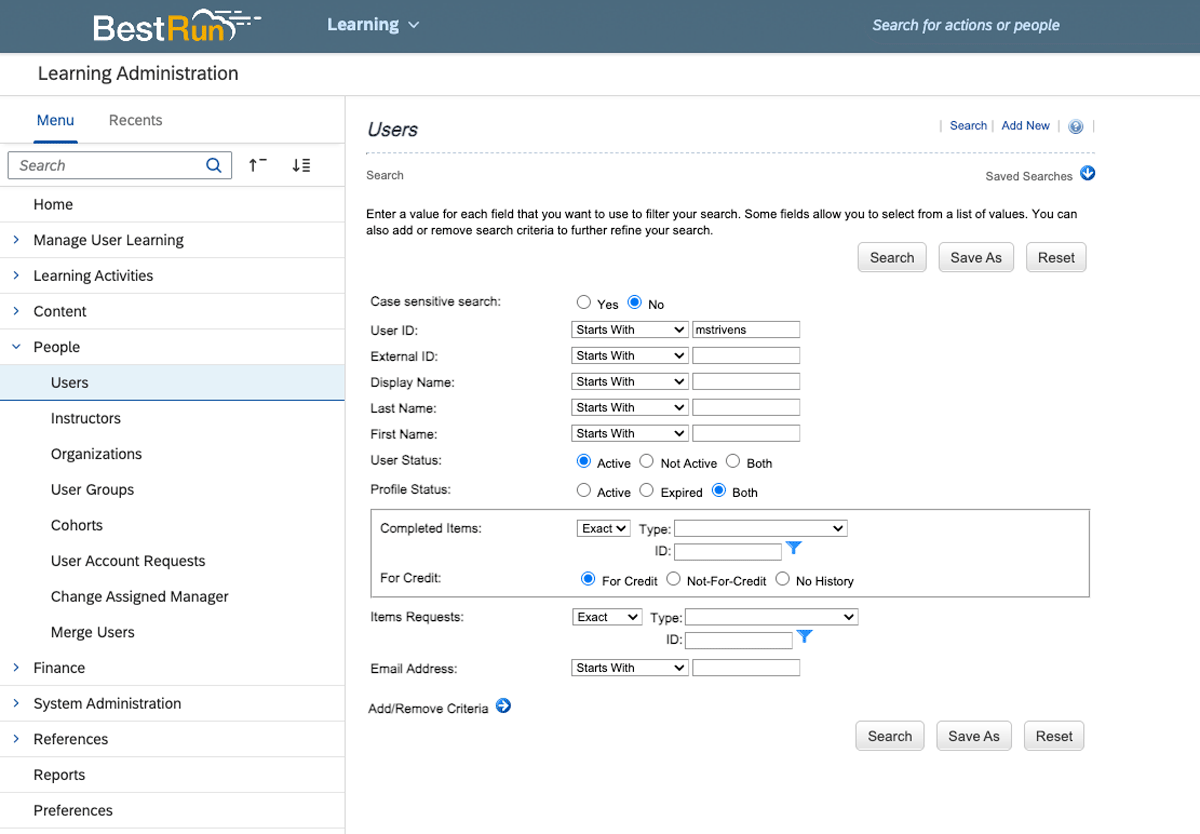
On the Learning Administration page, click People in the left-hand navigation and select Users. From there, you can enter user information such as their name, user ID, or email address and click Search.
-
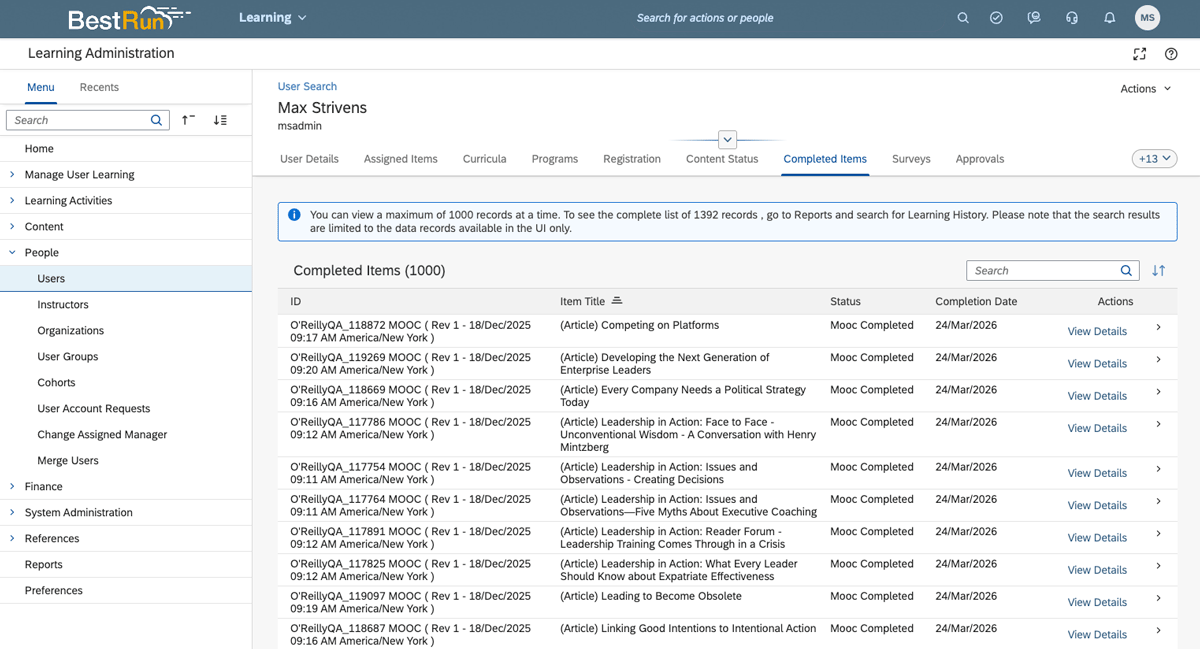
Once the user’s information appears at the bottom of the page, click on their user ID. From there, you can get insights on the user’s assigned items, content status, completed items, and more.