December 2007
Intermediate to advanced
896 pages
19h 57m
English
You need to display HTML-based content in a WinForms-based application.
Use the System.Windows.Forms.WebBrowser class to embed web browser functionality into your application. The Cheapo-Browser seen in Figure 14-1 shows some of the capabilities of this control.
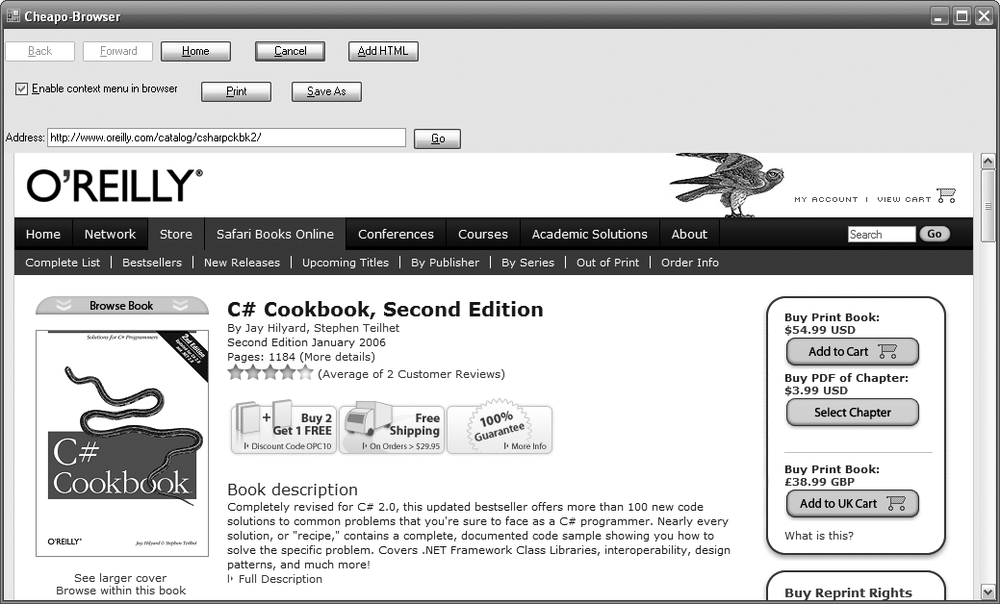
Figure 14-1. The web browser control
While this is not a production quality user interface, it is called Cheapo-Browser for a reason. It can be used to select a web address, display the content, navigate for-ward and backward, cancel the request, go to the home page, add HTML directly to the control, print the HTML or save it, and finally, enable or disable the context menu inside of the browser window. The WebBrowser control is capable of much more, but this recipe is meant to give you a taste of what is possible. It would be well worth exploring its capabilities further to see what other needs it might fill.
When you add your HTML (<h1>Hey you added some HTML!</h1>), it is displayed as shown in Figure 14-2.

Figure 14-2. Adding HTML to the Cheapo-Browser
The code to accomplish this is rather simple:
this._webBrowser.Document.Body.InnerHtml = "<h1>Hey you added some HTML!</h1>";
The navigation to a web page is equally trivial:
Uri uri = new Uri(this._txtAddress.Text); this._webBrowser.Navigate(uri); ...
Read now
Unlock full access


 O’Reilly covers everything we've got, with content to help us build a world-class technology community, upgrade the capabilities and competencies of our teams, and improve overall team performance as well as their engagement.I wanted to learn C and C++, but it didn't click for me until I picked up an O'Reilly book. When I went on the O’Reilly platform, I was astonished to find all the books there, plus live events and sandboxes so you could play around with the technology.I’ve been on the O’Reilly platform for more than eight years. I use a couple of learning platforms, but I'm on O'Reilly more than anybody else. When you're there, you start learning. I'm never disappointed.I'm always learning. So when I got on to O'Reilly, I was like a kid in a candy store. There are playlists. There are answers. There's on-demand training. It's worth its weight in gold, in terms of what it allows me to do.