July 2014
Beginner to intermediate
458 pages
12h 39m
English
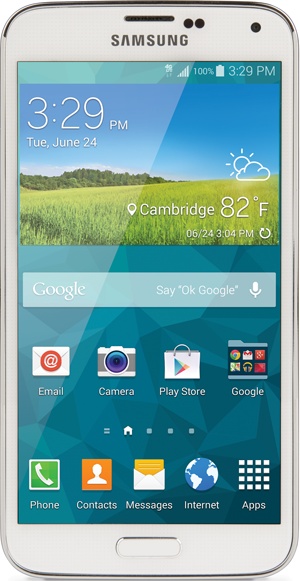
You’ll learn to:
Lock and unlock the screen
Add apps and widgets and change wallpaper
Use Easy mode
Replace the battery
Control the S5 by touch and with the magic of gestures
THE SAMSUNG GALAXY S5—a svelte, elegant phone—is an enticing gadget, and the first time you hold it in your hands, you’ll immediately want to put it through its paces: calling friends, browsing the Web, checking your email, and more. As you’ll see in the rest of this book, it can do some remarkable things that make you feel as if the phone has superpowers.
To help you unlock all those powers, though, you need a solid understanding of how the Galaxy S5 works and familiarity with all its different parts. You’ll want to know where all its buttons, keys, and ports are located, for example—not to mention how to get to your Home screen and panes, and use some of the device’s amazing new features, like its ability to let you navigate by merely moving your eyes.
THREE-QUARTERS OF THE WAY up on the right side of the Galaxy S5, you’ll find a small, rectangular silver button. It may be only a single button, but it’s a hardworking one, and it performs multiple functions. Press it with your S5 turned off, and the phone springs to life. Press and release it when your S5 is turned on and active, and it puts the phone into Standby mode. If your S5 is turned on, press and hold it to show a ...
Read now
Unlock full access


 O’Reilly covers everything we've got, with content to help us build a world-class technology community, upgrade the capabilities and competencies of our teams, and improve overall team performance as well as their engagement.I wanted to learn C and C++, but it didn't click for me until I picked up an O'Reilly book. When I went on the O’Reilly platform, I was astonished to find all the books there, plus live events and sandboxes so you could play around with the technology.I’ve been on the O’Reilly platform for more than eight years. I use a couple of learning platforms, but I'm on O'Reilly more than anybody else. When you're there, you start learning. I'm never disappointed.I'm always learning. So when I got on to O'Reilly, I was like a kid in a candy store. There are playlists. There are answers. There's on-demand training. It's worth its weight in gold, in terms of what it allows me to do.