December 2015
Intermediate to advanced
350 pages
6h 32m
English
iOS 9 brings with it some really exciting functionality, such as indexing contents inside your app as searchable content on an iOS device. Even better, you can contribute to iOS’s public search index so that your searchable content appears on devices that don’t even have your app installed. That’s pretty cool, don’t you agree? In this chapter we’ll have a look at all these great features.
You want the user to be able to search within the contents inside your app, from iOS’s search functionality (see Figure 6-1).
First construct an object of type CSSearchableItemAttributeSet. This will represent the metadata for any one item that you want to index in the search. Having the metadata, construct an instance of the CSSearchableItem class with your metadata and expiration date, plus some other properties that you will see soon. Index an item using the CSSearchableIndex class. You’ll get a completion block that will let you know whether or not things went well.
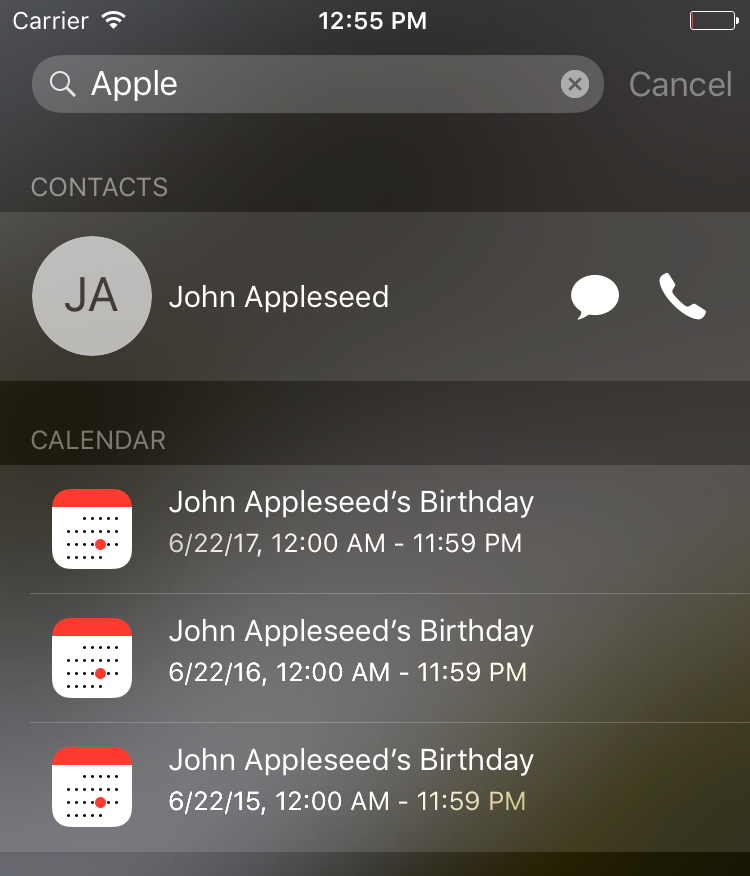
You have to keep quite a few things in mind when indexing items in the local device search functionality. I’ll walk you through them one by one. Always keep this index in a useful state. Don’t index stuff that you don’t need, and make sure you delete the old items. You can specify ...
Read now
Unlock full access


 O’Reilly covers everything we've got, with content to help us build a world-class technology community, upgrade the capabilities and competencies of our teams, and improve overall team performance as well as their engagement.I wanted to learn C and C++, but it didn't click for me until I picked up an O'Reilly book. When I went on the O’Reilly platform, I was astonished to find all the books there, plus live events and sandboxes so you could play around with the technology.I’ve been on the O’Reilly platform for more than eight years. I use a couple of learning platforms, but I'm on O'Reilly more than anybody else. When you're there, you start learning. I'm never disappointed.I'm always learning. So when I got on to O'Reilly, I was like a kid in a candy store. There are playlists. There are answers. There's on-demand training. It's worth its weight in gold, in terms of what it allows me to do.