August 2019
Beginner
482 pages
12h 56m
English
Before we pull specific elements of a page, we first need to know where to search for them. In order to understand the page structure, we'll use the Chrome Developer console, which is built into the Chrome browser. Firefox has a similar tool – Firefox Developer Tools.
In order to see the HTML structure of any page, simply open it in Chrome, hover over any specific element of the page, right-click on the mouse button, and select Inspect—a new window will appear, showing a page's HTML centered on the element you just hovered over (refer to the following diagram):
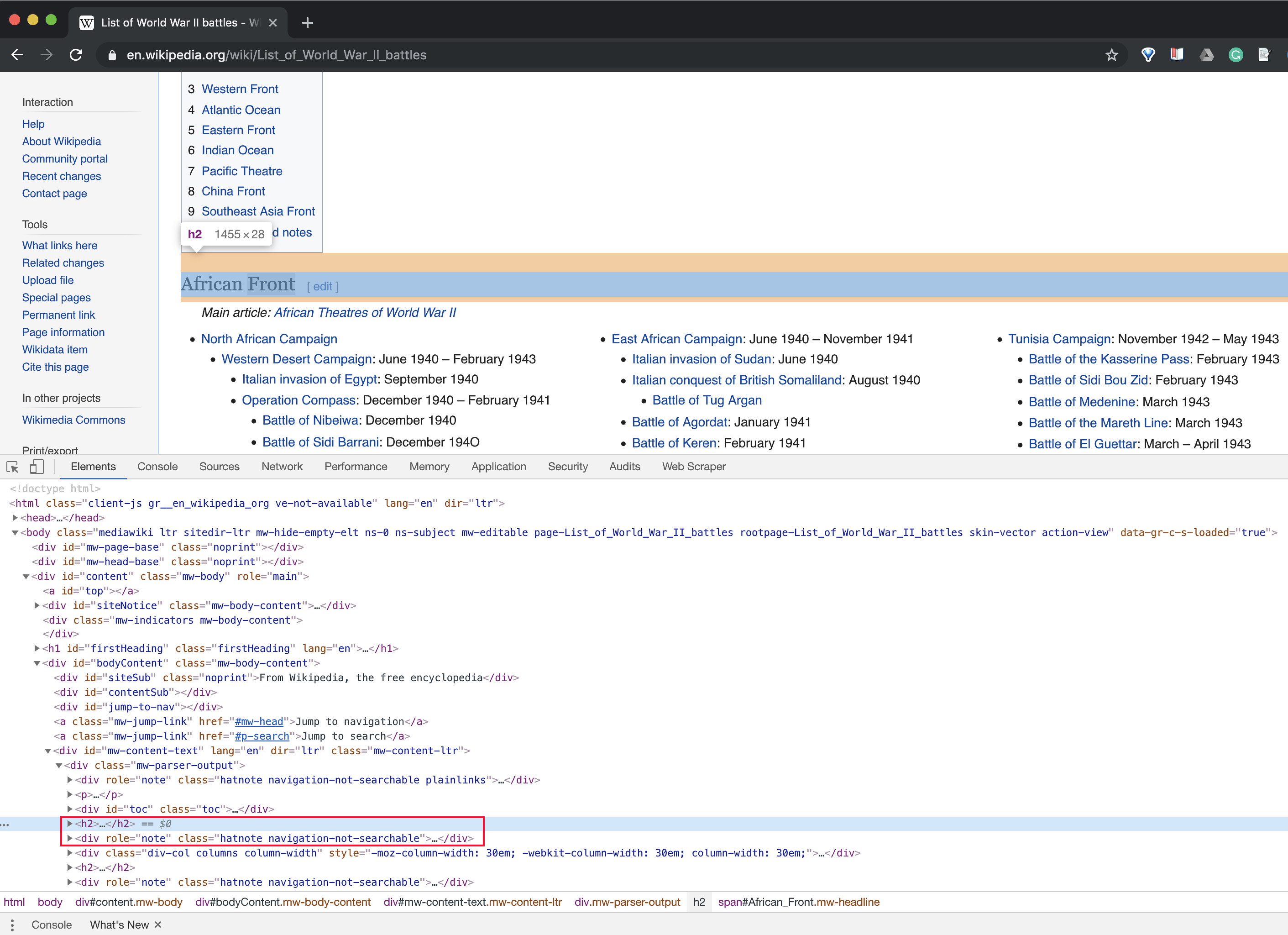
Note that when you hover over other elements in this new window, ...