Skip to Content
Learning Google BigQuery
book

Learning Google BigQuery

by Thirukkumaran Haridass, Eric Brown
December 2017
Beginner to intermediate
264 pages
5h 38m
English
Packt Publishing
Content preview from Learning Google BigQuery

Getting started

The following section explains how to use Tableau Desktop Edition to connect to BigQuery and get the data from BigQuery and create visuals:
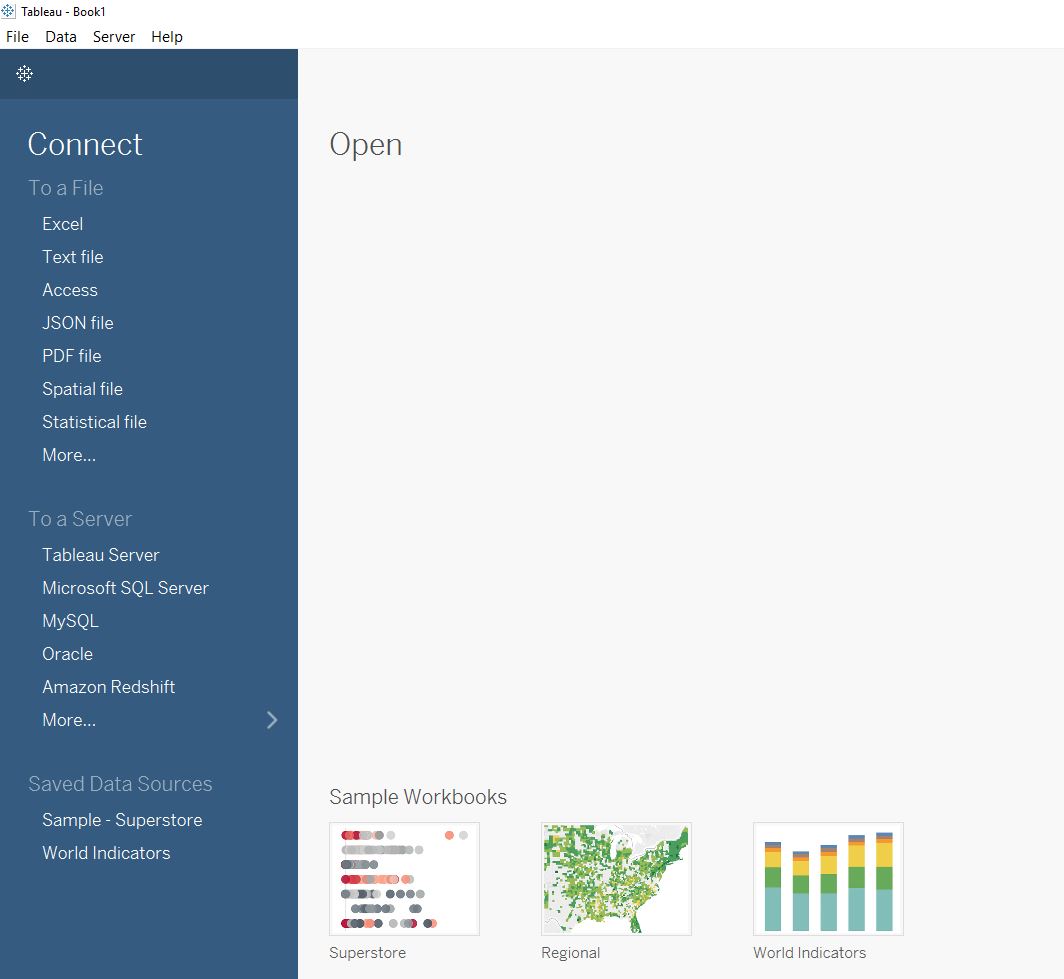
  1. After opening Tableau Desktop, select Google BigQuery under the Connect To a Server section on the left; then enter your login credentials for BigQuery:
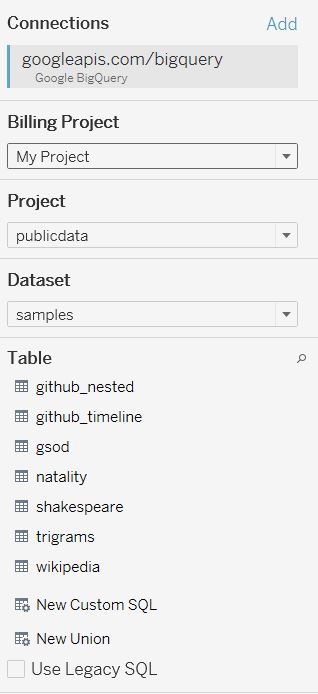
  1. At this point, all the tables in your dataset should be displayed on the left:

You can drag and drop the table you are interested in using to the middle section labeled Drop Tables Here. In this case, we want to query the Google Analytics ...

Become an O’Reilly member and get unlimited access to this title plus top books and audiobooks from O’Reilly and nearly 200 top publishers, thousands of courses curated by job role, 150+ live events each month,
and much more.
Start your free trial

You might also like

Google BigQuery: The Definitive Guide

Google BigQuery: The Definitive Guide

Valliappa Lakshmanan, Jordan Tigani
Google BigQuery Analytics

Google BigQuery Analytics

Siddartha Naidu, Jordan Tigani

Publisher Resources

ISBN: 9781787288591Supplemental Content