The graphical user interface with QT
The QT user interface gives us more control and options to work with our images.
The interface is divided into three main areas:
- The toolbar
- The image area
- The status bar
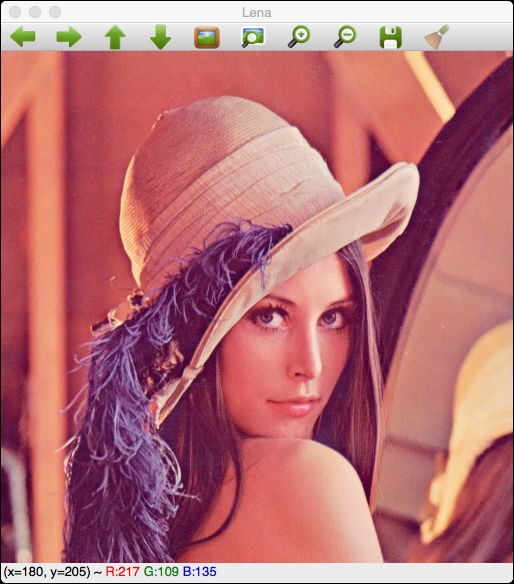
The toolbar has the following buttons from left to right:
- Four buttons for panning
- Zoom x1
- Zoom x30 and show labels
- Zoom in
- Zoom out
- Save the current image
- Show the properties windows
These options can be seen more clearly in the following screenshot:

The image area shows an image and a contextual menu when we push the right mouse button over the image. This ...
Get OpenCV By Example now with the O’Reilly learning platform.
O’Reilly members experience books, live events, courses curated by job role, and more from O’Reilly and nearly 200 top publishers.

