October 2009
Intermediate to advanced
431 pages
9h 32m
English
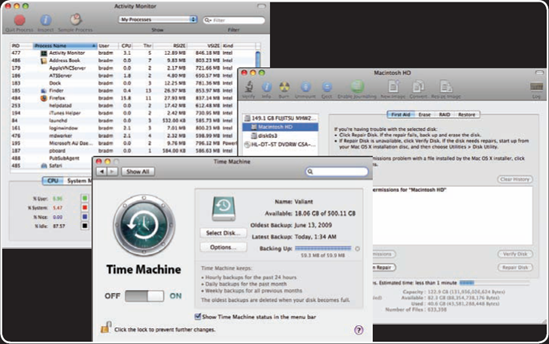
While MacBook Pros are among the most reliable and easiest-to-use computers available, they are still complex systems that involve advanced technology, complex software, and connections to networks, the Internet, and other devices. To put it in analog terms, there are a lot of moving parts. You can expect that every once in a while, something is going to go wrong. With a bit of preparation and some basic troubleshooting, you should be able to recover from most common problems relatively easily.
You should build a MacBook Pro toolkit that you can use to troubleshoot and solve problems. This way, you aren't wasting a lot of time and energy trying to locate or create the tools you need to solve problems when you need them but instead can simply put them into action. Here are a few of the important tools you should have in your toolkit in case of an emergency:
Current backups. Backups are a critical part of your toolkit because restoring your data is the most important task that you need to be able to do. Having a good way to restore your data limits the impact of drastic problems (your MacBook Pro not working anymore) and makes less significant problems (the accidental deletion of a file you need) trivial to solve.
Once you have an automated backup system that updates your backups frequently and stores them in at least ...
Read now
Unlock full access


 O’Reilly covers everything we've got, with content to help us build a world-class technology community, upgrade the capabilities and competencies of our teams, and improve overall team performance as well as their engagement.I wanted to learn C and C++, but it didn't click for me until I picked up an O'Reilly book. When I went on the O’Reilly platform, I was astonished to find all the books there, plus live events and sandboxes so you could play around with the technology.I’ve been on the O’Reilly platform for more than eight years. I use a couple of learning platforms, but I'm on O'Reilly more than anybody else. When you're there, you start learning. I'm never disappointed.I'm always learning. So when I got on to O'Reilly, I was like a kid in a candy store. There are playlists. There are answers. There's on-demand training. It's worth its weight in gold, in terms of what it allows me to do.