June 2012
Beginner
227 pages
5h 43m
English
Welcome to the Macintosh’s best-kept secret: the Terminal! If you’ve ever browsed the Utilities folder, you’ve probably seen this icon:

Maybe you’ve even launched the Terminal and seen a plain, dull-looking window appear, displaying mysterious words:
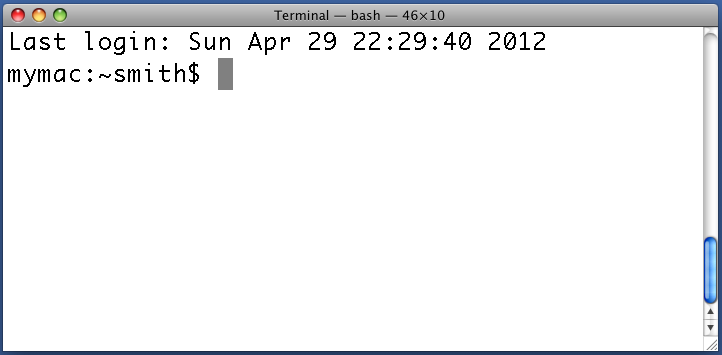
But if you’re like most users, this is probably as far as you’ve explored. And that is a shame, because the Terminal is one of the most powerful programs for controlling your Mac.
What is the Terminal? What does it do? And why should you care? Let’s answer the last question by telling a few stories:
You’re running Microsoft Word for the Mac when its window suddenly freezes. You type, but nothing happens. You try to quit Word, but it doesn’t respond. In desperation, you go to the application dock, select the Word icon, and choose “Force Quit.” Even this has no effect! You are stuck and have no choice but to reboot your Mac.
You have a folder of 1,000 PDF files named file1, file2, file3, and so on. For compatibility with a coworker’s computer, you need to rename these files to have .pdf extensions. The Finder doesn’t seem to have any way to perform these renames in bulk, so you do them one file at a time (click, click, click) until your hands cramp.
Last week, you copied a huge folder of files (and all its subfolders, ...
Read now
Unlock full access


 O’Reilly covers everything we've got, with content to help us build a world-class technology community, upgrade the capabilities and competencies of our teams, and improve overall team performance as well as their engagement.I wanted to learn C and C++, but it didn't click for me until I picked up an O'Reilly book. When I went on the O’Reilly platform, I was astonished to find all the books there, plus live events and sandboxes so you could play around with the technology.I’ve been on the O’Reilly platform for more than eight years. I use a couple of learning platforms, but I'm on O'Reilly more than anybody else. When you're there, you start learning. I'm never disappointed.I'm always learning. So when I got on to O'Reilly, I was like a kid in a candy store. There are playlists. There are answers. There's on-demand training. It's worth its weight in gold, in terms of what it allows me to do.