December 2007
Beginner to intermediate
310 pages
8h 8m
English
You have the Apache software installed on your system, and you want to remove it.
On Red Hat Linux, to remove an Apache version installed with the RPM tool, use:
# rpm -ev apacheOther packaging systems may provide some similar mechanism. If they don’t, however, chances are that cleaning out all the files will require a lot of manual work.
On Windows, Apache can typically be removed like any other MSI-installed software (see Figure 1-14).
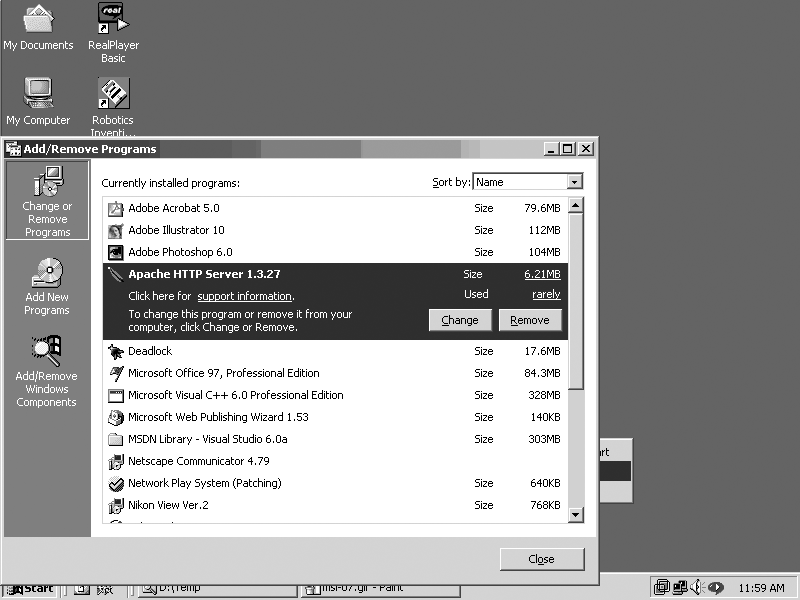
Figure 1-14. Uninstalling the Apache software
Unfortunately, there is no generic works-for-all removal method for Apache installations on Unixish systems. Some packages, such as Red Hat’s RPM, do remember what they installed so they can remove all the pieces, as shown in the solution. However, if the software was installed by building from the sources (see Recipe 1.4), the burden of knowing where files were put rests with the person who did the build and install. The same applies if the software was installed from source on a Windows system; it’s only the MSI or InstallShield packages that make the appropriate connections to allow the use of the Add/Remove Software control panel.
For a Unixish system, if you have access to the directory in
which the server was built, look for the --prefix
option in the config.nice file. That will give you a starting point, at least. Here is a list of the directories an Apache ...
Read now
Unlock full access


 O’Reilly covers everything we've got, with content to help us build a world-class technology community, upgrade the capabilities and competencies of our teams, and improve overall team performance as well as their engagement.I wanted to learn C and C++, but it didn't click for me until I picked up an O'Reilly book. When I went on the O’Reilly platform, I was astonished to find all the books there, plus live events and sandboxes so you could play around with the technology.I’ve been on the O’Reilly platform for more than eight years. I use a couple of learning platforms, but I'm on O'Reilly more than anybody else. When you're there, you start learning. I'm never disappointed.I'm always learning. So when I got on to O'Reilly, I was like a kid in a candy store. There are playlists. There are answers. There's on-demand training. It's worth its weight in gold, in terms of what it allows me to do.