November 2006
Beginner
255 pages
6h 10m
English
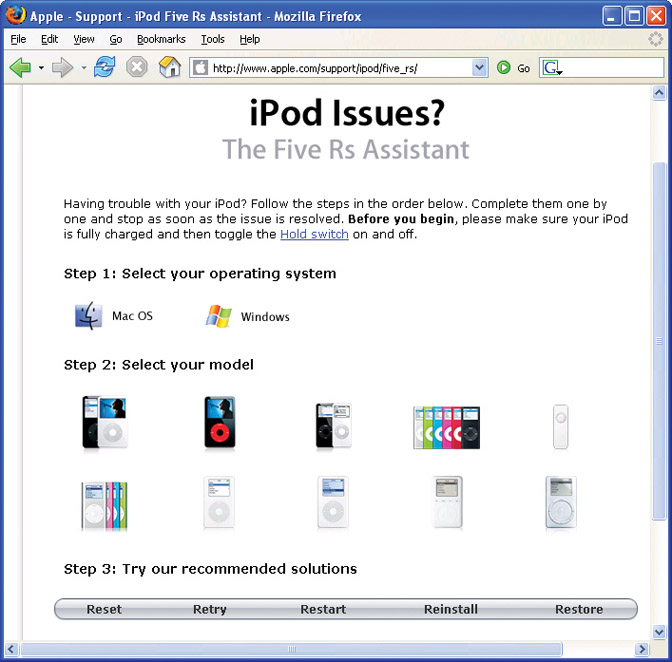
It’s bound to happen sometime: the iPod locks up, freaks out, or just isn’t its usual cheerful self. Luckily, many iPod problems can be solved with a button-tap here, a battery charge there, and your portable Pod Life is back to normal.
Of course, the iPod is a little mini-computer in its own right, and there are bigger issues that are more involved or require the help of a technical expert. Figuring out what your iPod is trying to tell you when it’s sick is the first step. This chapter explains what to do if your iPod’s acting weird—and where to go if you need more information or can’t fix it yourself.
After a few years of dealing with irate iPod owners whose devices were on the fritz, Apple’s tech support team came up with a memorable formula designed to fix most iPod/iTunes problems. As posted in the iPod support section of its Web site (http://www.apple.com/support/ipod/five_rs ) Apple recommends “The 5 Rs” whenever you encounter trouble: Reset, Retry, Restart, Remove, and Restore.
Here’s what each R stands for, along with a few more helpful details:
Reset your iPod, as explained in this chapter.
Retry the connection by plugging the iPod into a different USB port on your computer.
Restart your computer and check for any new software updates you may need to download and install. ...
Read now
Unlock full access


 O’Reilly covers everything we've got, with content to help us build a world-class technology community, upgrade the capabilities and competencies of our teams, and improve overall team performance as well as their engagement.I wanted to learn C and C++, but it didn't click for me until I picked up an O'Reilly book. When I went on the O’Reilly platform, I was astonished to find all the books there, plus live events and sandboxes so you could play around with the technology.I’ve been on the O’Reilly platform for more than eight years. I use a couple of learning platforms, but I'm on O'Reilly more than anybody else. When you're there, you start learning. I'm never disappointed.I'm always learning. So when I got on to O'Reilly, I was like a kid in a candy store. There are playlists. There are answers. There's on-demand training. It's worth its weight in gold, in terms of what it allows me to do.