September 2019
Beginner to intermediate
540 pages
13h 3m
English
The Remix Terminal logs the transaction result for each execution. You can debug it when you want to understand each step in more detail. The debugger button shows up on the right-hand side of the message information in the Terminal. You can also find a debugger icon on the left-hand side of the menu bar and search for a transaction hash or a block number and transaction index, as shown in the following screenshot:
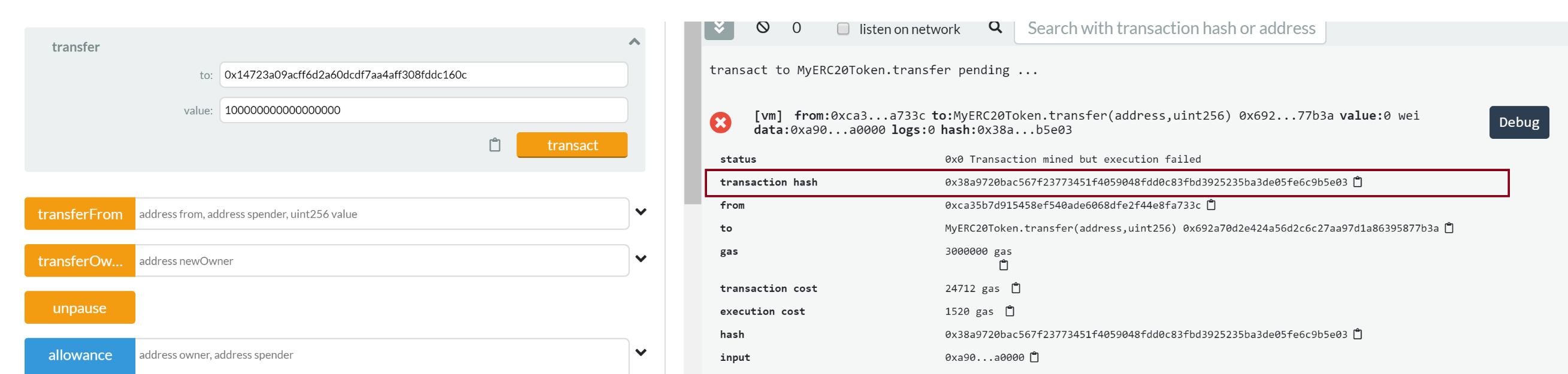
The debugger enables you to step through a Solidity smart contract and check each transaction step's state information to track down the bug. Similar to other popular IDE debuggers, the Remix debugger provides a group ...
Read now
Unlock full access


 O’Reilly covers everything we've got, with content to help us build a world-class technology community, upgrade the capabilities and competencies of our teams, and improve overall team performance as well as their engagement.I wanted to learn C and C++, but it didn't click for me until I picked up an O'Reilly book. When I went on the O’Reilly platform, I was astonished to find all the books there, plus live events and sandboxes so you could play around with the technology.I’ve been on the O’Reilly platform for more than eight years. I use a couple of learning platforms, but I'm on O'Reilly more than anybody else. When you're there, you start learning. I'm never disappointed.I'm always learning. So when I got on to O'Reilly, I was like a kid in a candy store. There are playlists. There are answers. There's on-demand training. It's worth its weight in gold, in terms of what it allows me to do.