June 2025
Beginner to intermediate
912 pages
30h 4m
English
Chapter 28. SVG
(Scalable Vector Graphics)
In this chapter
Shapes in SVG
Clipping and masking
Filter effects
Interactivity and animation
SVG tools
Production tips
How to scale SVGs
SVGs have made several guest appearances in this book, but in this chapter, they finally get to be the star.
When rendered in a browser window, an SVG may look like an image in any other format, but it’s what’s happening behind the scenes that makes it truly unique and versatile. First, as the name says, this is a vector format, meaning shapes within SVGs are defined by coordinates and lines, not grids of pixels. That’s what makes them scalable—they can resize infinitely without loss of quality.
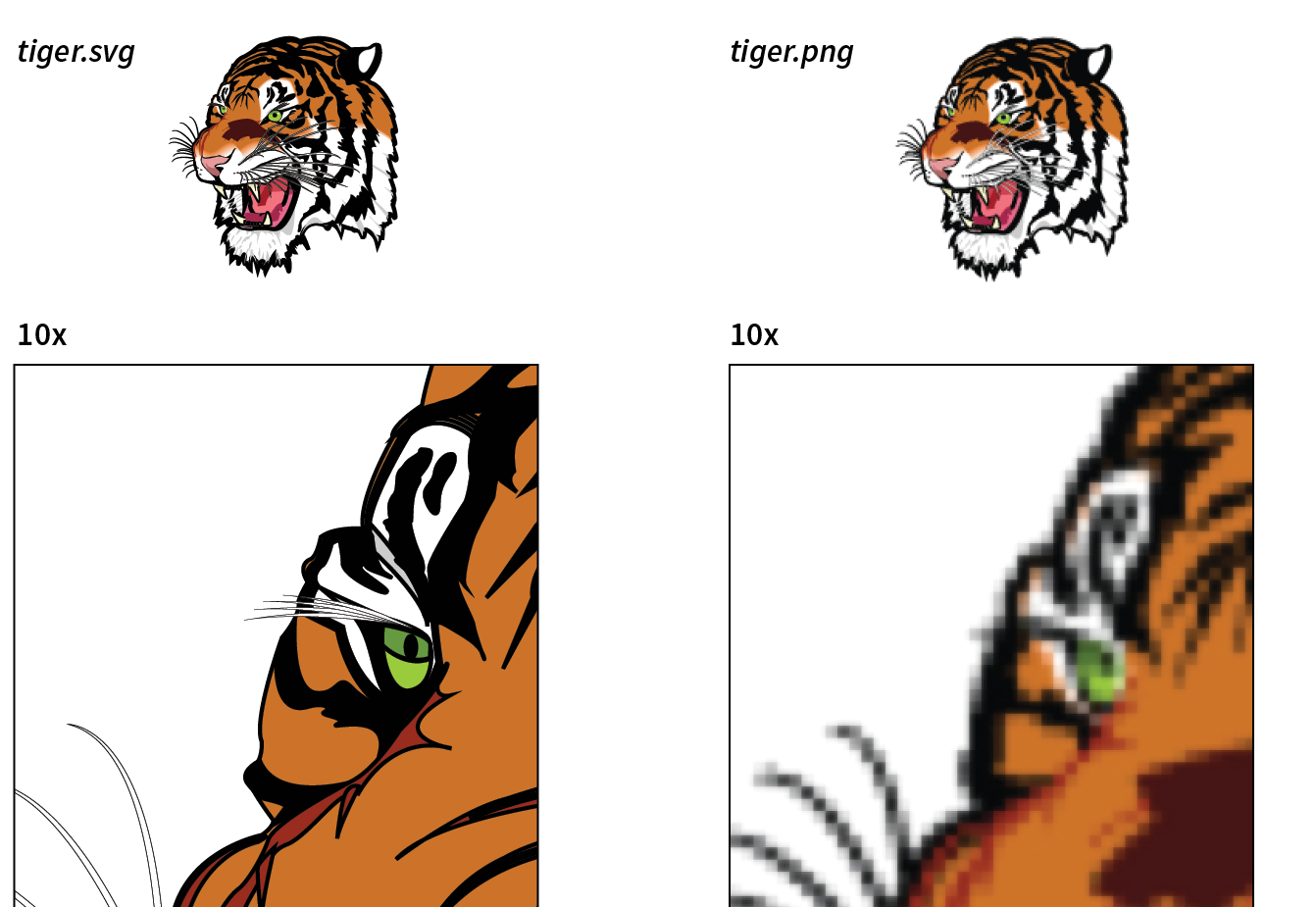
Figure 28-1 shows the same tiger image saved as an SVG and a PNG. The SVG can scale very large without any change in quality. The lines and text stay sharp, regardless of whether the image is viewed at 100 pixels or 10,000 pixels—try doing that with a bitmap image! Now that our web pages and interfaces must work on devices of all scales, from smartphones to high-density monitors and large-screen televisions, the ability to create a single image that looks great in all contexts is an epic win.
The vector nature of SVG makes it a good choice for icons, logos, charts, and other line drawings (Figure 28-2). And because these ...
Read now
Unlock full access


 O’Reilly covers everything we've got, with content to help us build a world-class technology community, upgrade the capabilities and competencies of our teams, and improve overall team performance as well as their engagement.I wanted to learn C and C++, but it didn't click for me until I picked up an O'Reilly book. When I went on the O’Reilly platform, I was astonished to find all the books there, plus live events and sandboxes so you could play around with the technology.I’ve been on the O’Reilly platform for more than eight years. I use a couple of learning platforms, but I'm on O'Reilly more than anybody else. When you're there, you start learning. I'm never disappointed.I'm always learning. So when I got on to O'Reilly, I was like a kid in a candy store. There are playlists. There are answers. There's on-demand training. It's worth its weight in gold, in terms of what it allows me to do.