September 2005
Intermediate to advanced
576 pages
14h 23m
English
Web sites are becoming larger and more complex, and developers are called upon to provide navigational hints and menus to assist visitors avoid "getting lost" and to help visitors find all the features of the site.
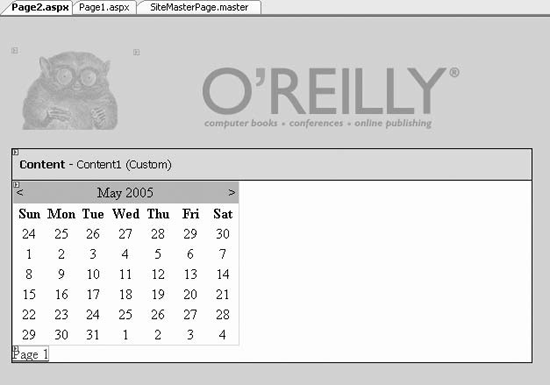
Figure 10-6. Page2.aspx

Figure 10-7. Two pages sharing a common master page
The ASP.NET toolset includes a number of controls that facilitate creating both "bread crumbs" (how did I get to this page?) and site maps (how do I find that other page?).
Most of the time, you will want all of these features to be present on every page, and thus master pages are a great asset. If you change the site map or the control, you only have to update the master, and all the other pages are "updated" automatically.
The most common way to create a site navigation data source is to create an xml file. It is possible to use a database, multiple xml files, and other sources, but for now let's keep things simple.
To begin, create a new web site called SiteNavigation . Right-click on the web site in Solution explorer and choose Add New Item. The Add New Item dialog box appears. Choose Site map and verify that the name provided is Web.sitemap , as shown in Figure 10-8.
Figure 10-8. Creating the sitemap
When you click the button, Add Web.sitemap is added to ...
Read now
Unlock full access


 O’Reilly covers everything we've got, with content to help us build a world-class technology community, upgrade the capabilities and competencies of our teams, and improve overall team performance as well as their engagement.I wanted to learn C and C++, but it didn't click for me until I picked up an O'Reilly book. When I went on the O’Reilly platform, I was astonished to find all the books there, plus live events and sandboxes so you could play around with the technology.I’ve been on the O’Reilly platform for more than eight years. I use a couple of learning platforms, but I'm on O'Reilly more than anybody else. When you're there, you start learning. I'm never disappointed.I'm always learning. So when I got on to O'Reilly, I was like a kid in a candy store. There are playlists. There are answers. There's on-demand training. It's worth its weight in gold, in terms of what it allows me to do.