June 2012
Beginner to intermediate
256 pages
5h 10m
English
Really quite presentable: Presentation mode
iMindMap includes a presentation mode which is fun to use. By using the presentation mode you can take an audience through a Mind Map step by step (see Figure 11-13). A new branch is superimposed with each press of the key. You also have the option to present your Mind Maps in 3D View, which is visually stimulating for your audience.
Unlike MindManager, with iMindMap you can’t skip individual branches or edit the Mind Map during presentation. Moreover, if the presentation mode is switched off for a while, iMindMap doesn’t allow you to return to a particular place in the presentation, like you can with PowerPoint. You have to click through the whole Mind Map every time.
Figure 11-13: Presentation mode.
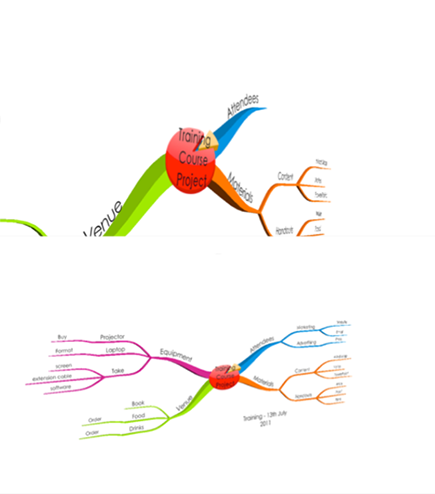
Nevertheless, the presentation mode is an attractive way of presenting a generated Mind Map to an audience step by step.
Read now
Unlock full access


 O’Reilly covers everything we've got, with content to help us build a world-class technology community, upgrade the capabilities and competencies of our teams, and improve overall team performance as well as their engagement.I wanted to learn C and C++, but it didn't click for me until I picked up an O'Reilly book. When I went on the O’Reilly platform, I was astonished to find all the books there, plus live events and sandboxes so you could play around with the technology.I’ve been on the O’Reilly platform for more than eight years. I use a couple of learning platforms, but I'm on O'Reilly more than anybody else. When you're there, you start learning. I'm never disappointed.I'm always learning. So when I got on to O'Reilly, I was like a kid in a candy store. There are playlists. There are answers. There's on-demand training. It's worth its weight in gold, in terms of what it allows me to do.