June 2004
Beginner to intermediate
364 pages
7h 38m
English
You want to try out Eclipse.
Eclipse is a free download, and you can pick it up at http://www.eclipse.org. Just click the Downloads link located on the left side of that page.
The current download URL is http://www.eclipse.org/downloads/index.php. The download page appears in Figure 1-1.
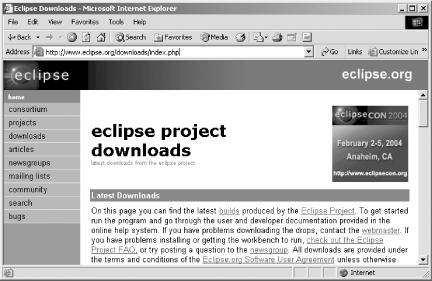
Figure 1-1. The Eclipse download page
Click a mirror site close to you, choose the version of Eclipse you want, and then select your operating system (Eclipse works with everything from Linux to AIX to Windows). The download starts automatically.
You can download four different versions of Eclipse:
These releases are for general use. In most cases, when you download Eclipse you’ll use one of the release versions. These builds have been tested, and the chance of coming across serious bugs is minimal. If Eclipse were for sale, this is the version that would be selling.
Stable builds are much like beta versions. The Eclipse team treats this build as relatively stable, but you might run across problems, as in any beta version. If you’re interested, this is where you’ll find forthcoming Eclipse features.
These are a step below stable builds; their components have been fairly well tested, but the way they operate together still might be problematic. If things work out OK for an integration build, it might be made into ...
Read now
Unlock full access


 O’Reilly covers everything we've got, with content to help us build a world-class technology community, upgrade the capabilities and competencies of our teams, and improve overall team performance as well as their engagement.I wanted to learn C and C++, but it didn't click for me until I picked up an O'Reilly book. When I went on the O’Reilly platform, I was astonished to find all the books there, plus live events and sandboxes so you could play around with the technology.I’ve been on the O’Reilly platform for more than eight years. I use a couple of learning platforms, but I'm on O'Reilly more than anybody else. When you're there, you start learning. I'm never disappointed.I'm always learning. So when I got on to O'Reilly, I was like a kid in a candy store. There are playlists. There are answers. There's on-demand training. It's worth its weight in gold, in terms of what it allows me to do.