Skip to Content
Learning AWS IoT
book

Learning AWS IoT

by Agus Kurniawan
January 2018
Intermediate to advanced
278 pages
5h 13m
English
Packt Publishing
Content preview from Learning AWS IoT

Configuring AWS DynamoDB

Firstly, we create a table on AWS DynamoDB. You can open a browser and navigate to https://console.aws.amazon.com/dynamodb. Then, you can create a new table. For instance, we set the table name as aws-iot-button-db. We also set the primary key as msg-id with the String data type. You can see the AWS DynamoDB table configuration in the following screenshot:
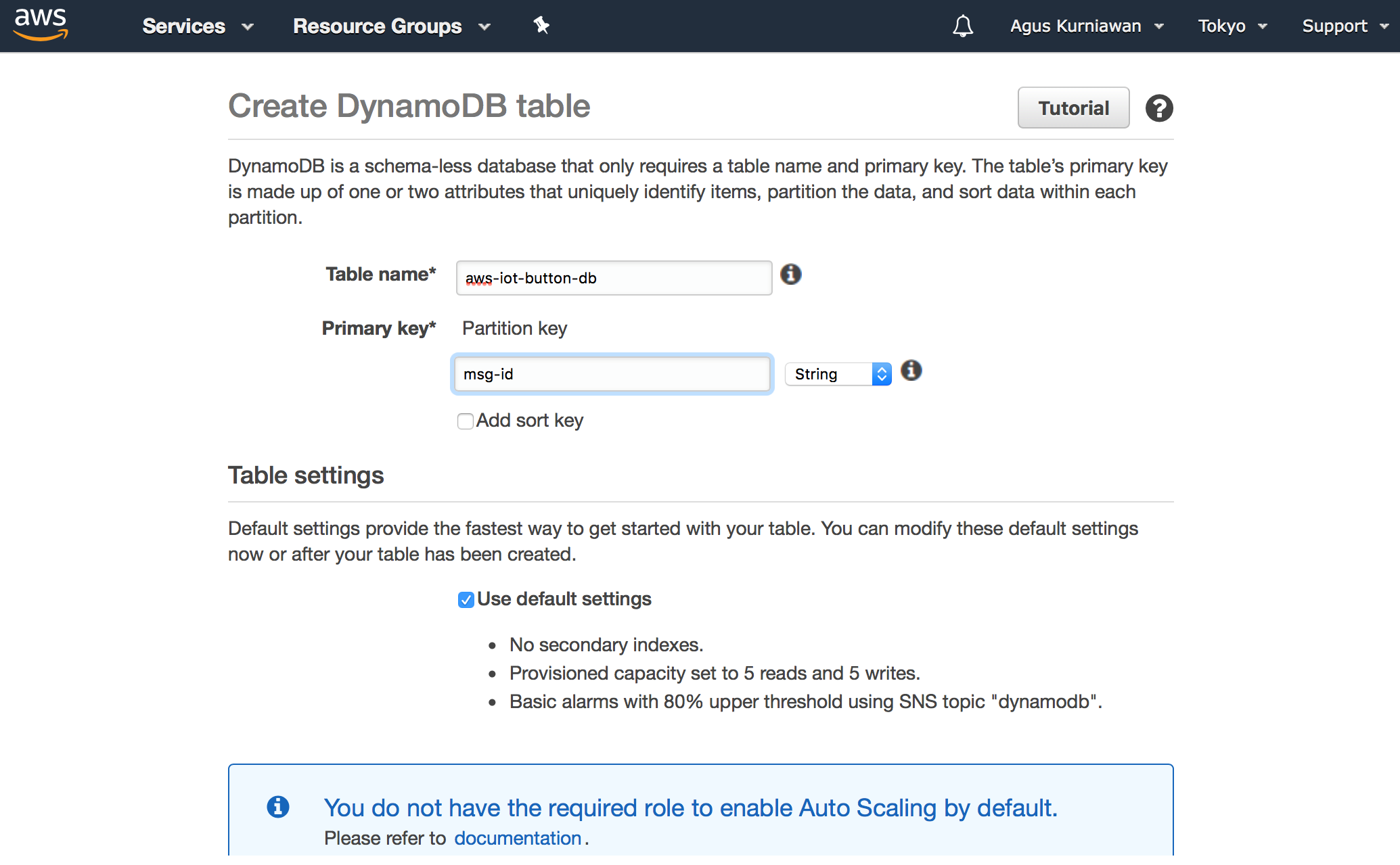
With this we have successfully created AWS DynamoDB on Amazon AWS. Next, we will connect it with AWS Lambda.

Become an O’Reilly member and get unlimited access to this title plus top books and audiobooks from O’Reilly and nearly 200 top publishers, thousands of courses curated by job role, 150+ live events each month,
and much more.
Start your free trial

You might also like

Learn AWS Serverless Computing

Learn AWS Serverless Computing

Scott Patterson

Publisher Resources

ISBN: 9781788396110Supplemental Content