November 2007
Beginner
642 pages
15h 43m
English
You want to log into a Windows NT/2000/2003 server or Windows XP Pro workstation from your Linux workstation. You want to see your own Windows desktop, use your applications, or manage services. You don't want to install additional software on the Windows box to enable remote access, you just want your Linux box to be a Windows Terminal Services client.
Use rdesktop, the open source Remote Desktop Protocol client. Remote Desktop Protocol is the protocol behind Windows Terminal Services. rdesktop is a standard package that should come with your Linux distribution.
Follow these steps to get rdesktopt up and running:
Install rdesktop on Linux.
Set up Terminal Services on your NT/2000/2003 server, or on XP Professional, set up Remote Desktop Sharing.
Make sure the accounts that you want to log in to require login passwords.
Your Windows machine must be booted up, but users do not need to be logged in.
Log in from Linux , and go to work.
This example shows how to log in to Windows using the IP address and specifying a window size:
$ rdesktop -g 1024x768 192.168.1.22You'll see your familiar Windows login box.
rdesktop supports full-screen mode. Hit Ctrl-Alt-Enter to toggle between full-screen and windowed mode. Figure 8-1 shows fine art being created over rdesktop.
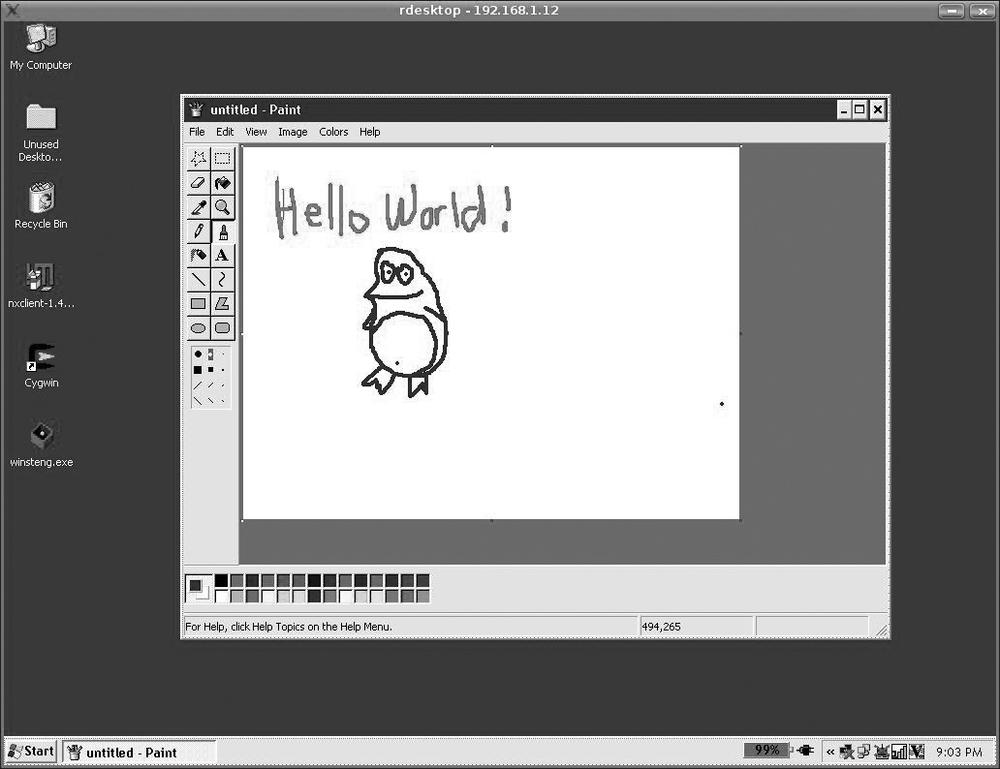
Figure 8-1. Fine art via rdesktop
And that's all there is to it. When you're ...
Read now
Unlock full access


 O’Reilly covers everything we've got, with content to help us build a world-class technology community, upgrade the capabilities and competencies of our teams, and improve overall team performance as well as their engagement.I wanted to learn C and C++, but it didn't click for me until I picked up an O'Reilly book. When I went on the O’Reilly platform, I was astonished to find all the books there, plus live events and sandboxes so you could play around with the technology.I’ve been on the O’Reilly platform for more than eight years. I use a couple of learning platforms, but I'm on O'Reilly more than anybody else. When you're there, you start learning. I'm never disappointed.I'm always learning. So when I got on to O'Reilly, I was like a kid in a candy store. There are playlists. There are answers. There's on-demand training. It's worth its weight in gold, in terms of what it allows me to do.