August 2010
Intermediate to advanced
1224 pages
34h 17m
English
The Task List is essentially an integrated to-do list; it captures all the items that, for one reason or another, need attention and tracking. The Task List window then surfaces this list and allows you to interact with it. To show the window, select the View menu and choose the Task List entry. Figure 8.24 illustrates the Task List window displaying a series of user tasks. Tasks belong to one of three categories—comment tasks, shortcut tasks, and user tasks—and only one category can be displayed at a time.
Figure 8.24 The Task List window.
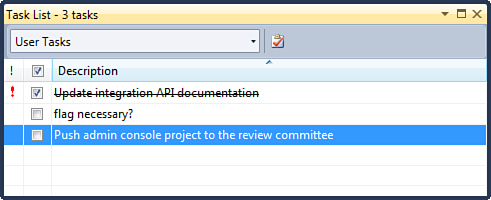
The drop-down at the top of the Task List window enables you to select the current category. ...