August 2010
Intermediate to advanced
1224 pages
34h 17m
English
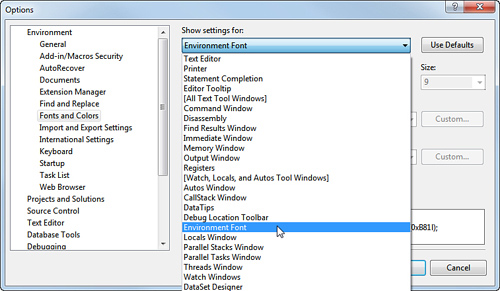
There is a setting called Environment Font inside the Options dialog box (Tools menu) under the Environment node, Fonts and Colors. This option enables you to set the font for the entire IDE to the selection of your choice. Figure 2.31 shows selecting this option from the list.
Figure 2.31 Setting the Environment Font.
Changing this font changes your IDE. For example, suppose you set the Environment Font to Courier New. Dialogs, menus, the Toolbox, Solution Explorer, and more change. Figure 2.32 shows the results of such a change.
Figure 2.32 The IDE with a new font setting.