August 2010
Intermediate to advanced
1224 pages
34h 17m
English
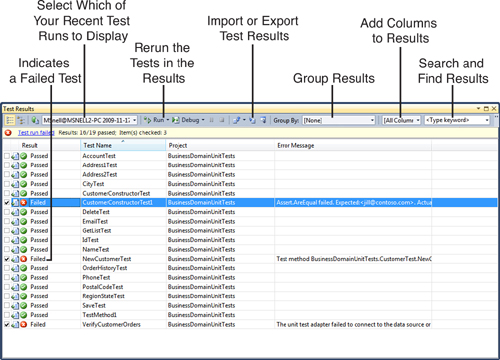
When you run your tests, the results are shown in the Test Results window (typically docked to the bottom of the IDE). The Test Results window provides an overview of which tests passed and which failed. Figure 9.8 shows this window in action and provide highlights on many of the features of this window. Notice that the given test run is considered failed as a whole if one or more tests fail. In this case, 16 of 18 tests passed. However, the overall test failed due to the two test failures.
Figure 9.8 The Test Results window enables you to view test run results and re-run selected tests.
The Test Results window has a toolbar ...