December 1997
Beginner
213 pages
4h 24m
English
While you're viewing your mail in the Inbox, you can perform a variety of tasks on selected mail by using the commands on the shortcut menu. For example, you can print a message without opening it. To print a mail message, follow these steps:
In the Inbox, select the message you want to print and right-click it. The shortcut menu appears (see Figure 6.4).
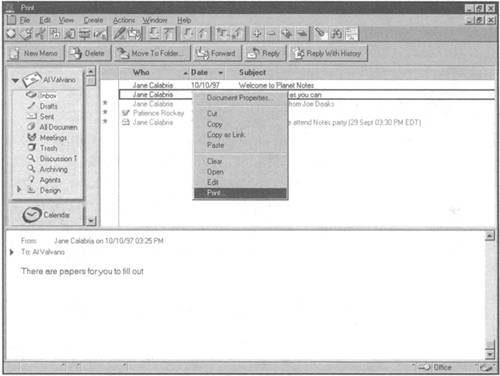
Choose the Print command, and the File Print dialog box shown in Figure 6.5 appears. Table 6.1 describes this dialog box's options in detail.
Set the print options to ...