October 2006
Beginner
658 pages
17h 17m
English
Internet Relay Chat (IRC) is a network-based, multiserver chat/instant message system. While mailing lists provide asynchronous communication, IRC provides almost-immediate, synchronous communication. You can use it to participate in online planning meetings, discuss development, or exchange support advice.
There are many different IRC client programs available.
To use the IRC client XChat, select the menu option Applications→Internet→IRC, or run the command xchat. The window shown in Figure 9-1 will appear.
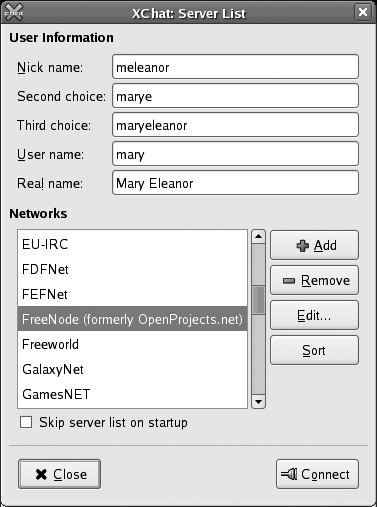
Figure 9-1. XChat server-list window
XChat will propose a first, second, and third nickname based on the username and actual name (GECOS field) of the account you’re using. Edit these values if desired, select the FreeNode network, and click Connect. Figure 9-2 shows the main XChat window and introductory message that will appear.
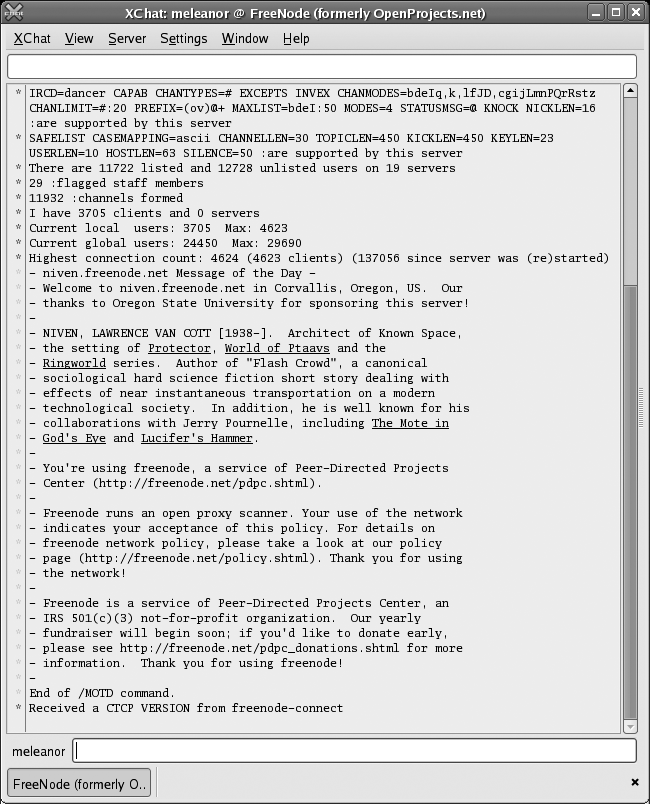
Figure 9-2. XChat main window
To join a specific channel, select the menu option Window→Channel List. When the channel-list window shown in Figure 9-3 appears, enter fedora into the Regex Match field and click Apply. Select the channel you wish to join from the list and click Join Channel.
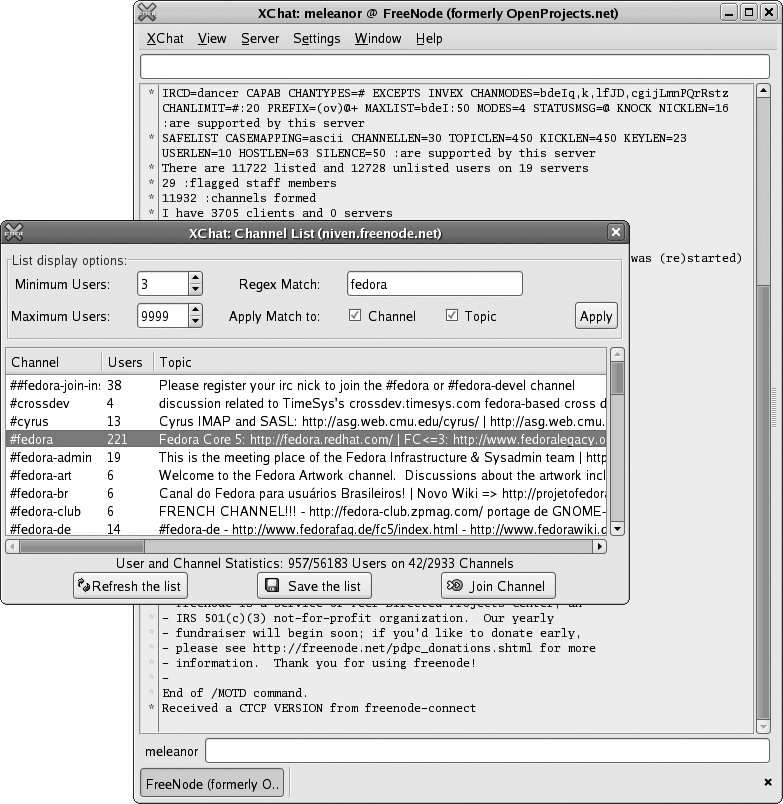
Figure 9-3. XChat channel list
The main XChat ...
Read now
Unlock full access


 O’Reilly covers everything we've got, with content to help us build a world-class technology community, upgrade the capabilities and competencies of our teams, and improve overall team performance as well as their engagement.I wanted to learn C and C++, but it didn't click for me until I picked up an O'Reilly book. When I went on the O’Reilly platform, I was astonished to find all the books there, plus live events and sandboxes so you could play around with the technology.I’ve been on the O’Reilly platform for more than eight years. I use a couple of learning platforms, but I'm on O'Reilly more than anybody else. When you're there, you start learning. I'm never disappointed.I'm always learning. So when I got on to O'Reilly, I was like a kid in a candy store. There are playlists. There are answers. There's on-demand training. It's worth its weight in gold, in terms of what it allows me to do.