October 2019
Beginner to intermediate
312 pages
6h 58m
English

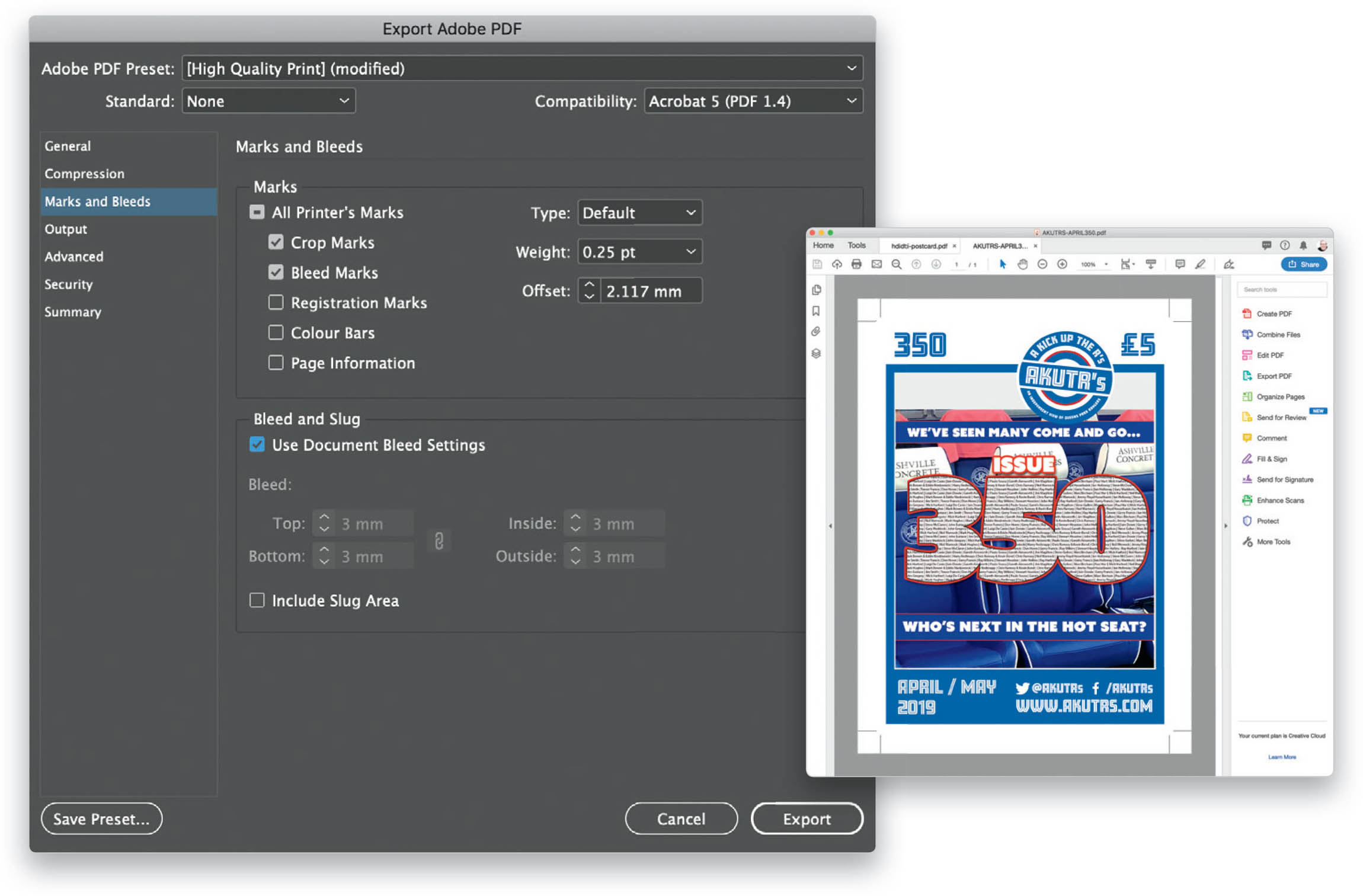
If you need to print out a document or you want the recipient to see the trim and bleed marks, then you can add this to your exported PDF. In the Export Adobe PDF dialog (File > Export), click on the Marks and Bleeds tab. Here you can decide which marks are visible in your document by simply checking the boxes for each one. You can also tell the PDF to use the document Bleed and Slug settings. (Note: See page 42 for information on how to set up bleed marks for your document.) Click Export to export your document ...
Read now
Unlock full access


 O’Reilly covers everything we've got, with content to help us build a world-class technology community, upgrade the capabilities and competencies of our teams, and improve overall team performance as well as their engagement.I wanted to learn C and C++, but it didn't click for me until I picked up an O'Reilly book. When I went on the O’Reilly platform, I was astonished to find all the books there, plus live events and sandboxes so you could play around with the technology.I’ve been on the O’Reilly platform for more than eight years. I use a couple of learning platforms, but I'm on O'Reilly more than anybody else. When you're there, you start learning. I'm never disappointed.I'm always learning. So when I got on to O'Reilly, I was like a kid in a candy store. There are playlists. There are answers. There's on-demand training. It's worth its weight in gold, in terms of what it allows me to do.