Enabling Multiple Language Editing
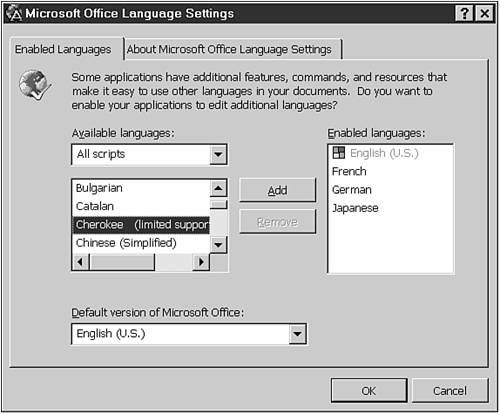
On the Enabled Languages tab of the Microsoft Office Language Settings dialog box, you can enable PowerPoint (and other Office applications) to edit additional languages. From the Start menu, choose Programs, Microsoft Office Tools, Microsoft Office Language Settings to open this dialog box, shown in Figure B.3.
Figure B.3. Enabling a language activates special menus and dialog boxes related to it.
Can't find the Microsoft Office Language Settings dialog box? See the “Troubleshooting” section at the end of the appendix.
Select the language in which you want to edit and click the Add button to add it to the ...
Get Special Edition Using Microsoft® PowerPoint® 2002 now with the O’Reilly learning platform.
O’Reilly members experience books, live events, courses curated by job role, and more from O’Reilly and nearly 200 top publishers.

