Perform the following steps:
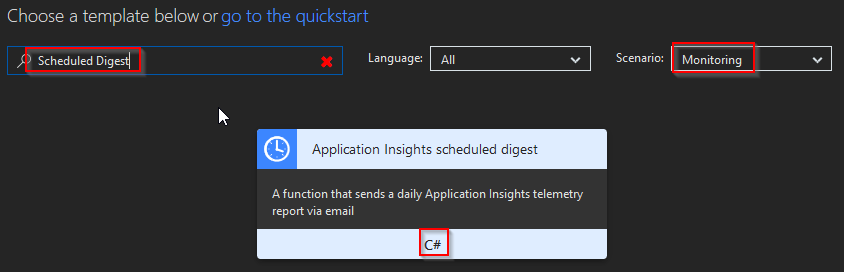
- Create a new function by choosing Monitoring in the Scenario drop-down and select the Application Insights scheduled digest—C# template, as shown in the following screenshot:
- Soon after, you will be prompted to provide the name of the function, the scheduled frequency, and the SendGrid API Key for the SendGrid output binding, as shown in the following screenshot:

- Next, click on the Create button that's shown in the previous screenshot to create the new Azure Function. The template creates all ...