November 2018
Intermediate to advanced
424 pages
10h 55m
English
If you would like to restrict developers to checking in code only after a successful build, then you need to enable gated-check-in. In order to enable this, edit the build definition and then navigate to the Triggers tab and select Enable gated check-in, as shown in the following screenshot:
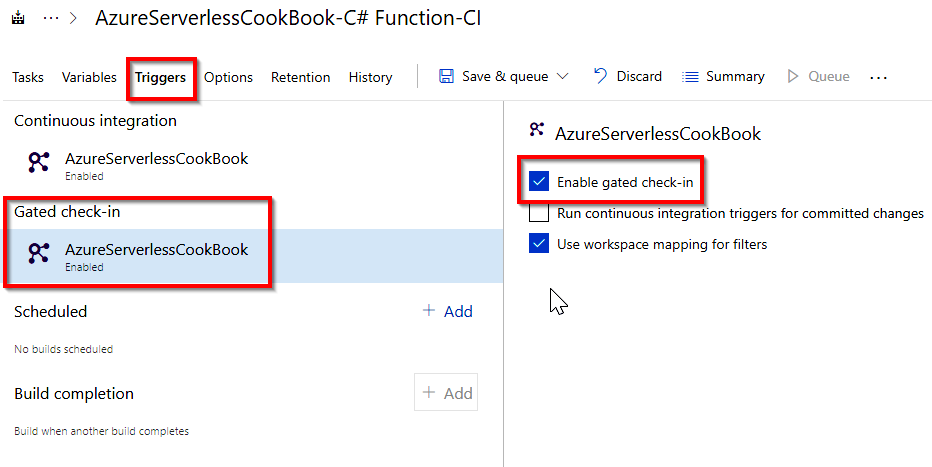
Now, go back to Visual Studio and make some changes to the code. If you try to check in the code without building the application from within Visual Studio, then you will get an alert, as follows:

Click on Build Changes in the preceding ...