Perform the following steps:
- Navigate to the Integrate tab of the SendNotifications function, click on New Output, and choose Azure Blob Storage. It would prompt you to install the Storage Extensions; please install the extensions to continue forward.
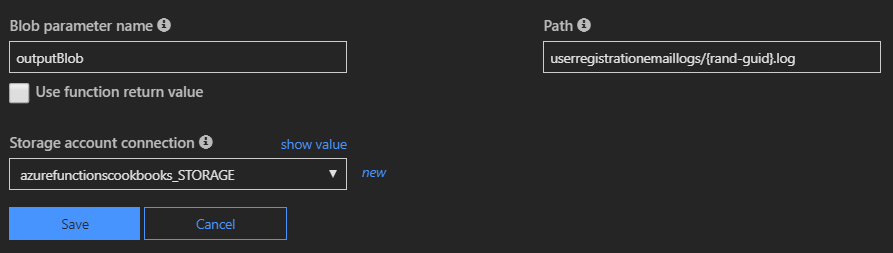
- Provide the required parameters in the Azure Blob Storage output section, as shown in the following screenshot. Note the .log extension in the Path field:
-
Navigate to the code editor of the run.csx file of the SendNotifications function and make the following changes:
- Add a new parameter, outputBlob, of the TextWriter type to the Run method.
- Add a new string variable named ...