Perform the following steps:
- Navigate to the AzureServerlessCookBook-C# Function-CI build definition by clicking on the Edit button as shown in the following screenshot:
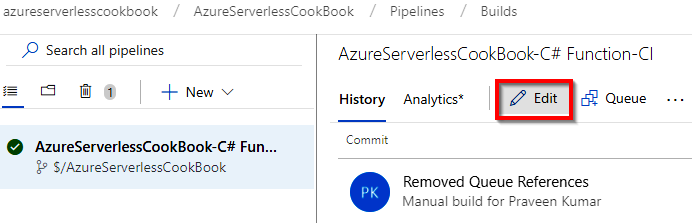
- Once you are in the build definition, click on the Triggers menu, shown as follows:

- Now, click on the Enable continuous integration checkbox to enable the automated build trigger.
- Save the changes by clicking on the arrow mark available beside the Save & queue button and click on the Save button available in the drop-down menu, which is shown in the following ...