Perform the following steps:
- Navigate to the build definition named AzureServerlessCookBook-C# Function-CI and click on the Queue button available on the right-hand side, as shown in the following screenshot:
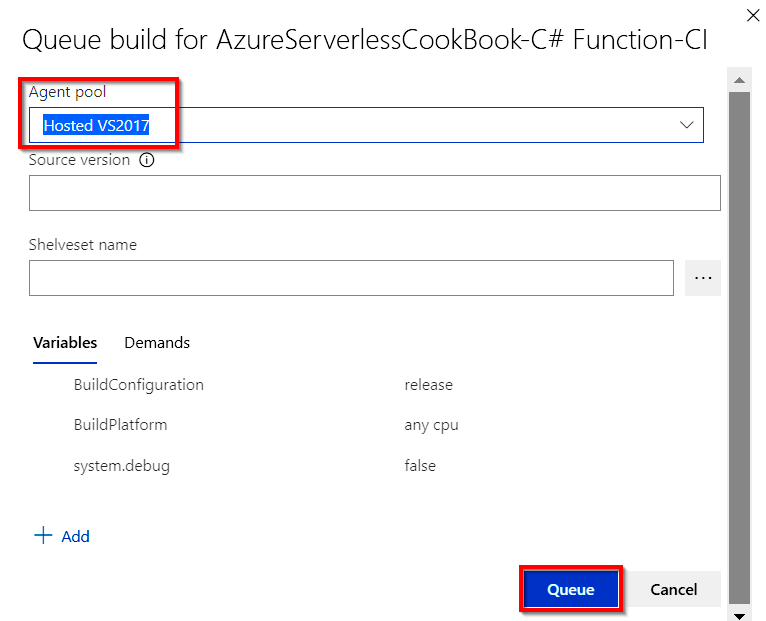
- In the Queue build for AzureServerlessCookBook-C# Function-CI popup, make sure that the Hosted VS2017 option is chosen in the Agent pool drop-down if you are using Visual Studio 2017 and click on the Queue button, as shown in the following screenshot:
- In just a few moments, the build will be queued and a message to ...
