Perform the following steps:
- Navigate to the Azure Management portal and create a SendGrid Email Delivery account by searching for it in the Marketplace, as shown in the following screenshot:
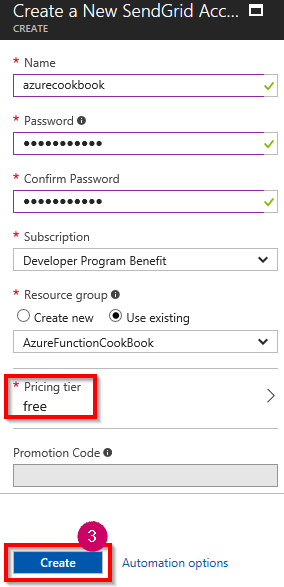
- In the SendGrid Email Delivery blade, click on the Create button to navigate to Create a New SendGrid Account. Select free in the Pricing tier options, provide all of the other details, and then click on the Create button, as shown in the following screenshot:
At the time of writing, the Send Grid free account allows us ...