Perform the following steps:
- Navigate to the BlobTriggerCSharp function in the Azure Management portal and change the path variable to point to the new container, cookbookfiles-live. Then, re-publish it. It should look something like the following screenshot:

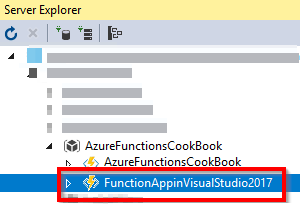
- Open the function app in Visual Studio 2017. Open Server Explorer and navigate to your Azure Function, in this case, FunctionAppinVisualStudio2017, as shown in the following screenshot:
- Right-click on the function and click on Attach Debugger, as shown in the following ...