Perform the following steps:
- Navigate to the New | Function App blade and provide the following information:
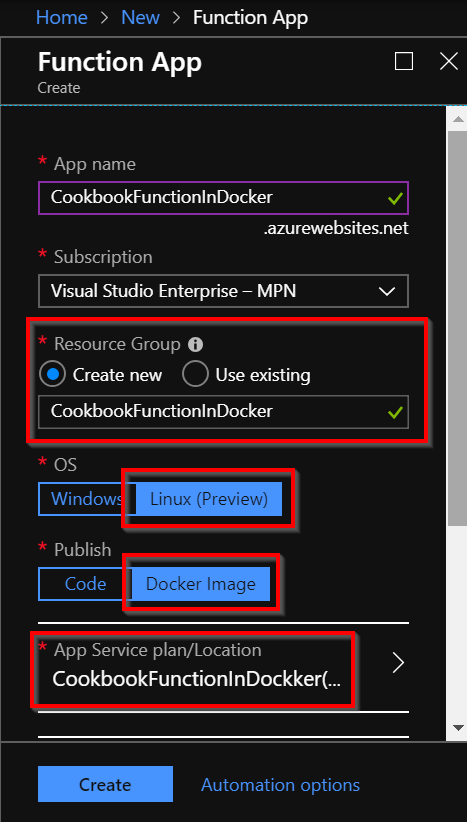
- Now, choose Linux (Preview) in the OS field and Docker Image in the Publish field, and then click on the App Service Plan/Location, as shown in the preceding screenshot. Here, choose to create a new Basic App Service plan.
- The next and most important step is to refer to the image that we have pushed to the ACR. This can be done by clicking on the Configure container button and choosing Azure Container Registry, then choosing the correct image, as shown in the following screenshot:
- Once you ...