April 2010
Beginner
464 pages
12h 7m
English
As powerful as the GNOME desktop and Nautilus file manager are, there are still times when you will need to use a command line in Ubuntu. Fortunately, though, the days when you needed to learn enough stuff to fill an entire book before you could make good use of the command line are long gone.
Instead, you should be able to get by with just the information provided in this chapter, in which you’ll learn how to start a command-line session, manage files and folders and their permission settings, run programs, and perform many other housekeeping tasks.
If you’ve never used a command line before, please don’t be put off by this chapter. Unix, the operating system on which Linux is based, has been around a very long time, precisely because it’s actually quite easy to use and, yes, even easy to learn, as you’ll soon discover.
The main method you will use to enter command-line instructions into Ubuntu is via the Terminal program, which you call up by selecting Applications → Terminal. This results in a blank window capable of displaying 24 rows of 80 characters, as shown in Figure 7-1.
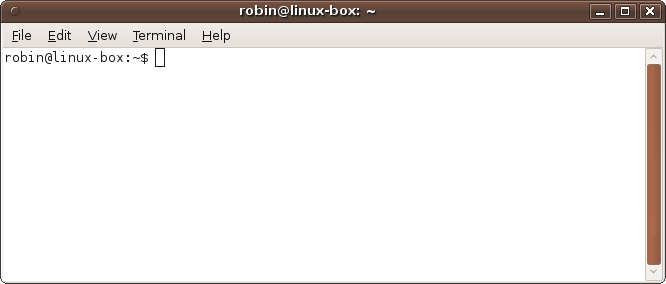
Figure 7-1. A newly opened terminal window
This resolution is used because it has been the standard size for text displays since the dawn of Unix. However, you can change it by dragging the window borders to suit your preferences and accommodate the text being displayed. ...
Read now
Unlock full access


 O’Reilly covers everything we've got, with content to help us build a world-class technology community, upgrade the capabilities and competencies of our teams, and improve overall team performance as well as their engagement.I wanted to learn C and C++, but it didn't click for me until I picked up an O'Reilly book. When I went on the O’Reilly platform, I was astonished to find all the books there, plus live events and sandboxes so you could play around with the technology.I’ve been on the O’Reilly platform for more than eight years. I use a couple of learning platforms, but I'm on O'Reilly more than anybody else. When you're there, you start learning. I'm never disappointed.I'm always learning. So when I got on to O'Reilly, I was like a kid in a candy store. There are playlists. There are answers. There's on-demand training. It's worth its weight in gold, in terms of what it allows me to do.