Skip to Content
Document Management Using WebSphere Portal V5.0.2 and DB2 Content Manager V8.2
book

Document Management Using WebSphere Portal V5.0.2 and DB2 Content Manager V8.2

by John Ganci, Leonard Fox, James Hutton, Thomas Jensen, Andrzej Stec, Eric Zhang
October 2004
Intermediate to advanced
520 pages
13h 6m
English
IBM Redbooks
Content preview from Document Management Using WebSphere Portal V5.0.2 and DB2 Content Manager V8.2
464 Document Management Using WebSphere Portal V5.0.2 and DB2 Content Manager V8.2
6. Now, the portlet application can be installed. Log into WebSphere Portal as
wpsadmin.
7. Go to Administration
Portlets Install and install the WAR file that you
added the libraries to.
8. After the portlet application has been successfully installed, access
permissions for it must be set. Go to Administration
Access
Resource Permissions Portlets.
9. Search on “content manager” (without quotes).
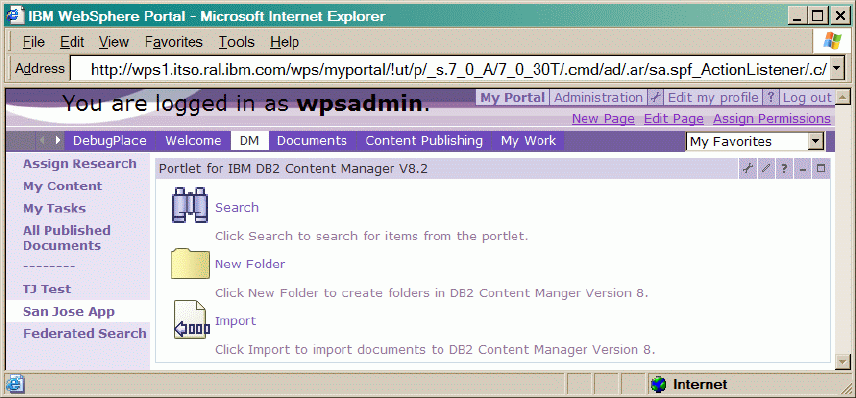
10.Click the Assign Access icon next to Portlet for IBM DB2 Content
Manager V8.2.
11.Change the Privileged User role to include all authenticated portal users
Become an O’Reilly member and get unlimited access to this title plus top books and audiobooks from O’Reilly and nearly 200 top publishers, thousands of courses curated by job role, 150+ live events each month,
and much more.
Start your free trial

You might also like

ADempiere 3.4 ERP Solutions

ADempiere 3.4 ERP Solutions

Bayu Cahya Pamungkas
What Employees Want Most in Uncertain Times

What Employees Want Most in Uncertain Times

Kristine W. Powers, Jessica B.B. Diaz
What Successful Project Managers Do

What Successful Project Managers Do

W. Scott Cameron, Jeffrey S. Russell, Edward J. Hoffman, Alexander Laufer

Publisher Resources

ISBN: 0738490784Purchase book