June 2018
Beginner to intermediate
280 pages
6h 58m
English
We can start Gazebo in several ways. You have already seen this in Chapter 1, Getting Started with Robot Operating System. In this chapter, we are using the following command to start an empty world, meaning that there is no robot and no environment:
$ roslaunch gazebo_ros empty_world.launch
The preceding command will start the Gazebo server and client and load an empty world into Gazebo. Here is the view of the empty world in Gazebo:
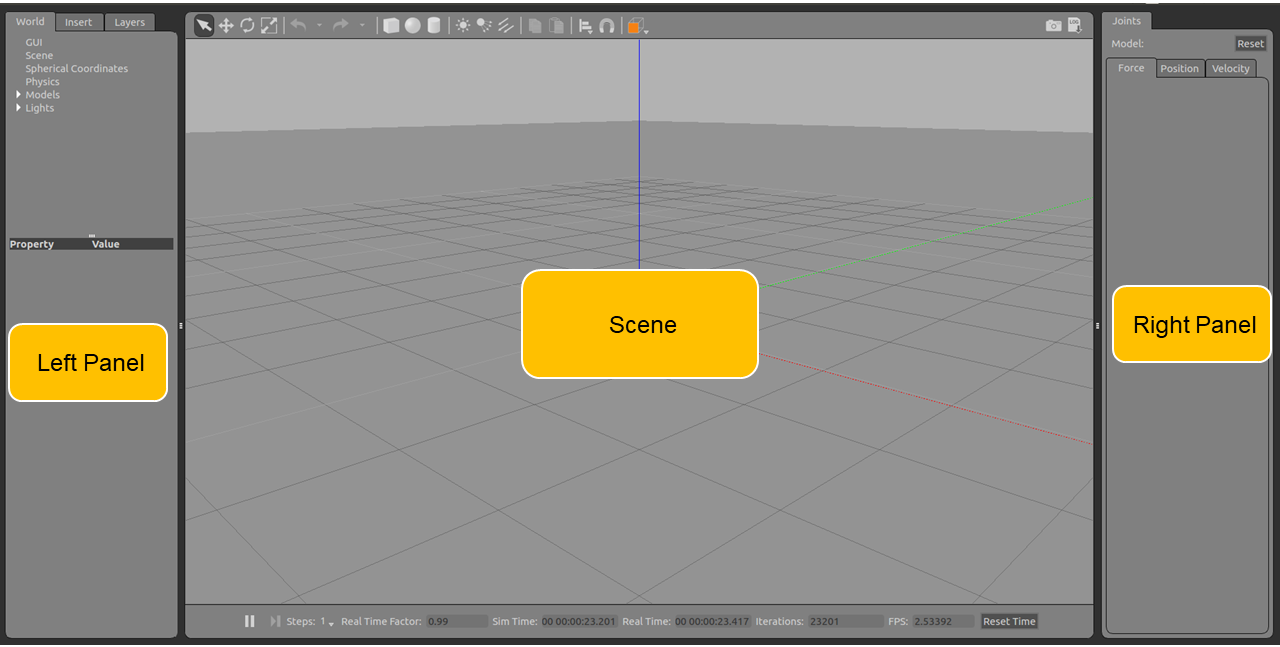
The Gazebo user interface can be divided into three sections: Scene, Left Panel, and the Right Panel.