April 2009
Intermediate to advanced
888 pages
40h
English
Need to slug in repeating informational tidbits—things like page number, date, and so on—that show stats about your document? Pages offers four flavors of special auto-entry text called formatted text fields, which you add to your document as precocious placeholders. Pages automatically fills in the blank with the relevant info. These four types of formatted text fields are:
Page Number. The number of the current page, useful to add to your document’s header or footer.
Page Count. The total number of pages in the document.
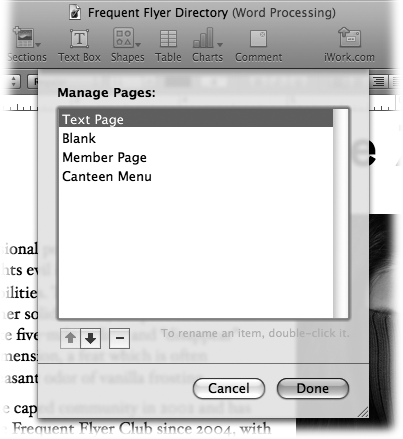
Figure 5-16. Choose Format → Advanced → Manage Pages to rename or delete any of your captured sections or pages. To rename one, double-click its name in the Manage Pages list and type a new name. To delete an entry, select it in the list and click the - button. (This doesn’t affect any text in your document; it simply removes the item from the Sections or Pages menu, so it’s no longer available to add in the future.)
Date and Time. The current date and/or time, formatted the way you like. You can tell Pages to refresh this timestamp every time you open the document, set it to a specific date, or leave it as-is from the moment you inserted the field.
Filename. The filename and, optionally, its location on your hard drive.
The following sections explain each of these options in detail.
What is hands down the most ...
Read now
Unlock full access


 O’Reilly covers everything we've got, with content to help us build a world-class technology community, upgrade the capabilities and competencies of our teams, and improve overall team performance as well as their engagement.I wanted to learn C and C++, but it didn't click for me until I picked up an O'Reilly book. When I went on the O’Reilly platform, I was astonished to find all the books there, plus live events and sandboxes so you could play around with the technology.I’ve been on the O’Reilly platform for more than eight years. I use a couple of learning platforms, but I'm on O'Reilly more than anybody else. When you're there, you start learning. I'm never disappointed.I'm always learning. So when I got on to O'Reilly, I was like a kid in a candy store. There are playlists. There are answers. There's on-demand training. It's worth its weight in gold, in terms of what it allows me to do.