Class View Window
Since the previous versions of Visual Studio, the IDE offers another graphical tool for managing objects, known as the Class View window. To enable this tool, you can press Ctrl+Shift+C if it’s not already available as a floating window. It’s a browsing tool that shows a graphical representation of the objects’ hierarchy in your solution and enables you to search for specific members or get information about types being part of your project, including base types. Figure 17.10 shows this tool window in action, pointing to the same project used in the previous section.
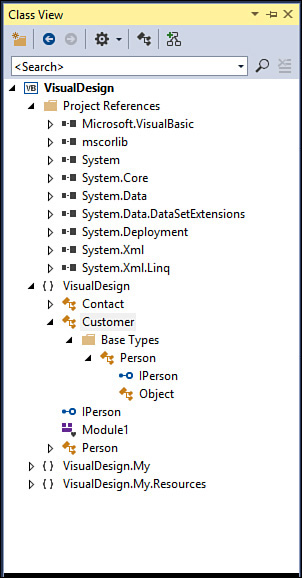
FIGURE 17.10 The Class View tool window.
As you can see ...
Get Visual Basic 2015 Unleashed now with the O’Reilly learning platform.
O’Reilly members experience books, live events, courses curated by job role, and more from O’Reilly and nearly 200 top publishers.

