December 2011
Beginner to intermediate
436 pages
14h 59m
English
SAMSUNG GALAXY S II owners, like most people who use powerful smart-phones, tend to be obsessive about battery life, and want to wring every last minute out of their batteries without giving up any of the Galaxy S II’s considerable power. This section helps you save battery life by controlling its power saving mode.

Use Power saving mode. With this setting turned on, your Galaxy S II will switch to power saving mode when your battery gets low.
Power saving mode on at. This lets you select at what percentage of battery life to turn on power saving mode.
The next section, Power saving mode settings, lets you control exactly how power saving mode works when it’s turned on:
Turn off Wi-Fi. Turns off Wi-Fi when you’re not connected to a wireless network.
Turn off Bluetooth. Turns off Bluetooth when you’re not using it.
Turn off GPS. Turns off the GPS when you’re not using it.
Turn off sync. Turns off sync when the phone isn’t in the act of synchronizing data.
Brightness. Tells the Galaxy S II to lower the brightness of the screen when it’s in power saver mode.
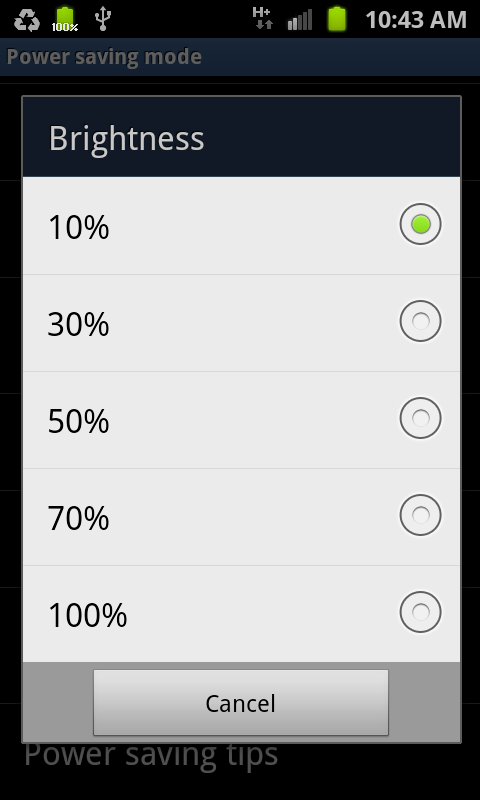
Screen timeout. Adjusts how long the screen stays lit before turning off if you don’t touch it for a certain amount of time.
Power saving tips. Tap here for a list of ways to save power.
Read now
Unlock full access


 O’Reilly covers everything we've got, with content to help us build a world-class technology community, upgrade the capabilities and competencies of our teams, and improve overall team performance as well as their engagement.I wanted to learn C and C++, but it didn't click for me until I picked up an O'Reilly book. When I went on the O’Reilly platform, I was astonished to find all the books there, plus live events and sandboxes so you could play around with the technology.I’ve been on the O’Reilly platform for more than eight years. I use a couple of learning platforms, but I'm on O'Reilly more than anybody else. When you're there, you start learning. I'm never disappointed.I'm always learning. So when I got on to O'Reilly, I was like a kid in a candy store. There are playlists. There are answers. There's on-demand training. It's worth its weight in gold, in terms of what it allows me to do.