April 2017
Intermediate
266 pages
5h 13m
English
Generated alerts require remediation, this can be done automatically or manually. Let's see how to remediate alerts manually from the alert console. Search for alert console on the application navigator. Click on Alert Console under Event Management and a list of alerts appear on the right navigation pane.
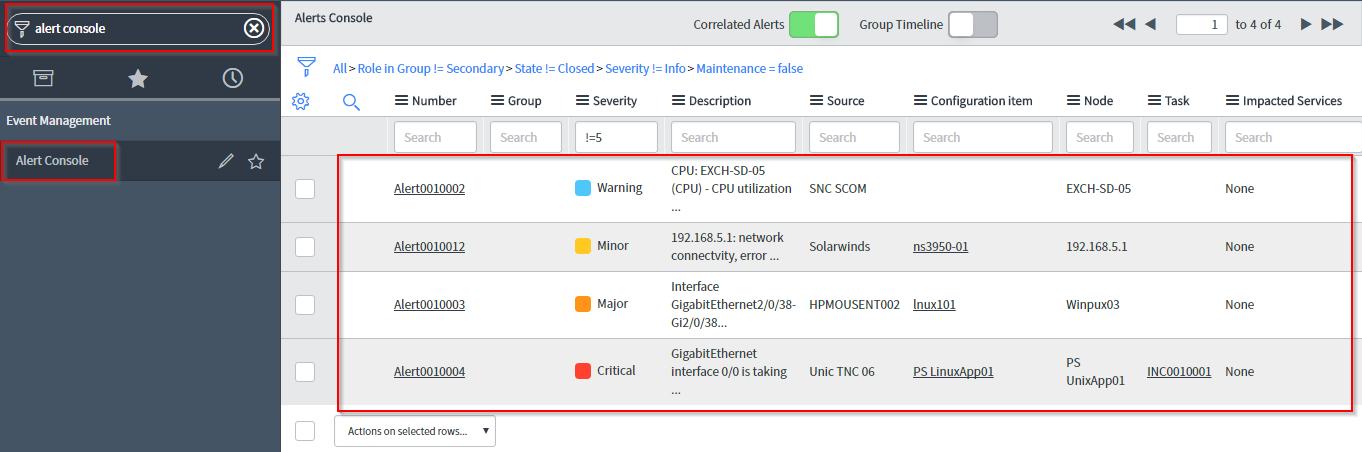
You can right-click on an alert and click on Run remediation option.
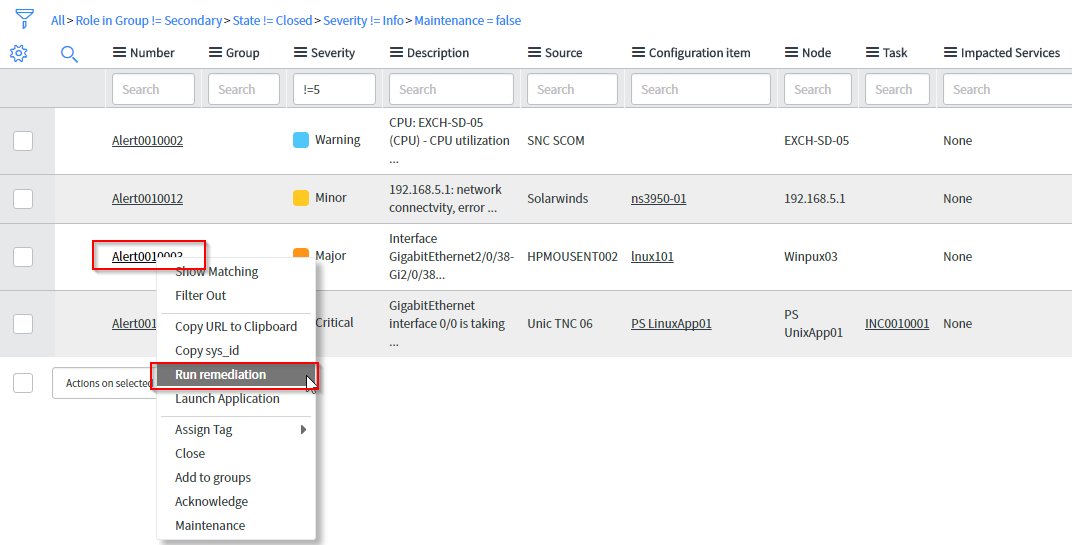
Right-click on the alert that you want to remediate, select the remediation action that needs to be taken and then click on Run button.
Once you click ...
Read now
Unlock full access


 O’Reilly covers everything we've got, with content to help us build a world-class technology community, upgrade the capabilities and competencies of our teams, and improve overall team performance as well as their engagement.I wanted to learn C and C++, but it didn't click for me until I picked up an O'Reilly book. When I went on the O’Reilly platform, I was astonished to find all the books there, plus live events and sandboxes so you could play around with the technology.I’ve been on the O’Reilly platform for more than eight years. I use a couple of learning platforms, but I'm on O'Reilly more than anybody else. When you're there, you start learning. I'm never disappointed.I'm always learning. So when I got on to O'Reilly, I was like a kid in a candy store. There are playlists. There are answers. There's on-demand training. It's worth its weight in gold, in terms of what it allows me to do.