February 2005
Beginner to intermediate
608 pages
22h 4m
English
QuickBooks includes several decision tools, which explain choices managers must make. Some of these decision tools would be more aptly named training tools, because they mainly explain how typical businesses operate. For example, the Employee, Contractor, or Temp? decision tool discusses when it makes sense to use contractors or temporary workers and when to bite the bullet and hire employees. It also explains the pros and cons of each type of worker. To access the decision tools, choose Company→Planning and Budgeting→Decision Tools, and then on the submenu, choose the tool you want to use.
The tabs that appear vary, but each tab provides educational information that's helpful if you're inexperienced in an area of business management, as demonstrated in Figure 18-8.
Here're the decision tools that QuickBooks offers and what they cover:
Measure profitability. This decision tool displays a graph of your net profit margin for the past four quarters. Net profit margin is the percentage of profit you earn for each dollar you make in sales. Downward trends in net profit margin are not a good sign. Read the information in the Measure profitability decision tool to find out how to stave off problems.
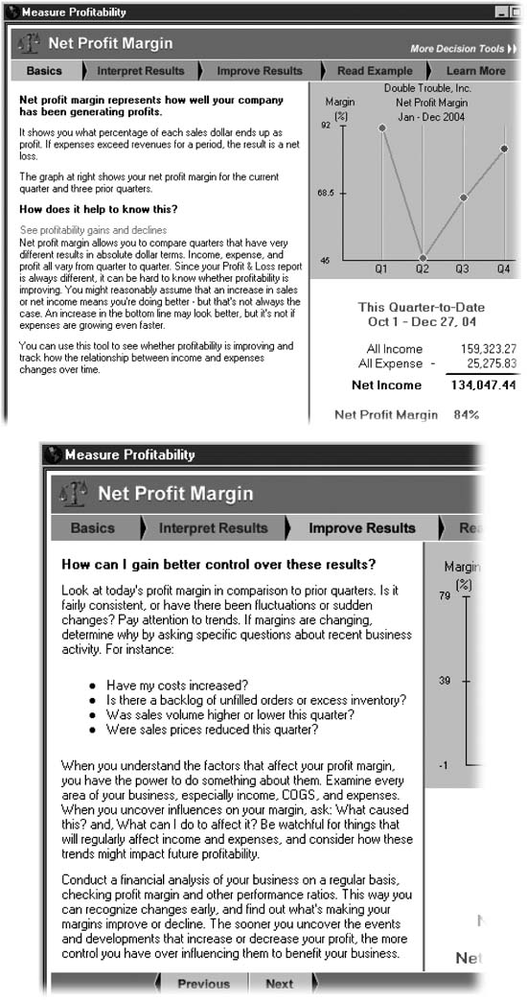
Figure 18-8. Top: For the Measure Profitability decision tool, the Basics tab explains why net profit margin is important to your business. The Interpret ...
Read now
Unlock full access


 O’Reilly covers everything we've got, with content to help us build a world-class technology community, upgrade the capabilities and competencies of our teams, and improve overall team performance as well as their engagement.I wanted to learn C and C++, but it didn't click for me until I picked up an O'Reilly book. When I went on the O’Reilly platform, I was astonished to find all the books there, plus live events and sandboxes so you could play around with the technology.I’ve been on the O’Reilly platform for more than eight years. I use a couple of learning platforms, but I'm on O'Reilly more than anybody else. When you're there, you start learning. I'm never disappointed.I'm always learning. So when I got on to O'Reilly, I was like a kid in a candy store. There are playlists. There are answers. There's on-demand training. It's worth its weight in gold, in terms of what it allows me to do.