We will start building the room in Gazebo, save into Semantic Description Format (SDF), and insert in the Gazebo environment.
Launch Gazebo with the Chefbot robot in an empty world:
$ roslaunch chefbot_gazebo chefbot_empty_world.launch
It will open the Chefbot model in an empty world on Gazebo. We can build the room using walls, windows, doors, and stairs.
There is a Building Editor in Gazebo. We can take this editor from the menu Edit | Building Editor. We will get an editor in the Gazebo viewport:
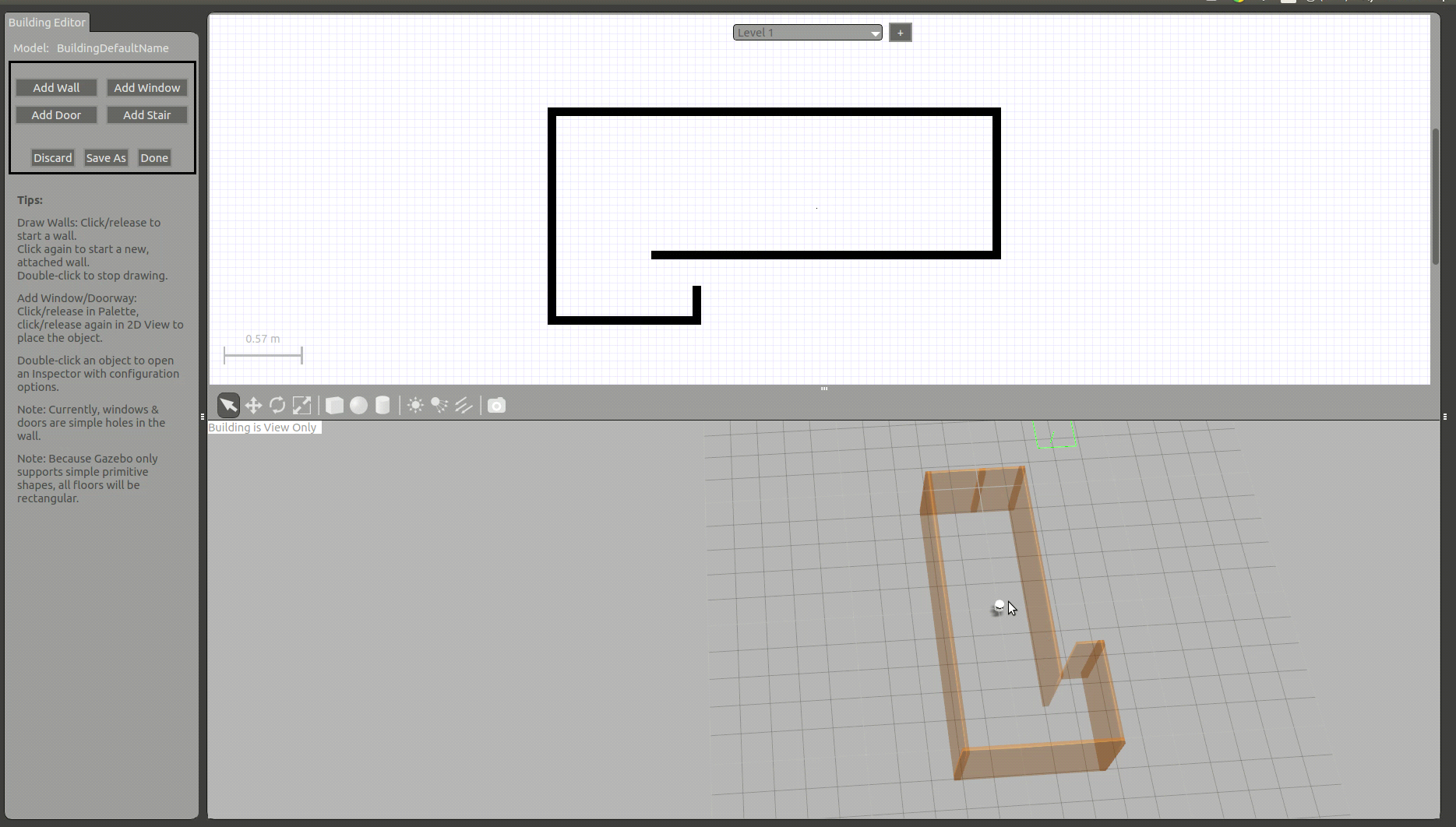
Figure 21: Building walls in Gazebo
We can add walls by clicking the Add Wall option on the left-side pane of Gazebo. ...

