December 2009
Beginner
416 pages
9h 53m
English
In a perfect world, there would be no need for error pages. Error pages, often called 404 pages, are designed to notify the visitor that what she is looking for isn’t there.
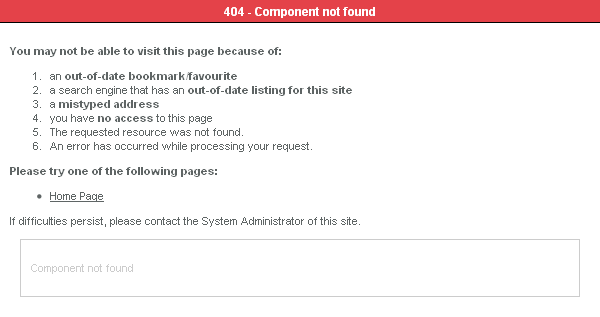
Figure 19-4. Joomla’s default 404 page
Figure 19-4 shows an example of Joomla’s default 404 page. As you can see, it is functional but not very pretty. We encourage site administrators to get creative with their 404 pages. This helps users find what they are looking for and doesn’t look as bad when they hit a bad URL.
Some common things to do with a 404 page are:
Display a “page not found” type of message
Redirect the user to the website’s home page along with an error message
Redirect the user to the website’s search page along with an error message
Entertain the user with something to make them laugh.
For more ideas, check out these two articles at Smashing Magazine:
| http://www.smashingmagazine.com/2007/07/25/wanted-your-404-error-pages/ |
| http://www.smashingmagazine.com/2007/08/17/404-error-pages-reloaded/ |
Now we’ll show you how to customize your own error page in Joomla.
The error page in Joomla is located in system/error.php. This file is what Joomla shows when it needs to display an error like 404. We don’t recommend you make changes to this file directly. Instead, make a copy of the error.php file and put it inside your template directory. Joomla will look there first for an error file and it will prevent ...
Read now
Unlock full access


 O’Reilly covers everything we've got, with content to help us build a world-class technology community, upgrade the capabilities and competencies of our teams, and improve overall team performance as well as their engagement.I wanted to learn C and C++, but it didn't click for me until I picked up an O'Reilly book. When I went on the O’Reilly platform, I was astonished to find all the books there, plus live events and sandboxes so you could play around with the technology.I’ve been on the O’Reilly platform for more than eight years. I use a couple of learning platforms, but I'm on O'Reilly more than anybody else. When you're there, you start learning. I'm never disappointed.I'm always learning. So when I got on to O'Reilly, I was like a kid in a candy store. There are playlists. There are answers. There's on-demand training. It's worth its weight in gold, in terms of what it allows me to do.